AI Video Generator for TikTok: Turn Photos Into Motion
Learn how to use an AI video generator for TikTok to transform a single photo into a compelling video. Our guide covers prompts, editing, and storytelling.
You've probably got a photo sitting in your camera roll right now that matters more than any trend audio. It might be a grandparent's portrait, a wedding snapshot, a childhood picture, or a clean product shot that deserves more life than a static post can give it. The problem is simple. On TikTok, a still image often feels unfinished, but a full video edit can be overkill.
That's where an AI video generator for TikTok becomes useful. Not for making loud avatar clips or disposable meme content, but for adding subtle motion to one meaningful frame so it holds attention without losing its emotional weight. When this works, the result doesn't look like a gimmick. It looks like the photo finally has room to breathe.
Table of Contents
- Why Animate Photos for TikTok Anyway
- Choosing and Prepping Your Photo for Animation
- Crafting Prompts That Create Natural Motion
- Assembling Your Final TikTok Video
- Beyond Trends A Storytelling Approach
- Privacy and Proper Credit for AI Videos
Why Animate Photos for TikTok Anyway
TikTok rewards movement, pacing, and immediacy. A static image can still work, but in most cases it asks the viewer to do too much of the emotional work on their own. A gentle camera push, a small shift in expression, or a bit of environmental motion can make the same image feel present instead of archived.
That's not some fringe workflow. One industry source says over 60% of top TikTok creators use AI video generators for speed and consistency, and ties that behavior to the demands of publishing on a platform that reported 1 billion monthly active users in September 2021 (HeyGen's TikTok AI video generator overview). At TikTok scale, creators and brands need formats that can move from idea to publishable vertical video fast.
Practical rule: If the photo already carries emotion, the job of animation isn't to add excitement. It's to add presence.
For meaningful content, that distinction matters. A memorial tribute doesn't need flashy transitions. An anniversary post doesn't need a dancing avatar. A product close-up doesn't need random cinematic chaos. What it needs is motion that supports the original image.
TikTok also pushes you toward a specific production habit. The platform is built around 9:16 vertical video, fast turnaround, and low-friction editing, and industry product analysis describes the dominant workflows as text-to-video and image-to-video for TikTok-ready delivery (Morphed's review of AI video generator workflows for TikTok). For anyone working from still photos, that means image-to-video isn't a side trick. It's a practical content format.
The strongest use case is often the least flashy one. You take a single still, introduce minimal motion, frame it vertically, then let sound, captions, and timing do the rest. That kind of video doesn't scream AI. It feels watchable.
Choosing and Prepping Your Photo for Animation
Some photos animate beautifully. Others fight you the whole way. If the starting image is muddy, cluttered, or awkwardly cropped, the AI usually exaggerates those weaknesses instead of fixing them.
Pick a photo with room to move
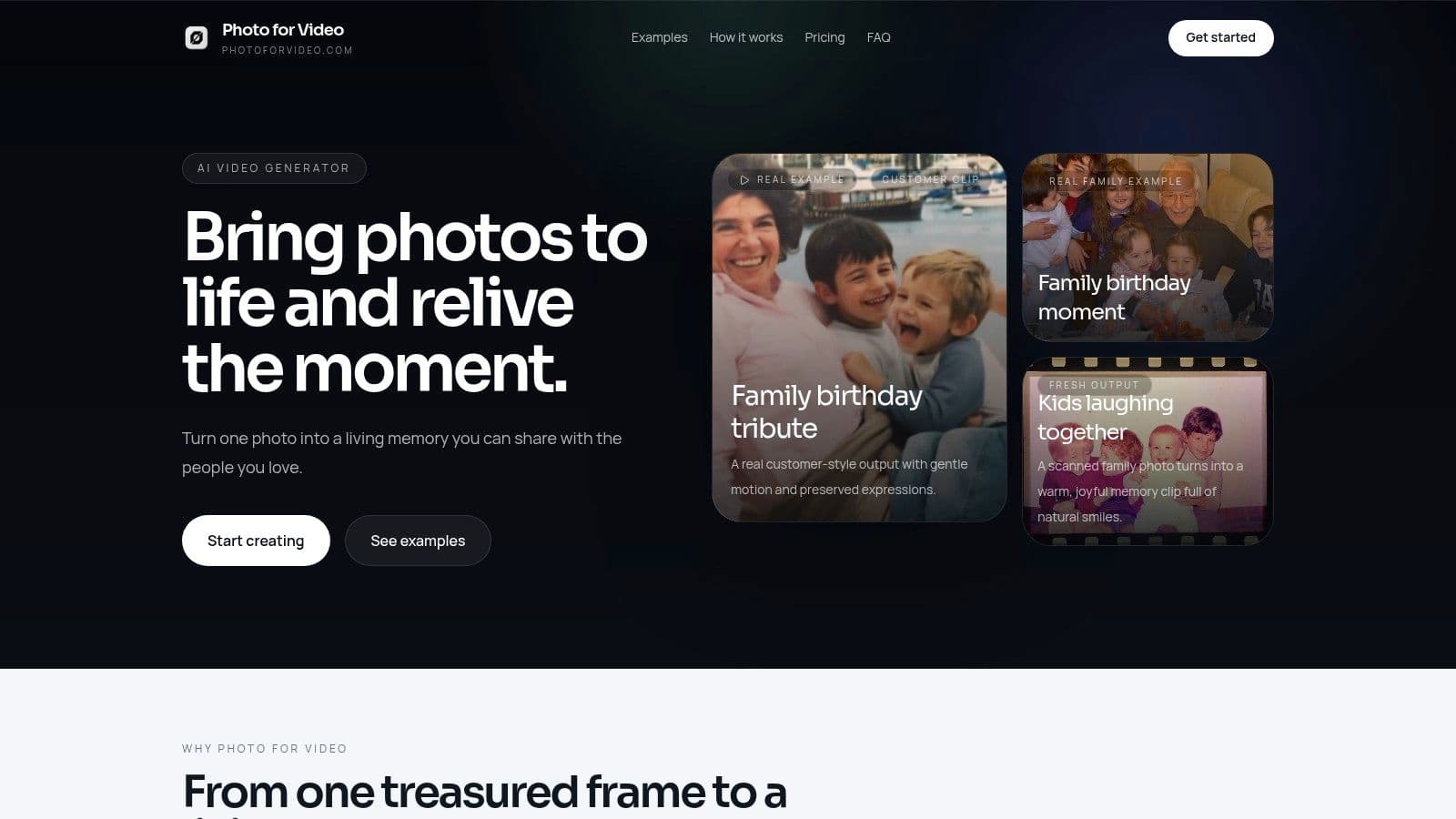
The best candidates usually have one clear subject, readable lighting, and a composition that can tolerate subtle motion. Old scanned prints can work very well if the face is visible and the background isn't too chaotic. Modern phone photos are easier, but they're not automatically better. Harsh filters, blurred edges, and cluttered rooms cause plenty of bad generations.
I usually look for three things before I animate any image:
- A clear focal point: One face, one couple, one product, one object. If the viewer doesn't know where to look in the still, motion won't fix that.
- Natural depth cues: A subject in front of a background gives the model room to create believable separation.
- Emotion already in the frame: A smile, a glance, a hand position, a dress texture, a storefront detail. Motion should amplify what's already there.
A common mistake is choosing a photo because it's sentimental, not because it's usable. Keep both standards. The image should matter, but it also needs enough visual clarity to survive animation.
Prep the file before you animate it
Before generating anything, crop with TikTok in mind. Vertical framing usually works better when the subject has a little breathing room above the head and around the shoulders. If you crop too tightly, any camera move will feel cramped.
Make a few small fixes first:
- Straighten the image: Tilted scans become more distracting once motion starts.
- Clean obvious defects: Dust, fold marks, and heavy glare can turn into strange artifacts.
- Adjust lightly: Small exposure or color corrections help. Over-editing often makes skin and fabric look synthetic.
- Use the best version you have: If your source is tiny or soft, start by improving the file quality. This guide on getting a high resolution photo is useful if you're working from old prints or compressed images.
What doesn't work well? Group photos with overlapping faces. Images with hands cut off at odd angles. Backgrounds full of signage, busy wallpaper, or random objects near the subject's head. The generator may still produce something, but it often invents movement where you don't want it.
This kind of edit is easier to understand when you see the pacing in motion:
One more thing. Don't treat prep like admin work. In photo-based TikTok videos, the source image is the creative direction. If the photo is strong, the prompt can stay simple. If the photo is weak, no prompt will fully rescue it.
Crafting Prompts That Create Natural Motion
Most bad AI photo animations come from vague instructions. “Make this photo come alive” sounds fine to a human, but it's too loose for a generator. The output usually turns theatrical, rubbery, or strangely dramatic because the model has to invent too much.
A better workflow is more specific. One expert prompt method recommends defining the narrative, mood, visual style, motion, and camera perspective, then testing with cheaper draft renders before committing to a final output (expert TikTok image-to-video prompt workflow on YouTube). That's close to how experienced creators work in practice. They narrow the range of possible movement before asking for a polished render.
Build prompts from five parts
Start with a simple formula:
-
Narrative
What is happening in the image, even if the action is minimal? “A woman standing outside a church after the ceremony” is more useful than “wedding photo.” -
Mood
Give the generator an emotional temperature. Warm, nostalgic, calm, reverent, celebratory, understated. Mood helps control how aggressive the movement feels. -
Visual style
This keeps the generator from drifting into glossy, over-produced territory. For old photos, words like natural, archival, analog, soft, or realistic help preserve the texture. -
Motion
This is the most important line. Be literal. Hair moving slightly in the breeze. Eyes blinking once. Dress fabric shifting subtly. Product label catching light. Curtains moving faintly. -
Camera perspective
Ask for a slow push-in, a locked frame, or a gentle parallax feel. Most single-photo TikToks improve with restrained camera movement rather than dramatic pans.
Don't ask for “cinematic motion” unless you can define what that means. Generic cinematic prompts often create the exact look people want to avoid.
Drafting matters too. Test cheap or lower-stakes renders first. You're checking continuity, perspective, and whether the motion reads as human. If the face warps or the background starts drifting, revise the prompt before you spend more time on the final version.
A useful shortcut is to write one sentence for what should move and one sentence for what should stay stable. That second sentence saves a lot of bad outputs.
Example prompts for different video goals
If you want more prompt ideas, this collection of best prompts for image-to-video is a solid reference point.
| Video Goal | Example Prompt |
|---|---|
| Birthday tribute | A warm, nostalgic portrait of a woman smiling at a birthday gathering. Keep the scene realistic and gentle. Add subtle head movement, a soft blink, and slight candle flicker in the background. Use a slow push-in camera move and preserve the original photo texture. |
| Anniversary post | A vintage wedding photo with a calm, affectionate mood. The couple remains mostly still, with minimal movement in facial expression and clothing fabric. Add gentle depth and a very slow camera drift. Keep the result elegant and natural, not stylized. |
| Memorial tribute | An old family portrait with soft, respectful motion. Slight breathing-like stillness, tiny movement in hair or collar, and a restrained zoom toward the subject. Maintain an archival look and avoid exaggerated smiles, fast motion, or fantasy effects. |
| Product storytelling | A clean product photo on a simple background. Add a subtle camera push, realistic light shimmer across the packaging, and slight shadow movement. Keep edges crisp and motion controlled for a polished TikTok presentation. |
Prompting gets better when you stop thinking in features and start thinking in boundaries. You're not asking the model to be creative in every direction. You're telling it exactly where creativity is welcome and where it isn't.
Assembling Your Final TikTok Video
Generation is only half the job. A good clip can still flop if the final edit feels careless, the framing is wrong, or the post lacks context.
Export for TikTok first, not as an afterthought
TikTok wants vertical video. CapCut's own AI TikTok workflow describes a practical sequence: generate from a script, personalize with captions, music, and effects, then export in the right resolution, frame rate, and quality for posting. CapCut also says its AI video generator has a free version, which makes fast testing easier for short-form creators (CapCut AI TikTok video generator workflow).
That workflow matters even if you're starting from a still photo instead of a script. The final container still needs to feel native to the app.
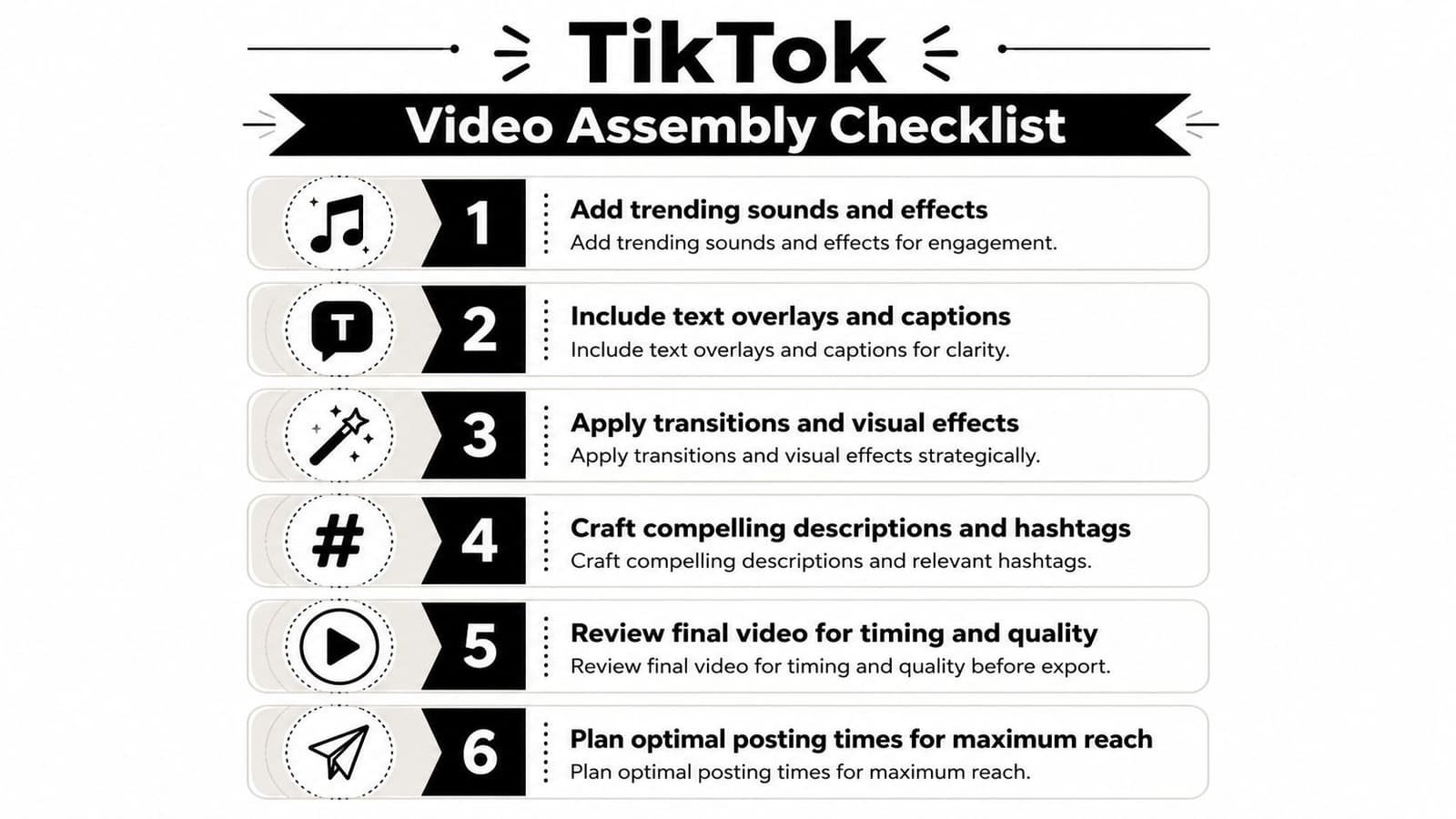
Here's the checklist I'd use before posting:
- Check the frame: Make sure the subject sits comfortably in 9:16. Don't let TikTok's interface cover a face, product label, or key text.
- Trim the opening: The first second matters. Start on the strongest visual moment, not on a dead pause.
- Use sound deliberately: Trend audio can help, but personal audio, ambient music, or a voiceover often fits tribute-style content better.
- Add readable text: A name, date, relationship, location, or one-line context often improves watch time because viewers immediately understand what they're seeing.
- Review motion on a phone: Some animations look smooth on desktop and odd on mobile. Always preview on the device that matters.
A meaningful TikTok usually needs less editing than people think. It needs better editing decisions.
Finish the post like an editor, not just a generator user
The caption should do one job. Anchor the emotion. For a family clip, that might be a short memory or a date. For a brand clip, it might be one sentence that explains why this image matters. Overwriting the caption can cheapen a subtle video.
Text overlays matter more than people expect because many viewers watch with low sound or no sound. Keep them short. Place them high enough or centered carefully so they don't disappear behind TikTok's UI.
Effects should be sparse. If the image already has AI motion, you usually don't need additional flashy transitions, aggressive filters, or novelty overlays. Most of those compete with the emotional point of the post.
Hashtags are useful when they clarify the category of the video, but they shouldn't read like keyword stuffing. Pick tags that match the story, not just the platform trend of the week.
Beyond Trends A Storytelling Approach
Individuals searching for an AI video generator for TikTok often get pushed toward talking avatars, trend templates, and meme formats. Those have their place, but they aren't the only use case, and they're often the wrong fit for a single treasured photo.
One of the most overlooked opportunities in TikTok AI video is tasteful motion from a single image. That gap shows up clearly in industry commentary, which notes that most TikTok AI tools focus on trends and memes, while a major underserved need is animating a family photo or similar image without making it look uncanny or template-like. The same analysis makes a point I agree with completely: the highest-value AI videos often read as a memory, not an effect (HeyGen's discussion of the gap in TikTok AI video tools).
The best motion is usually restrained
When creators chase obvious AI spectacle, they often lose what made the original image meaningful. The face gets too expressive. The camera move gets too dramatic. The mood shifts from intimate to synthetic.
Subtle motion does the opposite. It protects the emotional center of the image.
That's why single-photo TikToks work best when they behave like living portraits. A tiny blink. A quiet zoom. Slight movement in clothing or light. Enough to create presence, not enough to announce the tool.
Some of the strongest AI videos on TikTok don't look “generated.” They look remembered.
Story ideas that fit this format
This approach works especially well for posts that already carry narrative weight:
- Anniversary tributes: Animate a wedding photo with soft movement, then pair it with a short line about the year, the place, or the couple.
- Memorial edits: Use one respectful portrait instead of a busy multi-effect slideshow. Let the voiceover or caption carry the story.
- Birthday keepsakes: Bring a childhood photo to life with light motion and a simple caption from a family member.
- Brand storytelling: Animate a founder photo, an early storefront image, or an original product shot. A restrained motion clip can feel more premium than a loud template.
- Family history posts: Old scans become much more watchable when the movement is minimal and the text gives viewers context.
What usually doesn't work is forcing every image into a viral format. Trend mimicry can flatten the emotional value of personal content. TikTok is full of noise already. A calm, well-made clip can stand out precisely because it doesn't act like everything else.
Privacy and Proper Credit for AI Videos
Personal photos deserve a different level of care than disposable content assets. That's especially true when you're animating family portraits, memorial images, or photos of living people who never expected their likeness to be turned into video.
A recent discussion of TikTok's own native photo animation push points out a real gap in mainstream guidance: questions about what happens to uploaded family photos, data retention, and consent for likeness remain largely unanswered for users who care about safety (CNET's coverage of TikTok AI photo animation concerns). That concern is valid. “Fast” isn't the same as “safe.”
Treat personal photos like sensitive files
Before uploading anything, check the tool's privacy terms and deletion policy. If those details are vague, that's useful information in itself. A family memorial photo should not be treated with the same casualness as a throwaway meme asset.
A few practical rules help:
- Use tools with clear retention policies: If a service doesn't explain deletion, storage, or export control, pause before uploading.
- Avoid unnecessary uploads: Don't test with the most sensitive family image first.
- Keep local copies organized: Save the original scan, the cleaned version, and the final export separately so you don't lose the source.
If you want a broader look at the ethics and mechanics of animated portraits, this article on talking photos with AI is worth reading.
Consent matters more when the image is personal
If the subject is living, get permission before posting an animated version. That's a good rule even when the photo is already public. Animation changes the nature of the image.
Credit matters too. If a professional photographer took the original image, name them when appropriate. If a family member scanned or restored the photo, acknowledge that contribution. These details don't just keep you polite. They keep the work grounded in respect.
Taste is part of ethics here. The more personal the image, the less room there is for novelty effects, exaggerated expressions, or manipulative sentiment. Good AI photo animation should honor the source, not overpower it.
If you want to turn one meaningful photo into a short, polished video made for tributes, anniversaries, birthdays, or family keepsakes, Photo for Video is built for exactly that workflow. Upload a single image, describe the motion you want in one short line, and create a living-memory style clip that feels subtle, natural, and ready for TikTok or your next montage.