Talking Photos AI: A Guide to Creating Lifelike Motion
Learn what talking photos AI is, how to create animated photos for tributes and marketing, and the key ethical considerations. Your complete 2026 guide.
You found an old photo while cleaning a drawer. Maybe it’s a grandparent at a wedding, a child blowing out birthday candles, or a parent caught mid-laugh in a snapshot that has already started to fade. You stare at it for a second and think the same thing a lot of people think now: I wish I could see this moment move.
That’s the pull of talking photos ai. It takes a still image and turns it into a short animated clip that can blink, smile, or speak. Used well, it doesn’t just feel clever. It feels personal. A family photo becomes a keepsake. A memorial slide becomes something gentler and more human. A birthday montage gets one moment that makes everyone pause.
The appeal is easy to understand. The harder part is knowing what’s happening, what kind of result to expect, and when a talking photo is meaningful versus too much. That’s where people often get stuck. They either treat the tool like a toy or avoid it because it feels eerie.
Both reactions miss the middle ground. This technology can be warm, tasteful, and useful if you understand how it works and use it with care.
Table of Contents
- Introduction From Still Photo to Living Memory
- How Talking Photo AI Works Under the Hood
- Inspiring Use Cases for Animated Photos
- Navigating the Ethics of Digital Life
- Create Your First Animated Photo in Minutes
- Choosing the Right AI Animation Tool
Introduction From Still Photo to Living Memory
A still photo freezes a person in one fraction of a second. That’s part of its beauty, but it also leaves a lot unsaid. You can see the smile, but not the way it formed. You can see the eyes, but not the blink. You can guess the voice, but you can’t hear it.
Talking photos ai fills in some of that missing motion. It can animate a face from a single image and pair it with recorded speech or AI-generated audio, turning one old frame into a short clip. In many tools, that clip is brief and focused. A few seconds can be enough to make a photo feel present again.
The emotional difference is bigger than the technical difference. A scanned print from a family album can become part of an anniversary slideshow. A portrait of a loved one can become a gentle memorial element. A child’s drawing or school picture can become a birthday surprise that feels playful instead of overproduced.
Practical rule: The best talking photo projects start with a clear feeling, not a flashy effect.
That’s especially true for personal keepsakes. People often assume the most realistic result is automatically the best result. It isn’t. For family tributes, the best result is usually the one that preserves the mood of the original image and doesn’t force the animation to do too much.
Here’s a straightforward perspective:
| Goal | Best style |
|---|---|
| Birthday montage | Light expression, short line of speech, warm motion |
| Memorial tribute | Minimal movement, soft eye and head motion, careful tone |
| Anniversary video | Gentle smile, slight camera drift, brief voiceover |
| Social media post | Clear lip sync, direct message, faster pacing |
That’s why this technology deserves a calmer explanation than it usually gets. It isn’t only about making a face talk. It’s about deciding what kind of memory you want to create, and how much animation that memory can carry without losing its dignity.
How Talking Photo AI Works Under the Hood
A talking photo can feel startling for a simple reason. Your brain knows it is looking at a still image, but a few well-timed movements and a believable voice can make that image feel present again. The effect seems emotional on the surface. Underneath, it comes from a chain of technical decisions that have to stay subtle.
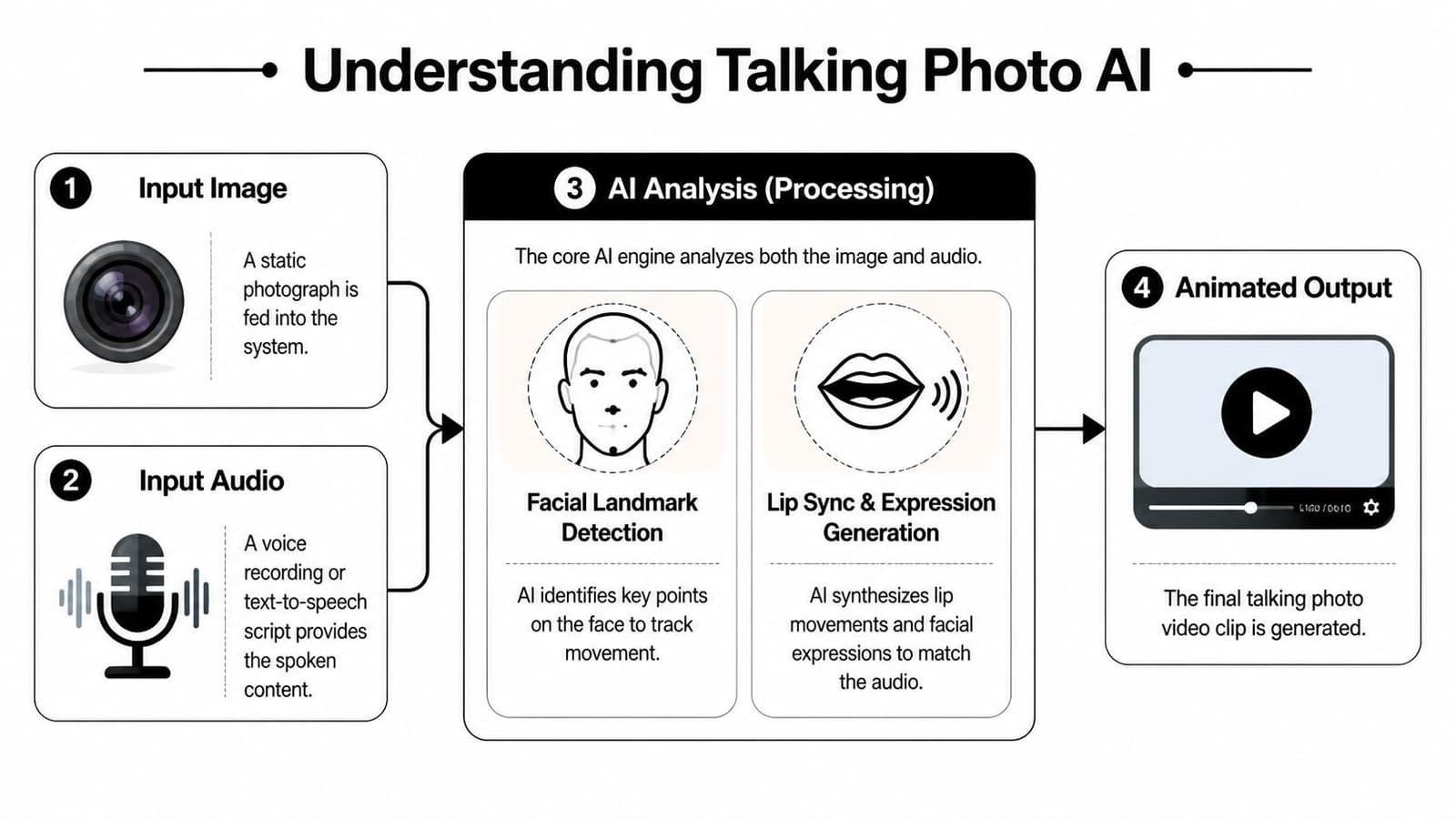
The AI first studies the face
Before a photo can speak, the system maps the face. It identifies landmarks such as the corners of the mouth, the eyelids, the nose bridge, the jawline, and the general shape of the cheeks. That map gives the software boundaries. It shows where movement can happen without making the person stop looking like themselves.
This step comes from years of computer vision research. The ImageNet project, described by its creators as a large visual database built to advance object recognition, helped train systems to spot patterns across millions of labeled images in a consistent way, as explained on the ImageNet project page at Princeton. The invention of Generative Adversarial Networks in 2014 then gave image models a practical way to produce more realistic synthetic outputs.
A simple way to picture this stage is tracing paper over a portrait. The original image stays in place. The AI adds a guide layer that marks what can move, what should stay anchored, and how far each feature can shift before the illusion breaks.
That restraint matters most for keepsakes. In a memorial clip or anniversary tribute, accuracy is only part of the goal. The face also needs to keep its original mood.
The movement gets built in layers
Once the face is mapped, the software generates motion. It usually does not create one giant animation all at once. It builds small changes that work together, such as a blink, a slight head turn, a smile, or the opening and closing of the lips.
GAN-style systems work a bit like a sculptor and a critic working on the same clay figure. One model creates movement. Another checks whether that movement looks convincing enough to pass as natural. After many rounds of correction, the output improves.
This is why good talking photo AI often looks restrained. The best result is rarely the busiest one. A formal portrait may only support tiny movements. A casual snapshot can handle more. If you want a clearer visual sense of that balance, this guide to realistic face animation from photo shows what natural-looking motion tends to have in common.
Good animation respects the photo. It adds motion where motion feels believable.
That is also why tasteful tribute videos often use less animation than social clips. In personal keepsakes, the job is not to show everything AI can do. The job is to preserve recognition, warmth, and dignity.
The voice and mouth have to agree
After motion comes synchronization. If the clip includes speech, the mouth shapes need to match the sounds closely enough that viewers do not get pulled out of the moment. Timing matters, but tone matters just as much.
Voice synthesis improved sharply with WaveNet in 2016, which Google Research introduced as a neural network for generating more natural-sounding raw audio waveforms. Large language models later expanded how AI tools generate scripts and speech. GPT-3, introduced by OpenAI with 175 billion parameters in the same announcement and paper, pushed text generation much further into mainstream tools, according to the OpenAI GPT-3 research page. By comparison, GPT-2 was released by OpenAI with 1.5 billion parameters, as described on the OpenAI GPT-2 model page.
Those numbers matter less than the practical result. Newer systems got better at pacing, phrasing, and matching a line of speech to a chosen mood.
That choice becomes especially important for emotional projects. A bright commercial-style voice can ruin a memorial tribute, even with perfect lip sync. A slower delivery, softer expression, and shorter line often feel more respectful because they support the memory instead of competing with it.
So the "magic" is really coordination. The system reads the face, predicts believable motion, and aligns that motion with sound. When those pieces stay balanced, a talking photo stops feeling like a trick and starts feeling like a careful digital keepsake.
Inspiring Use Cases for Animated Photos
A daughter opens a birthday slideshow for her dad, and his late mother appears for three gentle seconds. She blinks, smiles, and says a short line the family still remembers. That kind of moment explains why talking photos ai can feel so powerful. Used with care, it does more than animate a face. It gives a memory a little warmth and presence.
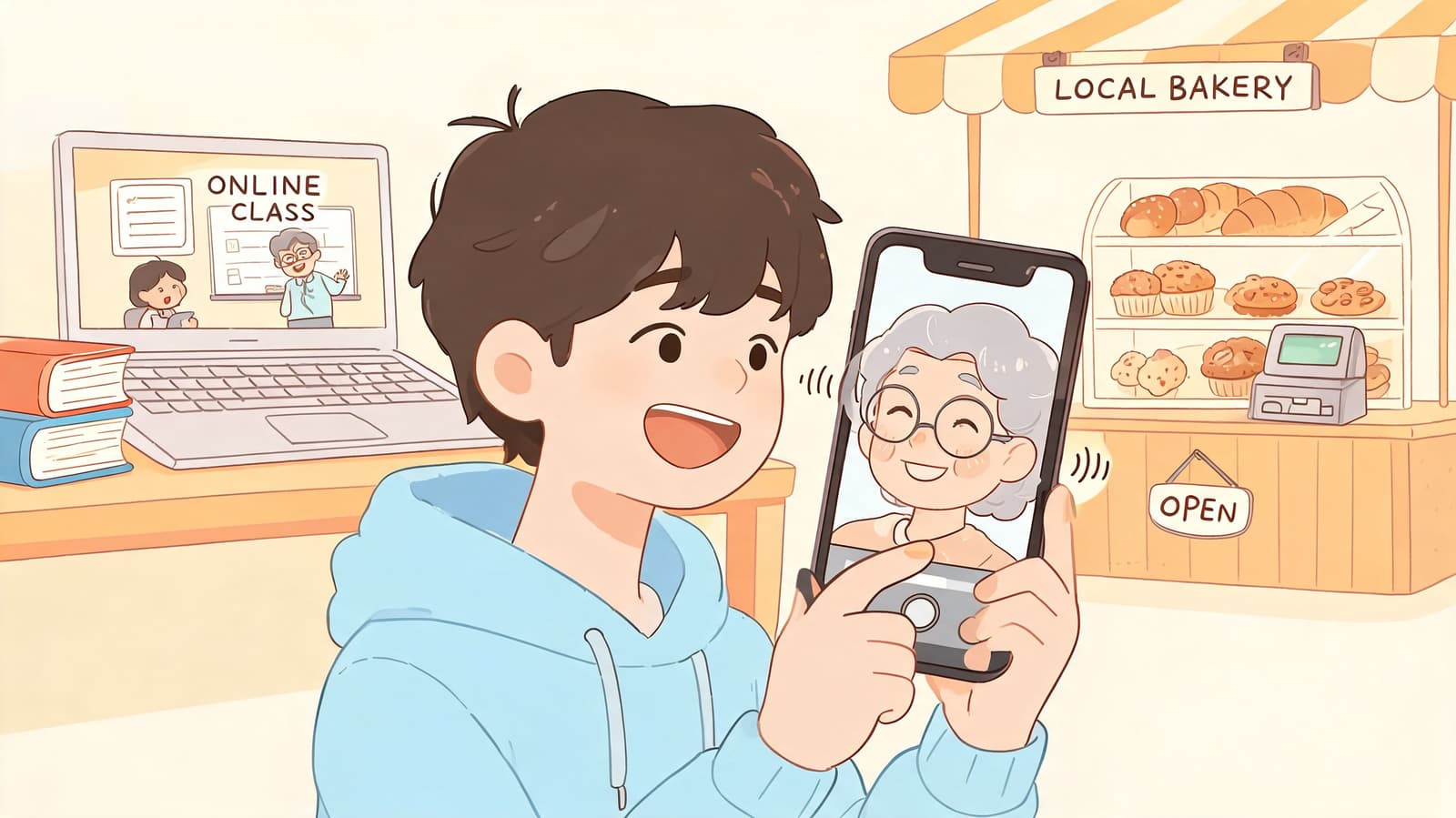
Family keepsakes and tribute videos
Personal projects are often where this technology means the most. An old scan can open a memorial video with a quiet sense of closeness. A wedding portrait can add feeling to an anniversary reel. A childhood photo can deliver a brief birthday message that feels familiar instead of flashy.
Small motions usually work best.
That surprises people at first. They assume more speech, more expression, and more movement will create a stronger result. Personal keepsakes usually work the opposite way. A soft blink or a slight smile often feels more believable because it matches how we remember someone from a photograph. The goal is not performance. The goal is recognition.
Short clips tend to fit naturally into moments like these:
- Birthday slideshows: A favorite childhood photo can greet the guest of honor at the start of the montage.
- Anniversary edits: A formal portrait can add a quiet pause between faster video segments.
- Memorial displays: A still image can be animated gently to create presence without turning grief into spectacle.
- Family archives: Old scans can become short keepsakes that help younger relatives connect with people they never met.
A good rule is to treat the photo like a cherished object, not a puppet. If the image already carries emotion, the animation should support that feeling, not compete with it.
Teaching, storytelling, and brand content
Animated photos also help in settings that need warmth, context, or attention without the work of filming new video. A teacher can give a historical portrait a voice for a classroom prompt. A museum can make a figure from the past feel more approachable. An illustrator can test dialogue with a character sketch. A small business can post a face-led message without setting up lights, cameras, and a full shoot.
As noted earlier, newer tools made this process much easier, which is why animated portraits now show up well beyond novelty clips.
The use cases differ, but the benefit is usually simple:
| Use case | Why animation helps |
|---|---|
| Classroom content | It gives students a clearer sense of personality and point of view |
| Museum exhibits | It turns a static portrait into a brief guided encounter |
| Fiction and character work | It helps creators test dialogue, mood, and delivery quickly |
| Product and social posts | It adds human presence without a full video production setup |
The best results start with the same question every time. What should this photo help someone feel?
For a memorial tribute, that answer may be comfort. For a classroom clip, it may be curiosity. For a family archive, it may be connection across generations. Talking photos ai becomes more meaningful when the animation serves that emotional purpose with restraint and respect.
Navigating the Ethics of Digital Life
You find an old photo of your grandmother, scan it, and watch her blink and smile on screen. For a second, it feels astonishing. Then a harder question shows up. Will this feel comforting to your family, or unsettling?
That is the real ethical test for talking photos ai, especially with personal keepsakes. The goal is not just to make a face move. The goal is to treat a real person, and the people who love them, with care.
Consent matters more than technical quality
Start with the clearest case. If the person is alive, ask permission before animating their face, and ask again before adding a generated voice or scripted lines. A realistic result does not make the choice acceptable. Consent does.
With someone who has died, the answer is less tidy. Families often create these clips from love, but love does not guarantee the result will feel right. One sibling may find a short animated tribute touching. Another may feel that the same clip crosses a line. The difference often comes down to tone, context, and how much personality the AI is asked to invent.
A useful way to judge it is to treat the animation like photo restoration. Restoring a faded picture usually helps people reconnect with a memory. Rewriting what the person says, exaggerating their expressions, or making them deliver brand-new messages can change the memory itself. That is where discomfort often begins.
Gentle choices usually feel more human
For memorials and family archives, less is often better. A slight smile, a soft head turn, or a brief spoken line taken from something the person really said can feel warm without becoming theatrical.
Try this checklist before you generate anything:
- Decide who the clip is for. A private keepsake for close family has different boundaries than a public post.
- Keep motion restrained. Subtle animation usually feels more respectful than dramatic lip sync or exaggerated expressions.
- Be careful with invented speech. If the words are not something the person would plausibly say, the tribute can start to feel like imitation.
- Protect private photos. Review how the tool stores uploads, whether it uses images for training, and how long files remain on its servers.
- Add context when you share it. A short note such as “AI-animated family tribute” helps prevent confusion.
Short clips often work best.
They give the feeling of presence without asking viewers to accept too much artificial behavior at once. That matters because grief is sensitive. Even well-made animations can feel uncanny if they linger too long or try too hard to sound alive.
Respect also means preventing misuse
The same features that make a memorial tribute moving can also make deception easier. A face that can be animated for a family keepsake can also be animated for a misleading post, fake endorsement, or manipulated message. That risk does not mean you should avoid the technology completely. It means you should use it with clear labels, honest framing, and a strong sense of purpose.
Taste matters here. So does restraint.
The most meaningful talking photos ai projects usually do one simple thing well. They help someone remember a person with warmth, without pretending to replace them.
Create Your First Animated Photo in Minutes
The first time a still portrait blinks, breathes, or softly turns toward the camera, it can feel startling in the best way. A frozen moment starts to feel present again. That is the appeal of talking photos ai, especially for family keepsakes where the goal is not spectacle, but a small, meaningful sense of connection.
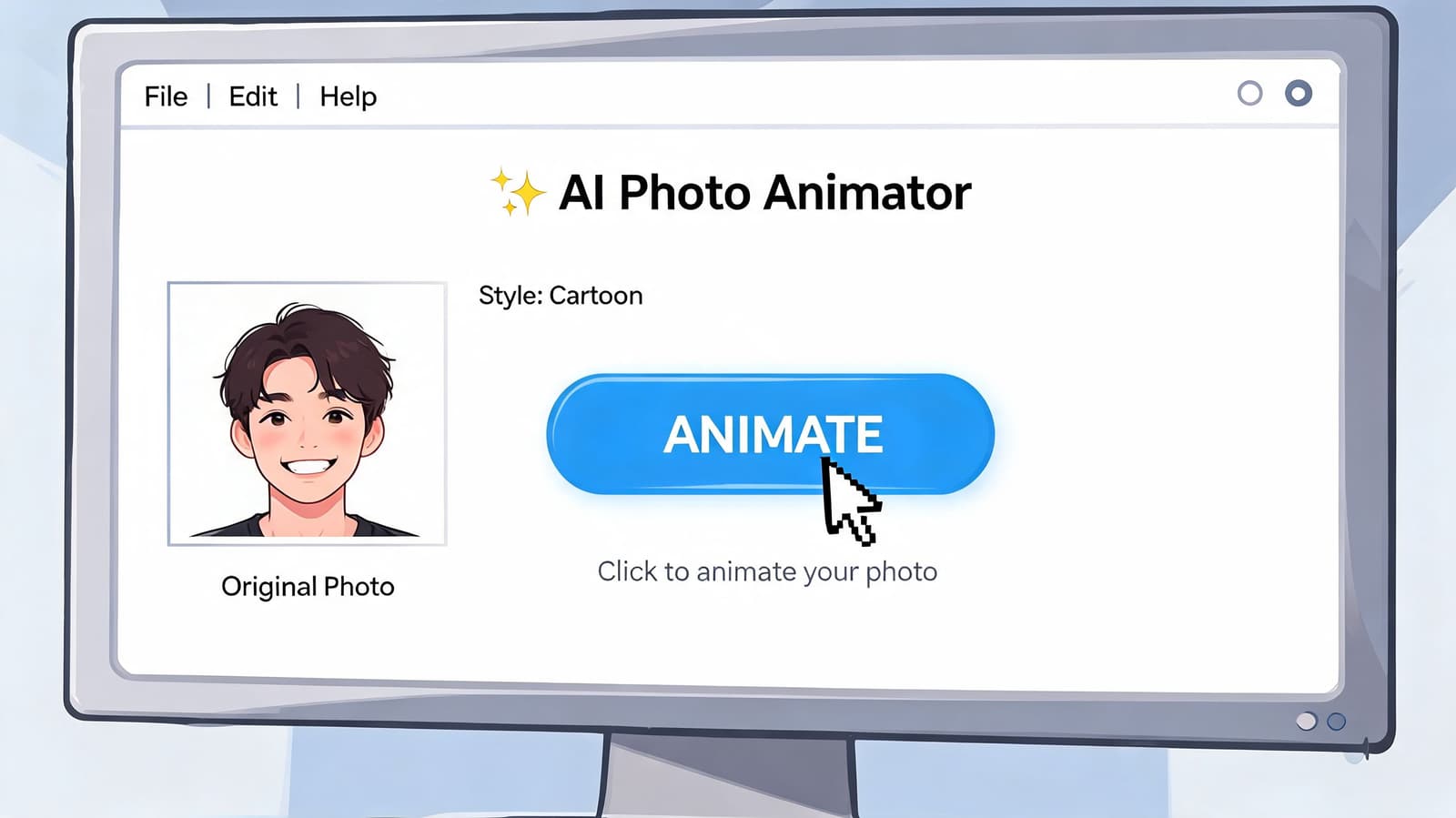
The good news is that the first project is usually simpler than it looks. Most tools follow the same path. You choose a photo, set the kind of movement you want, add optional speech or a prompt, generate the clip, and then edit with care. The software does the hard math. Your job is to set the tone.
Pick the right photo first
The photo does most of the work.
An animation model can only build from what it can clearly see, much like a restorer working from an old print. If the face is hidden or the expression is extreme, the result often feels less natural no matter how good the settings are.
A strong starter image usually has:
- A clear face: Eyes and mouth should be visible, not blocked by hair, hands, shadows, or sunglasses.
- Reasonable lighting: Even an older scan can work well if the face is still readable.
- A natural expression: Calm or gentle expressions usually animate more convincingly than exaggerated ones.
- Enough detail to hold up in motion: The person should still look like themselves once the image starts moving.
Old family photos can work beautifully here. Scan them carefully, keep the face centered, and avoid heavy phone filters that blur skin texture or flatten features.
If you want a practical walkthrough, this guide on how to create video from single image shows the basic workflow clearly.
Direct the motion, not just the software
A good prompt works like simple stage direction. You are not trying to describe everything. You are giving the tool a clear emotional lane to stay in.
Short prompts usually work better than crowded ones:
- soft smile, gentle head turn, warm tone
- slight blink and subtle breathing, reflective mood
- cheerful birthday greeting, natural lip movement, light expression
- quiet memorial tone, minimal motion, respectful presence
That last example matters for keepsakes. If the project is tied to memory, grief, or family history, less motion often creates the stronger result. A tiny blink or faint smile can feel more sincere than a long, highly animated speech.
Some systems can align lip movement very closely to audio, as described in TalkingPhotos.ai’s explanation of lip-sync technology. Even with that technical precision, the result still depends on your choices. A gentle script and restrained motion usually feel more human than a busy prompt with too many instructions.
One helpful rule is simple.
Write the line the person could plausibly say, in the tone the photo already suggests.
For memorials or anniversaries, start shorter than you think. One sentence is often enough. In some cases, silent animation with music or an on-screen caption carries more emotional weight than spoken dialogue.
A quick demo can help you visualize how these tools behave in practice:
Review before you share
Generating the clip takes minutes. Deciding whether it feels right takes longer.
Watch it once for the emotional reaction, then again for details. Check whether the mouth movement looks calm, whether the eyes blink naturally, and whether the pacing fits the mood. If the result feels too lively, too polished, or slightly unlike the person, reduce the motion and try again.
A simple review checklist helps:
| What to check | What to look for |
|---|---|
| Mouth movement | Does speech feel aligned and restrained |
| Eye behavior | Are blinks occasional and natural-looking |
| Expression | Does the emotional tone fit the original image |
| Overall effect | Does it feel like a keepsake or tribute, not a performance |
Private sharing is often the best first step. Send it to one or two family members before posting it more widely. Their reaction will tell you a lot, especially if the clip is tied to someone greatly missed.
The best first project stays small. One image. One sentence. One feeling. That is often where talking photos ai becomes less of a novelty and more of a memory handled with care.
Choosing the Right AI Animation Tool
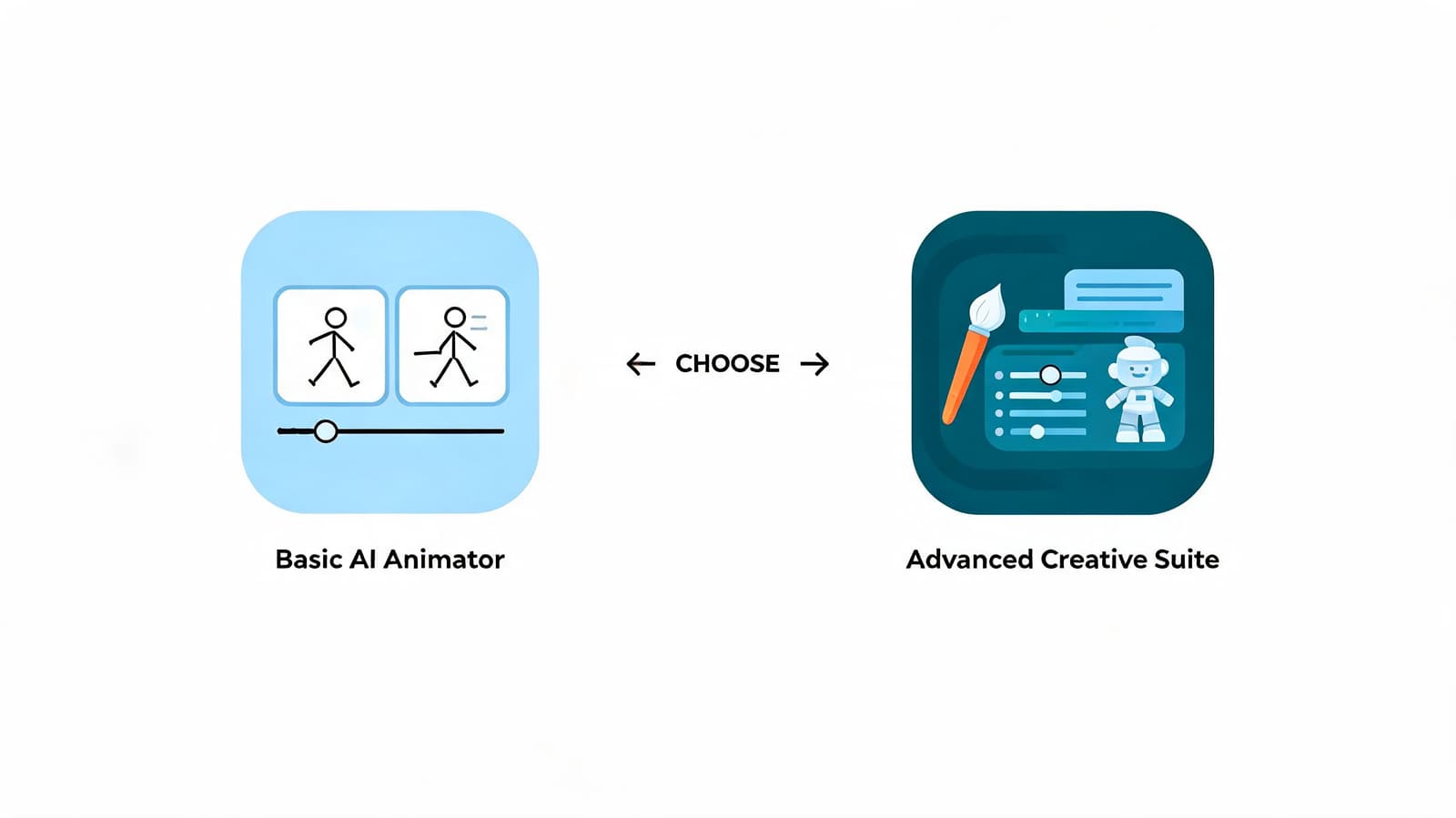
Not every animation tool is trying to do the same thing. Some are built to create a full speaking avatar. Others are better at making a still photo feel gently alive. If you choose the wrong category, the result can feel off even when the software works exactly as designed.
Talking head tools versus living portrait tools
Talking head tools prioritize speech. They’re useful when you want clear lip sync, direct dialogue, and a presenter-like result. That can work well for marketing messages, educational explainers, or character content.
Living portrait tools prioritize atmosphere. They usually focus on subtle motion, preserving the original texture of the photograph and avoiding the highly performed look of a scripted avatar. That style often fits memorials, anniversaries, and family keepsakes better.
If you’re comparing categories, this article about an app that makes images move gives a helpful picture of what lighter-touch animation can look like.
A simple way to decide
Ask three questions before picking a tool:
- What is the emotional goal? If you want a warm memory, choose subtle motion. If you need a clear spoken message, choose stronger lip-sync features.
- What should the viewer notice first? The words, or the feeling of the image coming alive.
- How much control do you need? Some tools are made for quick, simple outputs. Others are built for more detailed scripting and performance.
For personal tributes, less is often more. For commercial scripts, clarity may matter more than softness. Neither approach is wrong. They just solve different problems.
If you want to turn a favorite still image into a short, tasteful keepsake, Photo for Video is built for exactly that. It transforms one treasured photo into a gentle 5 to 6 second living memory for birthdays, memorials, anniversaries, and family tributes, with privacy-focused auto-deletion after 7 days and exports ready for reels, montage edits, and keepsake videos.