Anniversary Video Maker: A Tasteful How-To Guide for 2026
Learn how to use an anniversary video maker to turn treasured photos into a moving tribute. Our step-by-step guide covers prompts, music, and privacy tips.
You're probably here with a folder of photos open. Some are on your phone. Some are old prints in a box. A few are perfect, and a few are faded, cropped badly, or bent at the corners. You want to turn them into something worthy of the people in them.
That's the core job of an anniversary video maker. Not to add spectacle. To shape memory into a short, watchable tribute that feels loving, calm, and true to the relationship or milestone you're honoring. The best anniversary videos don't feel like software output. They feel like care.
Table of Contents
- Crafting a Modern Keepsake Not Just a Slideshow
- Curating Your Photos for Storytelling
- Writing Prompts That Create Emotion
- Sequencing and Pacing for a Powerful Narrative
- Adding Polish with Music and Transitions
- Exporting Sharing and Protecting Your Memories
Crafting a Modern Keepsake Not Just a Slideshow
A tasteful anniversary video starts with restraint. You're not trying to prove how many effects a tool can generate. You're choosing what to reveal, what to hold on, and what to leave quiet. That's why the strongest videos usually feel closer to a keepsake film than a slideshow.
Modern tools have made that easier for people who aren't editors. Adobe Express says an anniversary video can be made in minutes with no prior experience, and HeyGen describes turning messages and photos into a video “in minutes rather than hours,” which reflects how much the category has shifted from manual slide editing to guided, AI-assisted creation through tools such as Adobe Express's anniversary video workflow. The practical advantage isn't just speed. It's that you can spend your energy choosing the right memories instead of fighting the timeline.
That matters because anniversary projects are often emotional and time-sensitive. Family celebrations, memorial tributes, wedding milestones, and work anniversaries usually have a date attached. Few people want to spend nights learning difficult software just to make something heartfelt before the event.
Practical rule: If an effect calls attention to itself before it calls attention to the people in the photo, it probably doesn't belong in an anniversary video.
Tasteful work usually begins before you edit a single frame. If you're working from printed photographs, start by preserving them properly. A careful scan gives you more flexibility later, especially with fragile or faded images. This guide on how to scan old photos is worth reviewing before you build the video itself.
The shift in tools also changes your role. You no longer need to be a technician first. You need to be a curator. The anniversary video maker handles assembly, motion, and rendering. You decide what feeling the finished piece should leave behind.
Curating Your Photos for Storytelling
The photo selection stage determines almost everything that follows. If the images are random, the video will feel random. If the images carry a point of view, even a simple edit can feel intimate and complete.
A good anniversary video maker can move images beautifully, but it can't choose what matters for you. That part is still human work.
Choose for meaning first
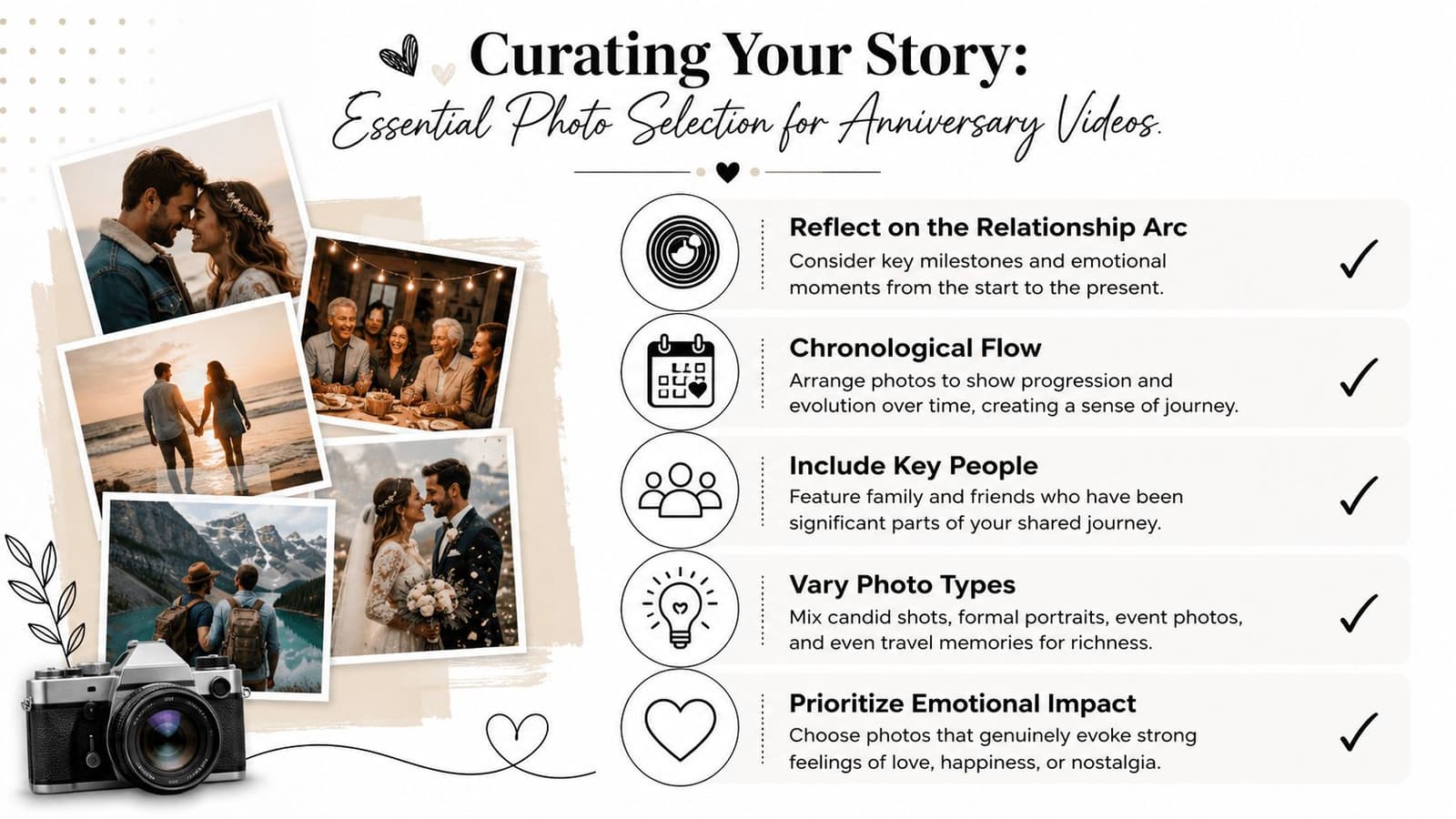
Start by deciding what kind of story you're telling. Some tributes work best in chronological order. Others are stronger when built around a theme such as mischief, resilience, family gatherings, travel, or everyday tenderness.
I usually look for contrast. A formal portrait next to a laughing candid shot creates emotional depth. A wedding photo followed by an ordinary kitchen snapshot often says more about a life together than a run of polished event images.
This checklist helps:
- Pick anchor moments: Opening image, turning point, and final image matter most. They give the video shape.
- Include supporting faces: Family and close friends often deepen the feeling of continuity.
- Mix distance: Use close portraits, medium shots, and wider location images so the sequence can breathe.
- Keep imperfect gems: Slight blur, aging paper texture, or faded color can add sincerity instead of taking it away.
For a broader walkthrough on building a photo-led tribute, this guide to an anniversary photo video is a useful companion.
Prepare old photos with respect
Old photos need a different mindset. Don't reject them too quickly because they're scratched or yellowed. In family tributes, emotional truth usually matters more than technical polish.
What does need care is the subject clarity. Krikey AI's anniversary workflow material notes that template choice and asset quality affect how quickly you can get to a usable result, and the same source set also points to ImagineArt's guidance that 3–5 minutes is achievable when you provide a reference photo and a detailed scene description through Krikey AI's anniversary video maker page. In practice, that means a better scan, a clear face, and a simple description save revision time later.
A few habits help a lot:
- Crop gently: Remove distracting borders or large empty areas, but don't crop so tightly that the image loses context.
- Clean only what distracts: Fix dust specks or scanner artifacts if they pull the eye away. Don't over-restore the life out of the print.
- Name files in story order: This makes sequencing easier once you begin assembling clips.
- Separate maybes from must-haves: Emotional editing gets easier when your strongest photos are already identified.
Grain, soft focus, and faded tones can feel beautiful in an anniversary video. Confusion usually doesn't. Preserve texture, but make sure the viewer still knows where to look.
Writing Prompts That Create Emotion
Prompt writing is where many people either overcomplicate the process or flatten it. They type “make this beautiful” and hope the system reads their mind. It won't. Good prompt writing is closer to direction than wish-making.
Opus recommends a short prompt-plus-asset workflow, keeping prompts to 3–5 sentences and tying the request to the target format, such as vertical for Instagram Reels or horizontal for YouTube, in its anniversary video maker workflow. That advice fits anniversary work especially well because these pieces usually need controlled, gentle motion rather than scene-by-scene complexity.
A screenshot helps show what this looks like in practice.
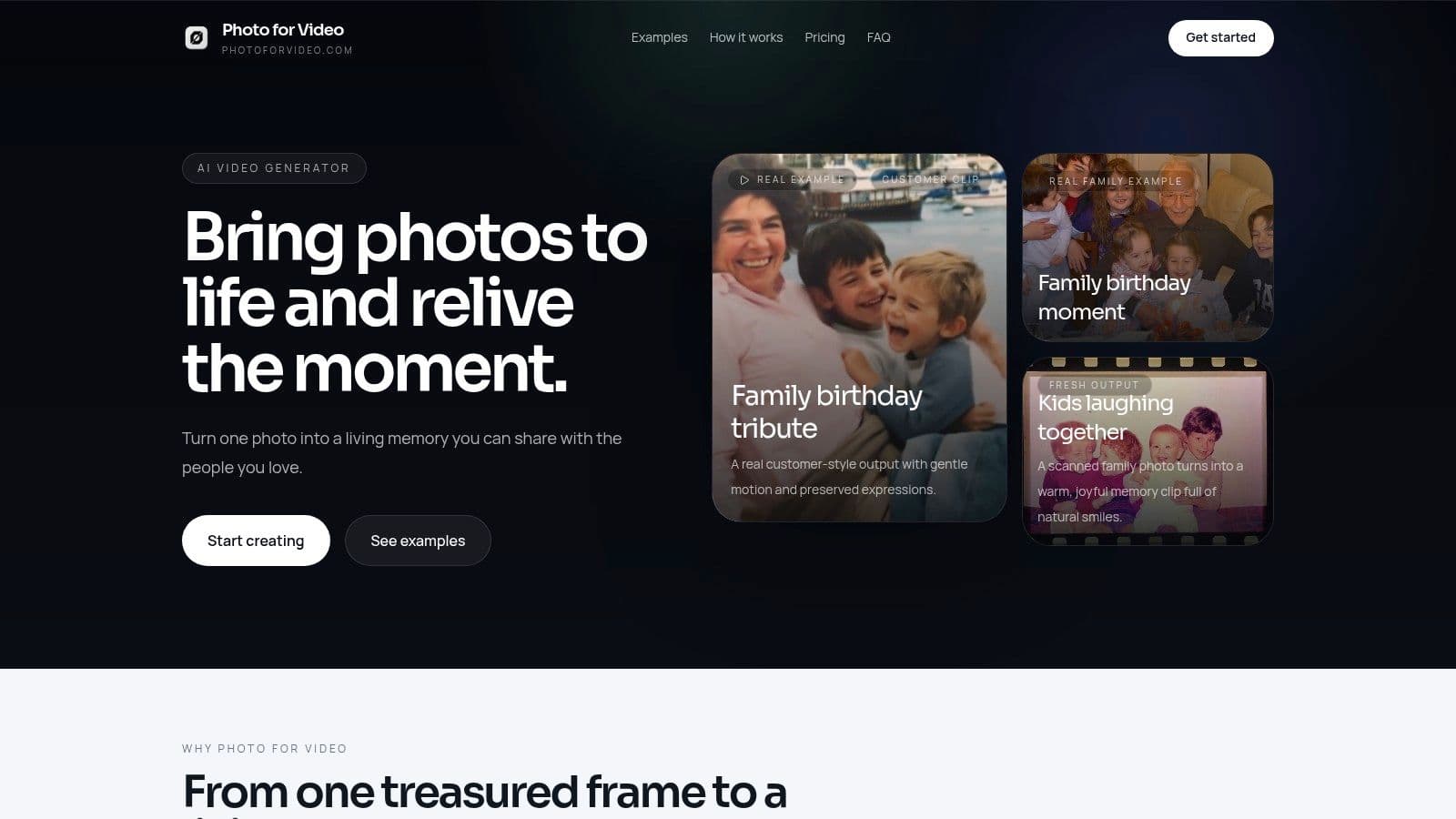
Direct the motion instead of asking for magic
The best prompts usually include three ingredients:
-
What the subject does
A soft smile, slight blink, gentle head turn, breeze through hair. -
What the camera does
Slow push-in, subtle pan, steady hold, delicate zoom out. -
How it should feel
Warm, nostalgic, serene, celebratory, reflective.
That combination gives the system something usable. It also protects you from one of the most common problems in anniversary videos, which is motion that feels too dramatic for the source image.
Use short, concrete language. “Gentle smile, slow zoom toward her face, warm nostalgic tone” works better than “Please make this feel emotional and cinematic with nice movement.” The second prompt sounds expressive, but it gives almost no directorial instruction.
A tribute clip should feel as if the photo has taken a breath. It shouldn't look as if the image has been pushed into a performance it never wanted.
Prompting for Emotion Examples
| Vague Idea | Tasteful Prompt Example |
|---|---|
| Make it romantic | Gentle eye movement, soft smile, slow push-in, warm evening mood, calm and intimate |
| Bring this old photo to life | Preserve the vintage texture, subtle blink, slight head turn, very slow camera drift, tender nostalgic tone |
| Make it more exciting | Light natural movement in hair and clothing, modest camera pan, joyful energy, keep expressions realistic |
| Do something cinematic | Slow zoom from waist to face, soft light feel, restrained motion, reflective and elegant |
| Make this wedding picture move | Gentle veil movement, small smile, slow centered push-in, graceful celebratory mood |
| Animate this family portrait | Subtle blinking and breathing, minimal camera motion, affectionate and calm, keep everyone natural |
If you're making several clips, vary one thing at a time. Keep the emotional tone consistent, then change either subject motion or camera motion between shots. That gives the final edit cohesion without repetition.
Sequencing and Pacing for a Powerful Narrative
A sequence can contain wonderful images and still feel flat if the pacing is wrong. Most anniversary videos don't fail because of bad photos. They fail because everything arrives with the same weight.
One industry guide on company anniversary videos says the ideal runtime is 1–3 minutes, with “under 2.7 minutes” cited as a typical preference in LocalEyes' company anniversary video guide. Even if you're making a personal tribute rather than a company piece, the principle holds. A shorter video asks you to be selective, and selectivity is usually what makes a tribute feel elegant.
Think like a short story editor
A moving anniversary film often behaves like a short story. It doesn't tell everything. It chooses the details that imply a larger life.
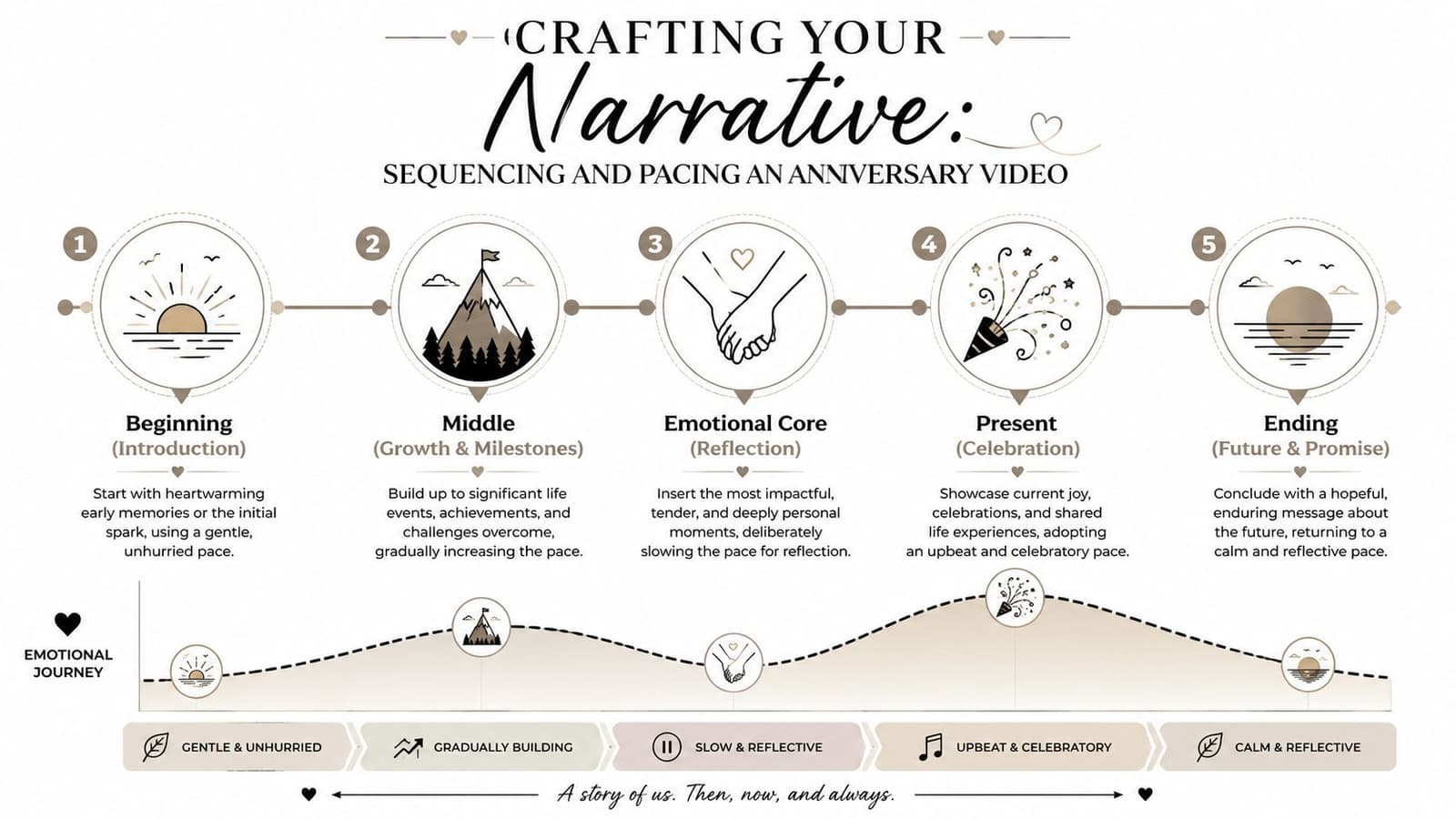
Start with an image that opens the emotional door. Early days, a first shared home, a ceremony, a candid laugh. Then let the middle section carry the weight of change. New places, growing family, ordinary routines, work milestones, years passing. End with a frame that leaves warmth behind, not just information.
You can also shape rhythm through contrast:
- Slow after intensity: A quiet portrait after a string of celebration shots gives the viewer room to feel.
- Wide after close: A scenic or environmental image can reset the eye.
- Present after history: Recent photos at the end often create a satisfying sense of arrival.
A simple emotional arc that works
A reliable structure for families looks like this:
- Opening with recognition: Begin with the photo people immediately connect to.
- Middle with texture: Add candid images, travel shots, gatherings, and in-between moments.
- Center of feeling: Place the most tender or significant image where the pace briefly slows.
- Ending with grace: Close on a current image, a shared look, or a peaceful still frame.
If every clip is short and every transition is identical, the piece can feel rushed. If every image lingers too long, the tribute can feel heavy. The right pacing has a pulse. It lets a few moments rest longer because they've earned it.
Adding Polish with Music and Transitions
Music does a quiet but serious job in an anniversary video. It tells the viewer how to feel before they fully understand why. That's why a poor music choice can undo careful visual work in seconds.
Choose music that supports the photos
Music without vocals is often the safest choice. Lyrics can compete with memory, especially if the words pull attention away from faces and gestures. A soft piano piece, light strings, or restrained acoustic music usually leaves more space for the images.
Match the tone to the people, not to a generic “romantic” template. Some couples or families are playful. Some are dignified and understated. Some memorial-style anniversary tributes need quiet reverence more than sweetness.
When testing music, mute the track halfway through and watch the video. Then turn it back on. If the song changes the meaning of the images too aggressively, it's the wrong track.
Use transitions as punctuation
Transitions should almost disappear. A simple dissolve, a fade, or a clean cut often works better than decorative effects. Anniversary videos ask for continuity, not novelty.
A few rules keep things tasteful:
- Use one main transition: Repetition creates calm and consistency.
- Save fades for emotional shifts: They work best when the story changes tone, not between every image.
- Avoid novelty wipes: They date the piece and pull attention away from the memory.
If the pacing feels slightly off once music is added, adjust the edit to the music's phrasing rather than forcing the song to fit. This guide on syncing audio with video is useful if you need help making those final timing decisions cleanly.
Exporting Sharing and Protecting Your Memories
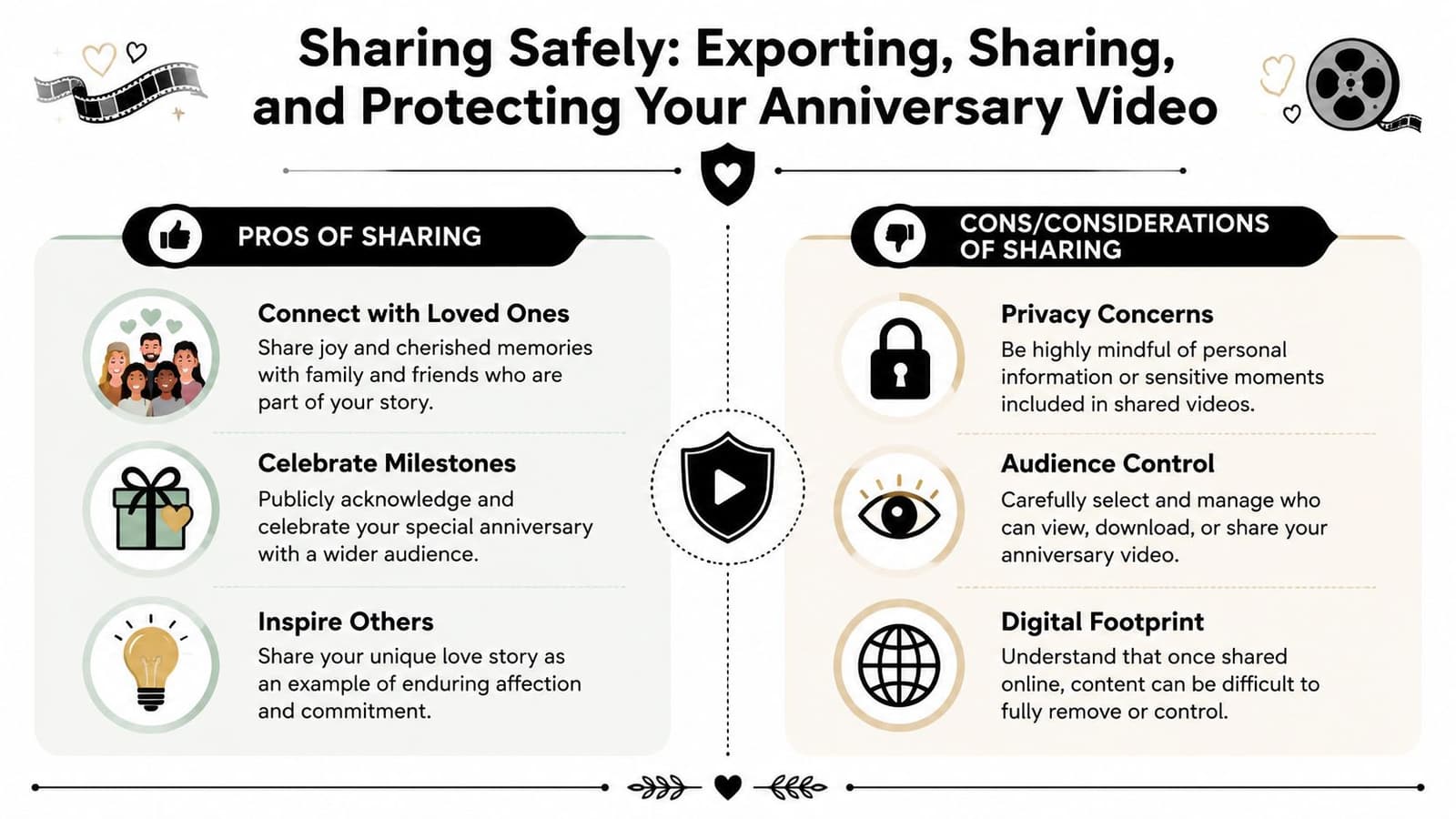
The final stage is often treated like an afterthought. It shouldn't be. Export settings affect how the tribute looks, and privacy decisions affect who gets access to intimate material.
That matters even more with anniversary videos than with casual social clips. These projects often include family names, old photos, children, loved ones who have died, home interiors, and voice narration. Once shared carelessly, they're hard to pull back.
Privacy deserves the same attention as style
A major gap in this category is data handling. Mainstream anniversary video tool pages tend to focus on creation speed while rarely explaining what happens to uploaded images, how long they're stored, or whether sensitive family and memorial content is safe to use, a concern highlighted in HeyGen's anniversary video maker category page. If you're using irreplaceable photos, especially old scans, that question matters just as much as templates or effects.
Before uploading anything, check:
- Retention policy: Does the platform say how long uploads and generated files remain on its servers?
- Deletion controls: Can you remove content yourself, or do you have to request it?
- Sharing defaults: Is your video public by default, or private unless you choose otherwise?
- Download rights: Can others access, copy, or reuse the file if a link is forwarded?
If a platform explains how fast it creates your tribute but says little about what happens to your family photos afterward, pause before uploading.
Share with intention not just convenience
For export, a high-quality MP4 is usually the safest default because it plays well across devices and sharing methods. Choose your aspect ratio based on where the video will live. Vertical works for short social delivery. The wider format suits TVs, laptops, and event playback more comfortably.
If a generated clip feels slightly unnatural, the fix usually isn't to stack more effects on top. It's to simplify the original direction. Reduce the amount of motion, shorten the movement description, or choose a steadier crop. Gentle corrections almost always look better than aggressive fixes.
Sharing is also part of the craft. A private family link can be far more appropriate than a public social post. For memorial-adjacent or intimate anniversaries, a direct message, password-protected page, or offline playback during the event often feels more respectful.
A good anniversary video maker helps you create something beautiful quickly. A careful creator also makes sure the memories stay protected.
If you want a simple way to turn a treasured still image into a short, tasteful anniversary clip, Photo for Video is built for exactly that kind of keepsake work. It's especially useful for old scans, family portraits, and tribute edits where gentle motion matters more than flashy effects, and its privacy model includes auto-deletion of uploads and generations after 7 days.