10 Best Hashtags for YouTube Shorts
Find the best hashtags for YouTube Shorts, grouped by reach, niche, trend, and occasion, with ready-to-use combinations and testing tips.
You've polished the edit, chosen the music, and published a Short you're proud to share. Then discovery barely moves. Your caption ends with #Viral, or perhaps a trending tag that has little to do with the family portrait, birthday tribute, or product demonstration on screen.
It's tempting to blame the hashtag. But low discovery alone doesn't tell you whether the label, opening frame, topic, or viewer response needs work. The best hashtags for YouTube Shorts describe what viewers will get, rather than promise popularity.
The evidence supports modest expectations. Metricool's Shorts algorithm analysis attributed only 0.03% of measured views to hashtags, while finding an association between hashtag use and higher engagement despite lower overall views. That's a reason to treat hashtags as descriptive metadata, not a distribution shortcut or proof of causation.
A useful tagging system gives each label a job:
- Intent: Identify the specific subject or task, such as #OldPhotoAnimation.
- Context: Explain the emotional purpose or audience, such as #FamilyMemories.
- Format or occasion: Add a relevant production method or celebration, not an unrelated trend.
The following clusters offer distinct starting points for family storytellers, editors, and small businesses. Each includes a practical caption and a combination worth testing. Choose the closest fit, then use YouTube Analytics to assess the response without expecting hashtags to replace a strong hook, watch time, or useful content.
Table of Contents
- 1. #OldPhotoAnimation (with #AnimatedPhotos and #OldPhotos)
- 2. #FamilyHistory (with #Genealogy and #AncestryResearch)
- 3. #InLovingMemory (with #Memorial and #TributeVideo)
- 4. #Birthday (with #HappyBirthday and #BirthdayTribute)
- 5. #WeddingAnniversary (with #Anniversary and #CoupleGoals)
- 6. #TributeVideo (with #MontageEdit and #VideoEditing)
- 7. #AIVideo (with #ImageToVideo and #AIAnimation)
- 8. #VintagePhotos (with #Retro and #Nostalgia)
- 9. #ProductVideo (with #EcommerceVideo and #ProductPhotography)
- 10. #FamilyMemories (with #Keepsake and #MemoryLane)
- Top 10 YouTube Shorts Hashtag Comparison
- Build a Hashtag System You Can Improve
1. #OldPhotoAnimation (with #AnimatedPhotos and #OldPhotos)
#OldPhotoAnimation is a high-intent technique label. It fits a Short that demonstrates how a scanned portrait becomes a gently moving clip, especially when the transformation itself is the reason to watch.
For example, open on a grandmother's wedding photograph, then reveal a subtle camera push and movement in the veil. A side-by-side presentation also works as an editorial choice because viewers can inspect the original alongside the animated result.

Match the tag to the transformation
Try this caption: Grandma's wedding photograph, gently brought into motion. #OldPhotoAnimation #AnimatedPhotos #OldPhotos
That combination keeps the focus on the source material and technique. For preparation guidance before animation, consult Photo for Video's old-photo enhancement guide.
- Keep the reveal honest: Show the actual source image rather than an unrelated polished portrait.
- Preserve character: Favor restrained movement that suits the photograph instead of an exaggerated expression.
- Test the audience angle: Replace #AnimatedPhotos with #FamilyMemories when the story matters more than the technique.
The trade-off is specificity. These tags describe a narrower subject than #Photography, but that precision is useful when your intended viewer wants photo animation rather than general camera advice. Don't use #OldPhotoAnimation for a static restoration alone, because the caption would promise motion that the Short never delivers.
2. #FamilyHistory (with #Genealogy and #AncestryResearch)
A portrait with a name, place, and family connection tells a different story from an anonymous vintage image. #FamilyHistory belongs on the former, where the Short preserves or investigates someone's place in a family's past.
Consider a recurring “Meet our ancestors” series. Each upload could introduce a relative, show a photograph, and explain a verified detail from a family record or personal recollection.

A suitable caption might read: The portrait that started our search for Grandma's childhood home. #FamilyHistory #Genealogy #AncestryResearch
Use that full cluster when the video includes research. If you're sharing a remembered family moment, test #FamilyHistory #OldPhotos #FamilyMemories instead.
Practical rule: Separate what your family knows from what you're still trying to establish.
Names and locations can help explain the photograph, but don't invent missing details to make the story feel complete. Label uncertain identifications clearly, and ask relatives for corrections before presenting them as settled history.
The risk is a mismatch between storytelling and research intent. Someone drawn to #AncestryResearch may expect records, methods, or discoveries rather than an animation showcase. Include that substance, or choose the more accurate keepsake labels. Also consider relatives' privacy before publishing personal information or inviting public identification.
3. #InLovingMemory (with #Memorial and #TributeVideo)
A granddaughter posts a 20-second Short: her late father's wedding portrait slowly smiles, then his name and dates fade in. That is the context where #InLovingMemory belongs.
The tag sets a memorial expectation before the caption is even read.
Use #InLovingMemory for the dedication itself. Add #Memorial when the Short sits with other remembrance uploads, such as a candle montage, cemetery visit, or celebration-of-life excerpt. Bring in #TributeVideo when the montage craft is part of the appeal and editors or family members may search for the format.
Remembering Dad through the photograph we kept on the hallway shelf. #InLovingMemory #Memorial #TributeVideo
Test that cluster against #InLovingMemory #FamilyMemories #Keepsake. Run the first when the upload should be understood as a public tribute. Run the second when the memorial frame is already clear and the video works mainly as a family keepsake.
The constraint is consent. Confirm the family is comfortable with a public post, keep names readable and spare, choose subdued motion, moderate replies, and use a pinned comment only to state who the Short honors and who approved it.
Skip playful trend tags, unrelated promo labels, and engagement prompts. If the upload is client work, get written permission and identify that context briefly in the description.
4. #Birthday (with #HappyBirthday and #BirthdayTribute)
Start with the recipient, not the category. A birthday Short feels more personal when the opening identifies whose celebration it is and why the photograph matters.
For example, show a childhood portrait followed by a current image, with a short line about a familiar smile or lifelong hobby. Photo for Video's birthday photo animation guide offers a relevant starting point for turning that photograph into a moving greeting.
#Birthday is the broad occasion label. #HappyBirthday suits a direct greeting, while #BirthdayTribute better describes a reflective family edit or celebration montage.
- Example caption: Happy birthday, Mum. The same smile we've loved through every chapter. #Birthday #HappyBirthday #BirthdayTribute
- Recommended test: Try #BirthdayTribute #FamilyMemories #PhotoAnimation when you want to emphasize the keepsake rather than the general celebration.
- Creative choice: Use a clear visual connection between past and present rather than adding unrelated photographs just to extend the edit.
A broad birthday tag doesn't explain whether the Short contains party planning, a greeting, or a gift idea. Your caption and supporting tags need to make that distinction.
Don't add a milestone-specific hashtag unless it accurately describes the recipient's celebration. Likewise, don't assume a then-and-now transition will generate replays. Treat it as a storytelling option, then assess whether viewers stay through the reveal.
5. #WeddingAnniversary (with #Anniversary and #CoupleGoals)
A wedding portrait can support several different Shorts: a private dedication, a surprise gift reveal, or an editor's sample. #WeddingAnniversary provides the occasion, but the supporting tags should identify which version you're publishing.
For a family keepsake, animate the original wedding photograph with a restrained camera move and pair it with a present-day image. Include the wedding date or anniversary milestone only when those details are confirmed and the couple is comfortable sharing them.
Choose romance or remembrance deliberately
Try this caption: Back to the photograph that began our family album. Happy anniversary. #WeddingAnniversary #Anniversary #FamilyMemories
Test #WeddingAnniversary #AnniversaryGift #OldPhotoAnimation if the Short demonstrates a gift-making process instead. That combination describes both the event and the practical purpose.
#CoupleGoals is a tone choice, not an automatic addition to every couple's photograph.
Use it when the couple welcomes a playful or aspirational framing. Leave it out when the tribute is quiet, complicated by bereavement, or intended primarily as a historical keepsake.
The trade-off is between broad romantic framing and precise occasion-based intent. Neither is better, but they make different promises to viewers. Keep source images clear, avoid effects that alter meaningful details, and publish when the gift or celebration is relevant rather than assuming a holiday will supply extra visibility.
6. #TributeVideo (with #MontageEdit and #VideoEditing)
#TributeVideo carries two meanings, and the supporting tags should settle which one applies. On its own it can describe either a finished dedication or the editing task behind it. Adding #MontageEdit and #VideoEditing commits the Short to the second reading: a process video for people who want to see how the piece was assembled.
A workable demonstration covers three stages. The original photograph. Its animated version. The same clip seated inside the finished montage. That sequence explains each asset's role faster than a tool walkthrough, and it gives an editing audience a reason to keep watching until the final reveal.
For structural references, study Photo for Video's tribute video examples and notice where each edit places the reveal relative to the source material.
A caption that signals the workflow angle: From a still portrait to a finished family tribute, with motion kept deliberately gentle. #TributeVideo #MontageEdit #VideoEditing
If the Short is a finished memorial excerpt with no editing instruction, drop the workflow labels and test #TributeVideo #InLovingMemory #FamilyMemories instead.
Two checks before publishing. Let viewers see how the animated clip connects to the completed edit, and name one decision on screen, whether a dissolve, a held frame, or a quieter music cue, so the process tag earns its place. Keep framing consistent between the source image and the finished clip so the transformation stays legible.
The trade-off is audience selection. Workflow tags attract editors expecting technique, while relatives looking for a dedication may leave early when they find a tutorial. Choose the audience first, then let the hashtags describe that choice.
7. #AIVideo (with #ImageToVideo and #AIAnimation)
A prompt-and-result demonstration belongs in a different category from a personal dedication, even when both use the same photograph. #AIVideo identifies the technology angle, while #ImageToVideo names the transformation more precisely.
For Photo for Video, a suitable demonstration could show a still portrait, the requested gentle camera movement, and the resulting clip. Make the outcome visible before spending the Short on interface details.
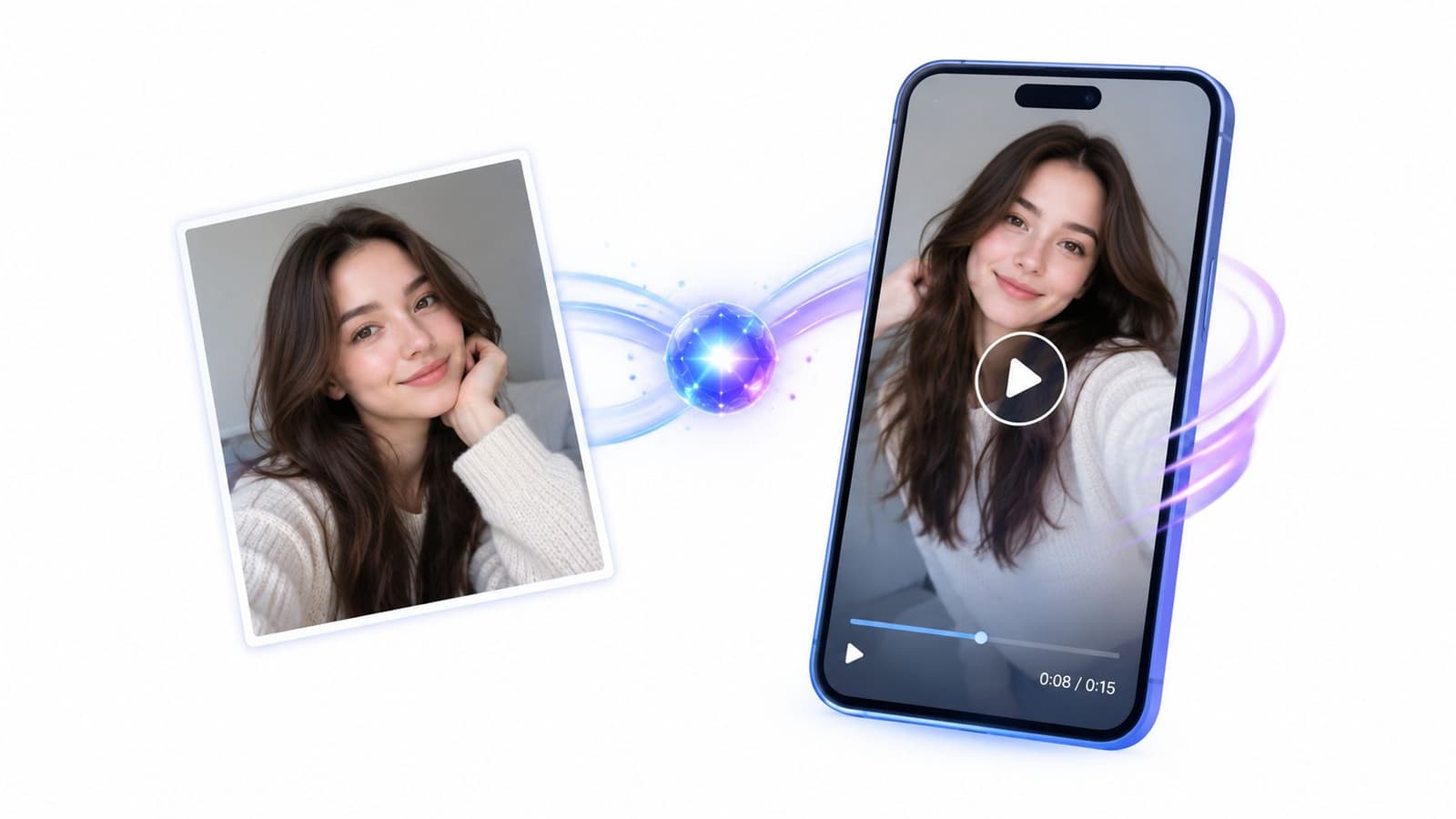
Try this caption: An AI-animated version of a treasured family portrait, with subtle movement rather than a dramatic makeover. #AIVideo #ImageToVideo #AIAnimation
Balance technique with emotional purpose
For a technology demonstration, test that cluster as written. For a keepsake-focused Short, try #ImageToVideo #OldPhotoAnimation #FamilyMemories so the production method doesn't dominate the description.
Be transparent that the motion is generated. Don't present an animated historical photograph as recovered footage or imply that the generated expression records something the person did.
The trade-off is straightforward: technology labels describe how you made the clip, not why a family might value it. If your intended viewer wants a memorial or birthday gift, lead with that purpose in the caption. Use the AI tags when the demonstration includes a useful look at the method, and check the result for distracting facial changes before publishing.
8. #VintagePhotos (with #Retro and #Nostalgia)
Film grain, faded color, and the setting of an old photograph can be central to its appeal. #VintagePhotos suits content where the original image's character matters, rather than serving merely as raw material for an effect.
An example could show a family picnic photograph with its texture preserved and a gentle background drift. A recurring album-based series is another sensible creative approach, provided each post offers a distinct image or story.
- Example caption: A summer afternoon from the family album, with the original texture left intact. #VintagePhotos #Retro #Nostalgia
- Recommended test: Replace #Retro with #OldPhotos when the Short emphasizes the photograph itself rather than a broader retro aesthetic.
- Editing priority: Compare the final clip with the scan so sharpening and animation don't erase details you wanted to preserve.
There's an important distinction between historical material and retro styling. A newly created image with a vintage filter may fit #Retro, but describing it as an old family photograph would mislead viewers.
Keep the marks of age when they're part of what the family treasures.
The risk with nostalgia tags is vagueness. A caption that only says “the good old days” gives little context for the image or its significance. Explain whose album it came from, what occasion it records, or what detail caught your attention, while clearly marking anything you don't know.
9. #ProductVideo (with #EcommerceVideo and #ProductPhotography)
A candle brand has one sharp studio photo and ten seconds to make it useful. The clip can show the label clearly, add a slow push toward the flame, and still leave room for a caption that tells the viewer what to do next.
#ProductVideo fits the finished demonstration. Use #EcommerceVideo when the Short is tied to a buying context, such as a collection launch or a product page asset. Save #ProductPhotography for posts where the source image, lighting setup, or editing process stays visible.

Caption test: From one candle photo to a short motion concept for the spring collection. #ProductVideo #EcommerceVideo #ProductPhotography
For a buyer-facing version, trade #ProductPhotography for a category tag that matches the item. For a workflow post aimed at other sellers, keep it and show the before image.
| Goal | Better pairing | Main risk |
|---|---|---|
| Demonstration | #ProductVideo + category tag | Motion implies a feature the item lacks |
| Shop launch | #ProductVideo + #EcommerceVideo | Clip reads like an ad before value is clear |
| Process proof | #ProductVideo + #ProductPhotography | Packaging text drifts from the original |
Check the render against the photo before posting: label copy, color, finish, proportions. Movement should improve recognition while staying faithful to what the item can do.
10. #FamilyMemories (with #Keepsake and #MemoryLane)
A Sunday dinner photo, slightly faded, everyone leaning in before the plates are cleared. That is the lane for #FamilyMemories: warm, ordinary, worth keeping.
Use it when the image matters because of who is in it and when no narrower occasion fits. #Keepsake points toward something to save or gift. #MemoryLane signals a look back, so it fits reunions, childhood homes, and albums people already know. The tag does not need a big reveal; a small motion cue is enough when the relationship is already clear.
Caption test: Mum's garden, 1998. The album finally moves. #FamilyMemories #Keepsake #MemoryLane
For a first test, pair #FamilyMemories with one precise context tag, then choose #Keepsake for a gift post or #MemoryLane for a retrospective. If the clip animates a still, #OldPhotoAnimation can replace the mood tag and tell viewers what changed. If the Short is aimed at relatives, keep the caption intimate; if it is aimed at other creators, name the source image and the edit choice.
The trade-off is qualification. These tags are emotionally clear but broader than occasion or process tags, so the clip can earn gentle views from people who like nostalgia yet miss the exact moment being honored. Add one concrete detail in the caption, such as the annual trip, the house, or the person who kept the album. Leave out private family details. If relatives may not want the clip shared, choose a narrower audience before choosing a broader hashtag.
Top 10 YouTube Shorts Hashtag Comparison
| Hashtag cluster | Ideal use case | 🔄 Implementation complexity | ⚡ Resource requirements | 📊 Expected outcomes | ⭐ Key advantage |
|---|---|---|---|---|---|
| #OldPhotoAnimation (#AnimatedPhotos, #OldPhotos) | Animating and sharing old family or historical photos | Low; show the original, then reveal subtle motion | Scanned or phone-captured photo; short animation | High-intent discovery and strong opening watch time | Specific audience with comparatively lower competition |
| #FamilyHistory (#Genealogy, #AncestryResearch) | Preserving ancestors' photos and stories | Medium; accurate names, dates, and places matter | Archival photos and verified family details | Evergreen engagement and story-focused comments | Loyal, community-oriented audience |
| #InLovingMemory (#Memorial, #TributeVideo) | Remembrance videos and memorial tributes | Medium; requires a respectful tone and comment moderation | Portrait or montage; calm motion and optional music | Strong emotional engagement, shares, and saves | Clear fit for memorial keepsakes |
| #Birthday (#HappyBirthday, #BirthdayTribute) | Personalized birthday greetings and photo tributes | Low; personalize with the recipient's name and age | Childhood or milestone photos; optional then-and-now comparison | Broad reach and sharing potential, but high competition | Easy to adapt to different ages and relationships |
| #WeddingAnniversary (#Anniversary, #CoupleGoals) | Celebrating couples and anniversary milestones | Medium; source-photo quality affects the result | Clear wedding or couple photo; milestone details | Warm engagement and saves or shares, with seasonal peaks | Strong keepsake and gifting appeal |
| #TributeVideo (#MontageEdit, #VideoEditing) | Creating tribute montages, reels, and editing tutorials | Medium; combine clips, transitions, and music | Multiple animated clips; vertical editing and audio | Useful workflow content for editors; competitive niche | Positions animated photos as reusable editing assets |
| #AIVideo (#ImageToVideo, #AIAnimation) | Demonstrating AI image-to-video tools and workflows | Low to medium; explain the process and disclose AI use | One still photo, motion prompt, and generated clip | Strong discovery potential, but crowded and sometimes met with skepticism | Reaches tool-curious viewers with clear demos |
| #VintagePhotos (#Retro, #Nostalgia) | Sharing archival, film-era, and nostalgic photos | Low to medium; preserve the original visual texture | Vintage photo scan; restoration if heavily damaged | Nostalgia-driven engagement and distinctive visuals | Fits analog aesthetics and recurring photo series |
| #ProductVideo (#EcommerceVideo, #ProductPhotography) | Turning product photos into listing, ad, or social clips | Medium; keep motion realistic and product details accurate | Product photo; subtle animation and a real-use example | Commercially relevant discovery and clear before-and-after impact | Connects video creation to seller and marketing needs |
| #FamilyMemories (#Keepsake, #MemoryLane) | Sharing family moments, gifts, and keepsakes | Low; use a brief, emotionally clear caption | Family photo; gentle motion | Broad appeal and sharing, but less specific search intent | Flexible for many family occasions and audiences |
Build a Hashtag System You Can Improve
Start with a primary discovery tag, a supporting niche tag, and a broad or event-specific label. For a birthday animation, that might mean #OldPhotoAnimation #BirthdayTribute #Birthday. Treat the combination as a hypothesis about audience relevance, not a formula for reach.
Keep the default compact. YouTube for Artists recommends two or three relevant hashtags and explicitly says #shorts isn't required. That guidance also identifies titles and descriptions as recommendation signals, so write a useful sentence before adding labels.
Run a controlled publishing comparison
Compare matched Shorts across two weeks as an initial testing window, extending the test if the results remain inconsistent. Keep the topic, hook style, length, opening frame, and publishing time as similar as practical, then change only the hashtag set. Publishing consistently here is an experimental control, not a promise of algorithmic preference.
Record the hashtag combination alongside the relevant YouTube Analytics results:
- Discovery: Views, engaged views, and available traffic-source information.
- Attention: Average view duration, average percentage viewed, and the available viewed-versus-swiped-away measure.
- Response: Shares, comments, and subscribers gained relative to views.
- Additional context: Saves or playlist-related actions only where a meaningful measure is available, rather than inventing a missing metric.
Don't interpret a stronger post as proof that a particular hashtag caused the improvement. SocialBu's Shorts hashtag discussion highlights the lack of public hashtag-level performance data, which limits precise attribution.
For tribute creators, an expanded test could combine #Shorts, an intent tag such as #InLovingMemory, an emotion tag such as #FamilyMemories, and a production tag such as #TributeVideo. Compare it with a leaner set rather than adopting every label permanently. #Shorts remains optional, and a production tag belongs only when it accurately describes the clip.
Keep combinations that accompany qualified viewing: people watching the reveal, discussing the intended subject, sharing appropriately, or subscribing for related work. A traffic spike with poor attention isn't necessarily a useful result. Use the top YouTube tags guide as a companion reference, not evidence that any label guarantees discovery.
Hashtags can support discovery, but they can't rescue weak retention. Pair accurate labels with an immediate visual hook, a precise caption, sensitive moderation for memorials, and continued attention to what your audience watches.
Turn a favorite still into a gently moving keepsake with Photo for Video, using a short motion description to create an MP4 for a birthday, memorial, anniversary, or family story. Choose a photograph, create a restrained animation, and test a relevant hashtag cluster that describes both the transformation and the memory behind it.