Birthday Photo Animation: Create from One Picture
Create a beautiful birthday photo animation from one picture. Our guide covers emotive prompts, animating old photos, and sharing your animated clip.
I once helped shape a birthday tribute around a single old family photo, and the still image changed the room more than the cake did. When that face seemed to breathe again for a few seconds, everyone stopped talking and leaned in.
Table of Contents
- Turning a Treasured Photo into a Living Memory
- Selecting and Prepping the Perfect Birthday Photo
- How to Write Prompts That Create Emotion
- Generating and Refining Your Animation
- Sharing Your Animated Memory in Montages and Reels
- Quick Tips and Frequently Asked Questions
Turning a Treasured Photo into a Living Memory
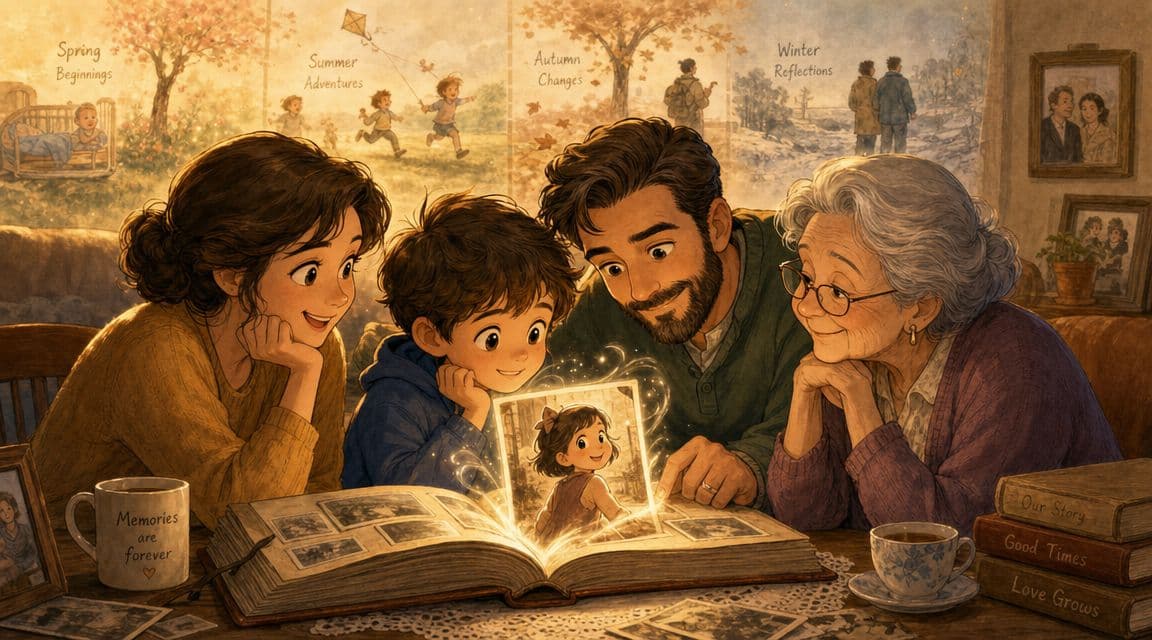
The most memorable birthday photo animation I've seen built around family history was made for a grandmother's 80th birthday. It didn't treat the image like a gimmick. It treated it like a doorway.
The family's idea was simple and emotionally sharp. They wanted to show her life journey, starting with her as a young girl with her parents, then moving through early jobs, time in the car with family, meeting her future husband, raising children, and finally reaching the present with grandchildren around her. That idea mattered because the animation wasn't just “make this picture move.” It was “help her feel her own story.”
Why some birthday animations feel cheap
A lot of birthday edits fall into the same trap. They add floating balloons, sparkles, and fast zooms, but they don't give the subject any emotional gravity. The result looks busy, not moving.
A good birthday photo animation usually works because it chooses one feeling and protects it. For older family photos, that feeling is often warmth, gratitude, or quiet nostalgia. For a child's birthday, it might be delight or playfulness. For a spouse, it may be tenderness.
A strong animation doesn't impress people because it moves. It works because the movement matches the memory.
Why this format has become practical
This kind of tribute used to mean a lot of manual editing. Today, modern AI image-to-video tools can create a birthday animation in 1–3 minutes instead of hours of keyframing, with no keyframing required. That changes who can make one and when they can make it.
That speed matters most when the tribute is happening today, not next week. Birthday messages, event screens, and last-minute social posts usually don't leave room for a long editing session. The same guide recommends keeping the clip to 5–10 seconds and notes that it can be exported in square (1:1), vertical (9:16), or horizontal (16:9) formats, which fits the way people share birthday content on social platforms and in slideshows.
The best part is that accessibility hasn't killed the artistry. It has shifted the craft away from timeline mechanics and toward storytelling. The key skill now is choosing the right photo, the right mood, and the right prompt.
Selecting and Prepping the Perfect Birthday Photo
The quality of a birthday photo animation is often decided before you type a single prompt. Source material does a lot of the heavy lifting.
A flattering photo isn't always the best animation photo. What you want is a frame that already contains implied motion or emotional direction. A slight turn of the face, a mid-laugh expression, a hand near someone else's shoulder, or a gaze directed toward another person all give the model something believable to extend.
What makes a photo animate well
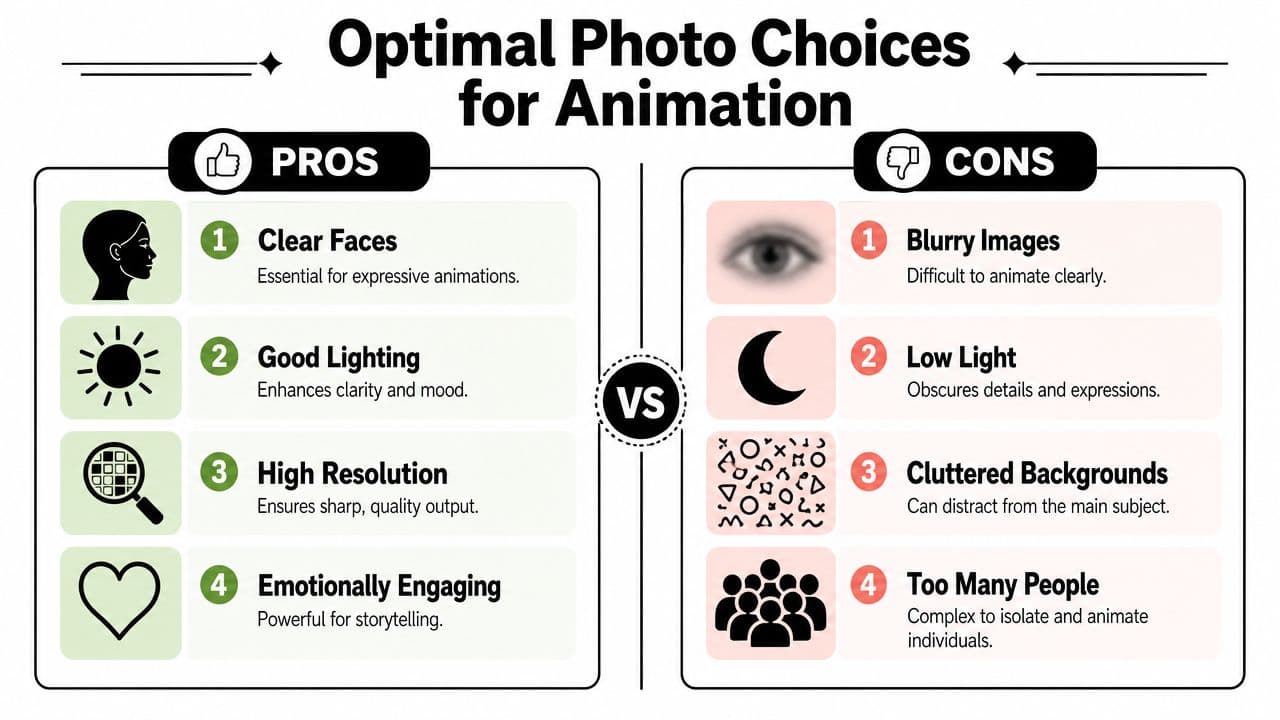
Use this quick filter before you commit to a photo:
| Good candidate | Why it works |
|---|---|
| Clear face | Expressions stay readable when motion is added |
| Simple background | The subject stays dominant |
| Natural light | Skin, clothing, and hair read more cleanly |
| Emotional context | The clip feels like a memory, not an effect |
| Moderate composition | Close enough for expression, wide enough for scene cues |
Photos struggle when the face is heavily blurred, half-hidden, or tiny in the frame. Group shots can work, but they're harder to animate gracefully because too many visual priorities compete at once.
A useful rule is to pick the photo with the strongest feeling, not the most formal pose.
Practical rule: If you can describe what the person is feeling in one sentence just by looking at the photo, it's probably a strong candidate.
When old photos need cleanup first
Many guides stop being helpful when faced with a common reality. Real family birthday tributes often use old prints, scanned albums, faded snapshots, or photos pulled from a relative's phone. Those images carry meaning, but they also carry damage.
That gap matters more now because generative media use keeps growing. Adobe reported 39 billion Firefly generations in a year, and that rise makes archive-focused guidance more important for people working with older family material, as noted in PosterMyWall's birthday animation search context.
You don't need to restore every old photo into glossy perfection. In fact, over-cleaning can remove the analog texture that makes the image feel real. But some repairs are worth doing first:
- Sharpen soft faces: If the eyes and mouth are muddy, motion can look unstable. A light pass with an image cleanup workflow helps. If you're unsure where to start, this guide on how to sharpen an image covers the basics.
- Fix major tears or stains: A crease across a face or a strong discoloration near the mouth can confuse motion synthesis.
- Crop distractions: Empty borders, scanner edges, and album corners can pull attention away from the subject.
- Leave some age intact: Grain, slight fading, and paper texture often add emotional credibility.
The best old-photo animations usually come from a middle path. Clean what blocks expression. Keep what preserves history.
How to Write Prompts That Create Emotion
The prompt is where taste shows up. Two people can upload the same photograph and get completely different results based on how specifically they describe feeling, action, and camera behavior.
When families get the best results, they usually don't ask for “a birthday video.” They ask for a moment. Warm. Nostalgic. Cinematic. Gentle. Full of memory. That level of intention changes everything.
The six parts of a strong prompt
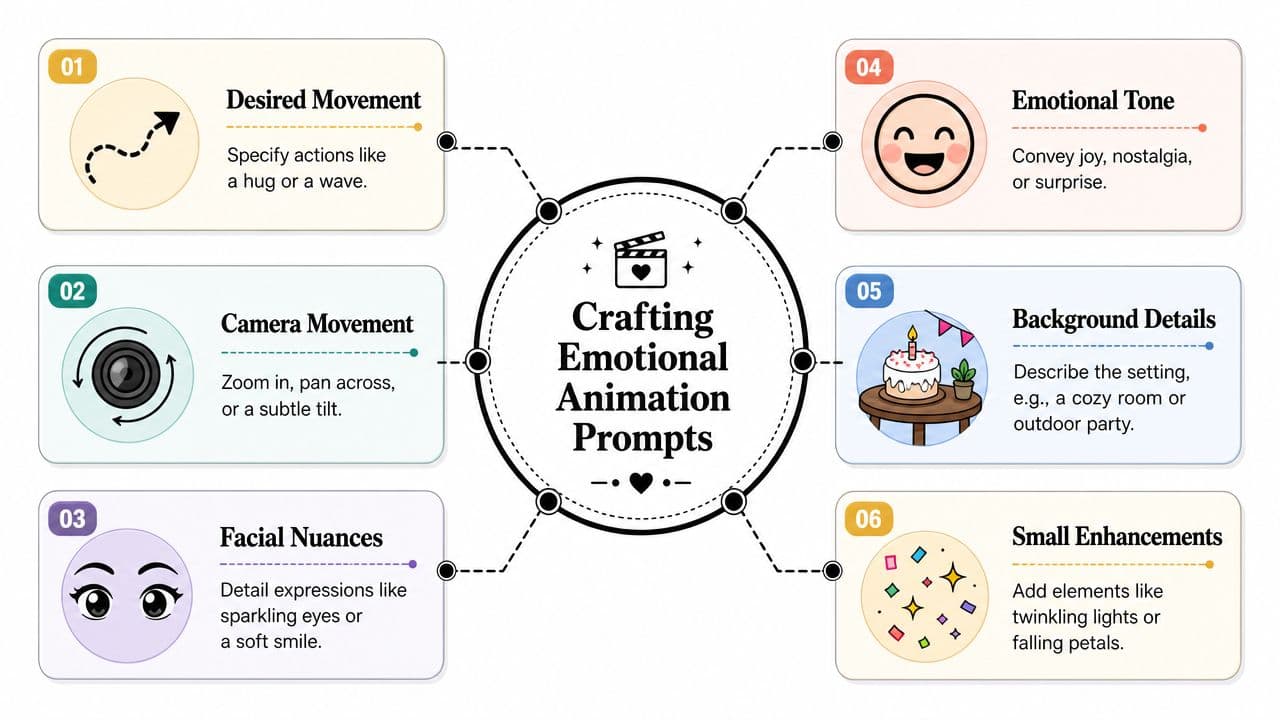
A useful birthday photo animation prompt usually contains six ingredients.
-
Emotional tone
Start with the feeling first. “Warm and nostalgic” gives better direction than “nice” or “beautiful.” If the image is playful, say playful. If it should feel reflective, say that plainly. -
Subject movement
Keep movement small and believable. A soft smile, a gentle head turn, two people leaning toward each other, or a quiet hug usually works better than dramatic motion. -
Camera movement
Ask for one camera idea, not three. A slow zoom in is often enough. A subtle push, soft pan, or delicate tilt can add life without making the clip look synthetic. -
Facial nuance
Mention the eyes, mouth, and expression. “Eyes soften slightly” or “a faint smile appears” is more useful than “make them emotional.” -
Background behavior
Decide whether the background should stay mostly stable or support the mood. For birthday tribute work, less is often more. -
Style language
Use visual cues like “cinematic,” “soft light,” “cozy room,” or “vintage family warmth” only if they match the actual photo.
For a deeper look at how these systems interpret still images, photo-to-video AI workflows are worth understanding before you start iterating.
Generic prompts versus meaningful prompts
Here's the difference between asking for motion and directing emotion.
Make this birthday photo move. Add a smile and zoom in.
That prompt isn't wrong. It's just thin. It gives almost no guidance about tone, pace, or what kind of smile belongs in the image.
Now compare it with something shaped for memory:
Animate this old family birthday photo with a warm, nostalgic, cinematic feeling. Keep the movement gentle and natural. Add a slow camera push toward her face, a soft smile forming, and a slight turn of the eyes as if she's noticing loved ones around her. Preserve the vintage texture of the photo. Keep the room calm and intimate.
That second prompt gives the model a job. It defines mood, motion, restraint, and texture.
The grandmother tribute worked because the prompt details were emotional, not decorative. The family described hugging parents, early adulthood, building a home life, and the sense of reliving cherished years. Even when you're only generating one short clip, that same mindset helps. You're not just animating a face. You're choosing what memory the movement should suggest.
A prompt framework that keeps you honest
If you get stuck, write your prompt in this order:
- Who is in the photo
- What tiny action should happen
- How the camera should move
- What the emotional tone should be
- What should stay unchanged
For example:
Older woman in a vintage family photo, gently smiling and slightly turning her head toward the camera. Slow zoom in. Warm, nostalgic, cinematic mood. Keep the original clothing, photo texture, and background feeling intact.
The more specific you are, the fewer random results you'll have to reject.
One warning matters here. Don't ask the model to invent a whole new reality that the original photo can't support. If the image shows one seated person indoors, asking for dancing, strong body motion, and a sweeping outdoor camera move usually breaks the illusion. Good prompts respect the evidence inside the frame.
Generating and Refining Your Animation
Once the photo and prompt are ready, generation itself is the easy part. The harder part is knowing how to judge the first result.
Use the first render as a draft, not a verdict. That mindset saves frustration and usually leads to a much stronger birthday photo animation.
A clean workflow looks like this:
- Upload the image.
- Paste in the prompt you wrote before generating.
- Choose the output orientation based on where the clip will live.
- Generate the clip.
- Watch it twice. First for feeling, then for flaws.
Most weak results come from trying to fix everything at once on the second pass. Don't do that. If the motion is too strong, reduce only the motion language. If the face feels blank, add more detail about expression. If the camera is distracting, simplify it.
Review the first draft like an editor
Watch for three things during review:
- Believability: Does the movement feel physically possible for that exact photo?
- Emotional match: Does it feel tender, celebratory, playful, or reflective in the way you intended?
- Visual stability: Do the eyes, mouth, hands, and edges stay coherent?
A useful refinement habit is to change one variable per round. That way you know what improved the output.
Small prompt edits usually outperform complete rewrites. Precision beats panic.
If you want to see a walkthrough of how a still image becomes a short living clip, this demo gives a helpful visual reference:
Choose the format before you export
Export decisions affect where the clip feels native. A vertical version suits Stories, Reels, and TikTok. A square version sits comfortably in feed posts. A horizontal version works better for birthday slideshows or a longer tribute video shown on a TV or projector.
If you're adding the clip to a larger edit, keep the motion understated. Short animated inserts work best when they act like an emotional beat inside a montage, not a special effect that steals the whole sequence.
Sharing Your Animated Memory in Montages and Reels
A short birthday photo animation becomes more valuable once it has a job. The best use isn't always posting it alone.
Some clips belong inside a longer tribute edit. Others work better as a digital greeting sent straight to family members. The right choice depends on the tone of the celebration and how personal the image feels.
Where a short animated clip works best
A few strong placements come up again and again:
- Opening a montage: Start with the animated still, then cut into newer photos and video.
- Midpoint emotional beat: Drop the clip between faster edits to slow the pace and let people feel the memory.
- Standalone message: Send it by text or in a family group chat with a short birthday note.
- Social post: Use it as the hero moment in a Reel or Story.
- Event display: Loop it inside a birthday slideshow running on a TV or projector.
This isn't a tiny niche format. Adobe Stock returns 463 results for the exact term “happy birthday animation”, which tells you animated birthday assets are already established across personal, template, and branded celebration workflows.
If you're building a longer family tribute, a montage video maker workflow is usually the cleanest next step. The animated photo can serve as one emotional scene inside the larger story, especially when you pair it with voiceover, music, or a short on-screen message.
A good rule is to avoid overusing the effect. One or two animated moments inside a montage often feel elegant. Ten in a row can flatten the impact.
Quick Tips and Frequently Asked Questions
Birthday photo animation gets better fast once you stop treating it like a novelty and start treating it like direction. Plan the feeling first, then the movement.
Fast answers before you start
How long should the clip feel?
Short. For most birthday uses, a brief clip lands harder than a long one because the movement feels intentional and rewatchable.
Do I need a brand-new photo?
No. Older prints, scanned images, and phone captures can work well if the face is readable and the emotion is clear.
What's the best way to avoid wasting credits?
Plan your prompt before you generate. Be clear about movement, mood, scene, and camera behavior from the start. Detailed prompts usually lead to better outputs in fewer tries.
Should I animate several photos or just one?
If you're making a larger tribute, animate only the images with the most emotional charge. A sequence can be beautiful, but each animated moment should earn its place.
Where can I see before-and-after inspiration?
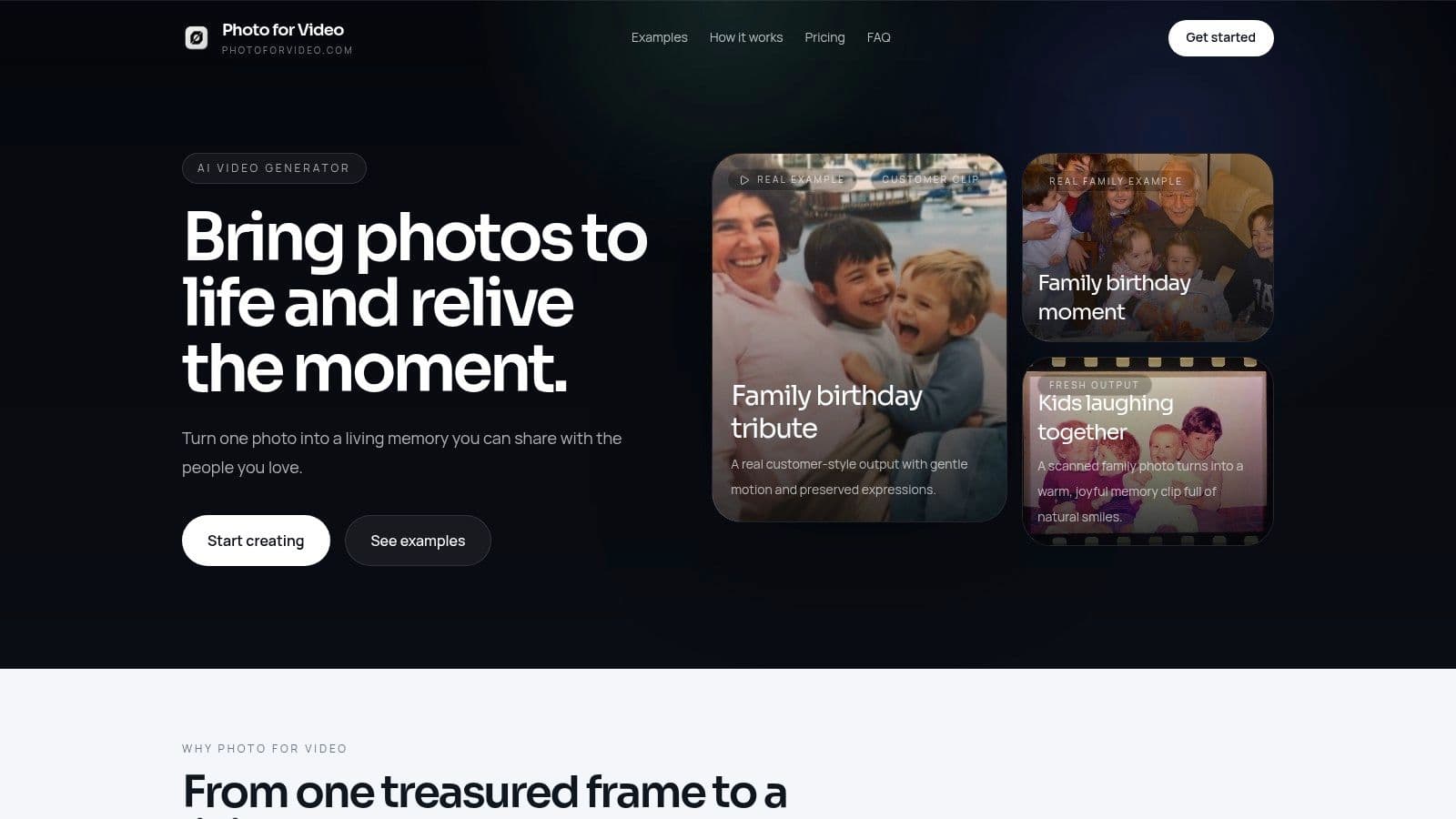
The Photo for Video landing page includes before-and-after examples showing the original still photo and the animated result, which is useful when you want to compare subtle motion styles.
If you want to turn one cherished image into a short birthday keepsake, Photo for Video is built for exactly that. It helps you animate a single photo into a gentle 5 to 6 second living memory for birthdays, anniversaries, memorials, and family montages, with guided examples that make it easier to get the tone right.