Make a Happy Birthday Funny Animation: Quick Guide
Create a happy birthday funny animation from one photo in minutes. Get hilarious results for social media or tributes with our easy guide.
You've probably got the photo already.
It's the one where your brother looks way too proud of his crooked paper crown, or your best friend got caught mid-laugh with cake on their face, or your mom is giving that dramatic “I cannot believe you took this” look that somehow makes the picture even better. The problem is that posting the photo as-is feels a little flat. It gets a smile, maybe a reply, and then it disappears into the scroll.
A short animated clip changes the mood completely. A tiny eyebrow raise, a slow grin, a mock-serious stare, or a perfectly timed blink can turn one still image into the birthday message everyone replays. When the goal is a genuine laugh, that small shift from static to moving matters more than one might expect.
Table of Contents
- Turn One Funny Photo into a Birthday Masterpiece
- Choosing the Perfect Photo for Animation
- Writing Prompts for Comedic Motion
- Adding Funny Audio and Perfecting the Timing
- Exporting and Sharing Your Animation
- Quick Answers to Common Animation Questions
Turn One Funny Photo into a Birthday Masterpiece
A funny birthday post usually starts with a great photo and a weak finish. You find the perfect image, add “happy birthday!!!” on top, maybe throw in a confetti sticker, and send it off. It works, but it doesn't land like it could.
The stronger move is to treat that photo like the first frame of a joke. A 5 to 10 second animation gives the image a setup, a beat, and a payoff. That's enough time for a smirk to build, eyes to widen, or a smug little nod to sell the gag.
Why motion gets the laugh
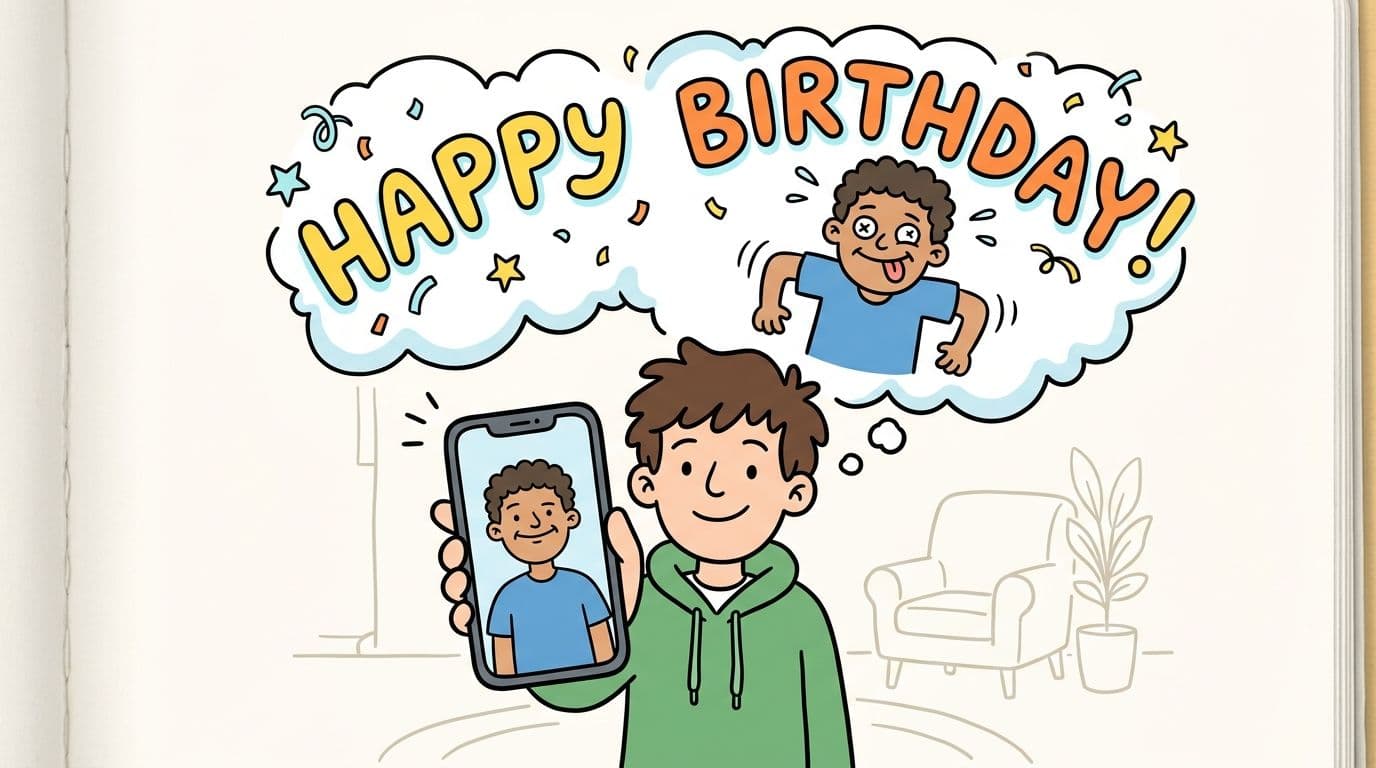
Dreamstime notes that animated “Happy Birthday” GIFs outperform static images in digital settings because movement creates attention, micro-storytelling, and emotional pull, which leads to higher reactions and engagement rates in birthday content (Dreamstime birthday GIF analysis). That tracks with what happens in real chats and feeds. People pause longer when something moves, even if it only moves a little.
For comedy, that matters because humor often lives in timing. A frozen goofy face is funny. A goofy face that slowly turns toward the camera like it knows exactly what it's doing is much funnier.
Practical rule: Don't animate a photo just to “make it move.” Animate it to reveal a punchline that's already hiding in the image.
A better use for that one ridiculous photo
The best happy birthday funny animation usually doesn't need a big concept. It needs one strong photo and one clear joke. If your uncle already looks like he's about to tell a terrible dad joke, the animation should lean into that. If your friend looks shocked, make the motion build that surprise instead of fighting it.
If you want the basic workflow for turning a still into a short clip, this guide on how to create video from a single image is a helpful starting point. The essential craft comes after that, when you decide what kind of funny the photo can support.
A good birthday animation doesn't try to become a full comedy sketch. It just gives the photo one extra beat of life. That beat is often enough.
Choosing the Perfect Photo for Animation
Funny animation starts before you write a prompt. It starts with photo selection.
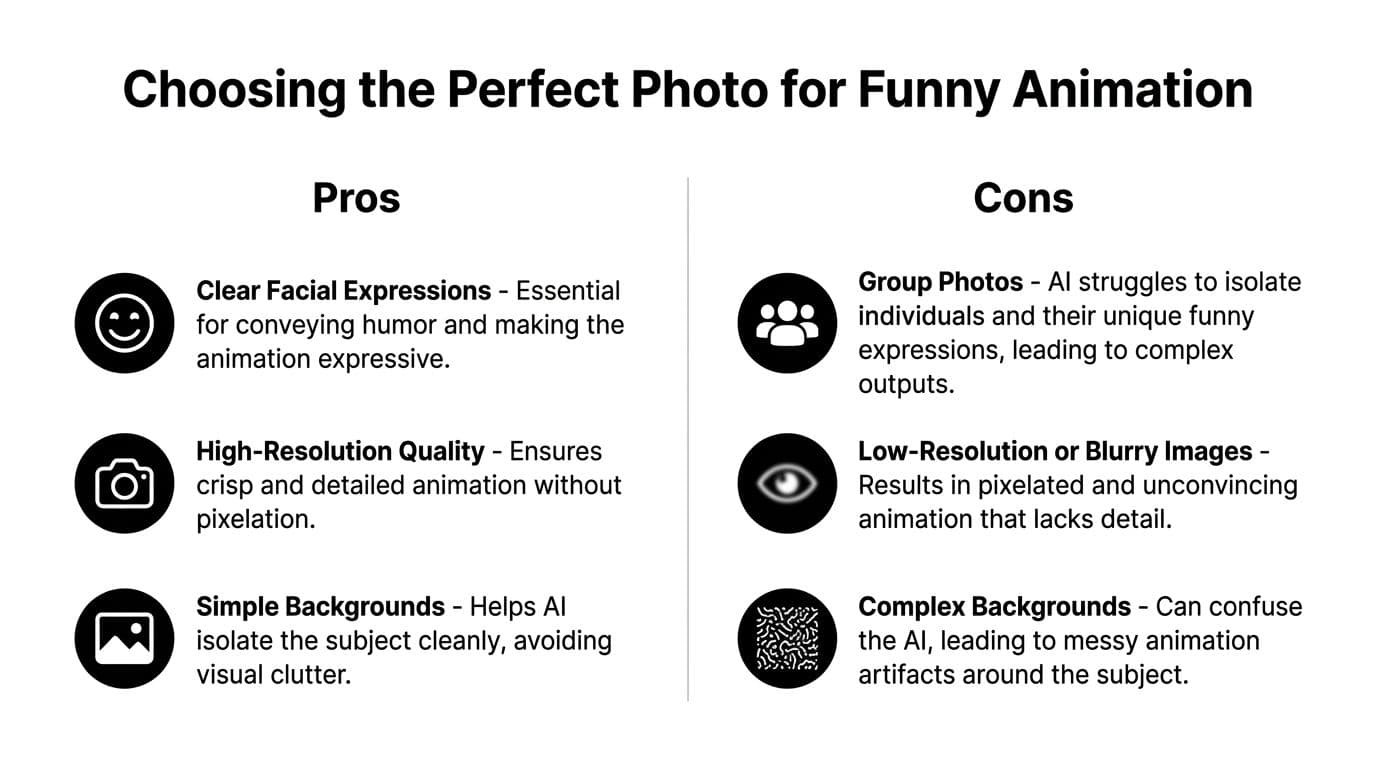
Most bad results don't come from the tool. They come from forcing motion onto a photo that doesn't give the animation enough to work with. If the face is tiny, blurry, turned sideways, or buried in a chaotic background, the final clip has to fight uphill for every expression.
What makes a photo funny enough to animate
The sweet spot is a photo where the humor is already visible before anything moves. Think about expressions with built-in tension or personality.
- Caught mid-reaction. A surprised stare, a half-laugh, a suspicious squint, or that “who ate my fries?” face.
- Slightly exaggerated but still readable. The mid-sneeze face can work if the features are still clear. So can the look someone gives when the dog steals the hotdog.
- Front-facing or near front-facing. The animation reads better when both eyes and most of the mouth are visible.
- Simple framing. Head-and-shoulders shots usually outperform distant full-body group images for this kind of micro-comedy.
What usually fails
Some photos are funny in real life but weak for animation. That distinction matters.
| Photo type | Why it struggles |
|---|---|
| Group selfie | Too many faces compete for attention |
| Side profile | The expression has less room to animate clearly |
| Low-light shot | Facial detail gets muddy fast |
| Busy party background | Visual clutter pulls focus from the joke |
If you can't describe the expression in one short phrase, the photo probably isn't doing enough work yet.
A simple selection test
Before you animate, ask three questions:
-
Can I read the expression instantly?
If you need to explain why the photo is funny, pick another one. -
Is one person clearly the star?
Birthday humor lands harder when the viewer knows exactly who the joke centers on. -
Will tiny motion improve it?
The best candidates don't need dramatic movement. They only need a blink, grin, eyebrow lift, or small head motion.
A surprisingly strong source photo often beats a technically perfect one. A slightly imperfect phone shot with a crystal-clear goofy expression can outperform a polished portrait with no comic tension at all.
Writing Prompts for Comedic Motion
Prompting for a happy birthday funny animation isn't about writing more. It's about writing motion that a face can perform.
The biggest mistake is giving the model a broad instruction like “make him funny” or “make her laugh.” That sounds clear, but it produces vague motion. Comedy needs specifics.
Use the subject action vibe formula
A clean prompt usually follows this pattern:
Subject + action + vibe
That means you name who is moving, what they're doing, and what emotional flavor should guide the motion.
Here's the difference.
- Weak prompt: make him laugh
- Better prompt: a slow, mischievous grin spreads across his face
- Weak prompt: surprise expression
- Better prompt: her eyes widen slightly, then she gives a playful, mock-offended look
- Weak prompt: birthday dance
- Better prompt: he bobs his head once like he's trying not to laugh at his own joke
These work because they ask for small, readable actions. They don't demand a full performance from one still image.
Keep the motion restrained
A common tendency is to overcook it. In image-to-video birthday tribute tests, setting motion intensity to 30 to 50% produced an 87% success rate for preserving natural facial expressions while avoiding over-distortion, according to AI Image to Video benchmarks for birthday animations.
That range makes sense for comedy. Funny doesn't always mean bigger. It usually means more controlled.
If the slider goes too high, subtle expressions turn rubbery. Smiles stretch. Eyes drift. The joke changes from “that look is hilarious” to “why does this face look haunted?”
Best working range: Aim for understated movement first. You can always regenerate with slightly more energy, but it's hard to rescue a clip that already looks warped.
For more examples of wording that translates well into movement, this guide on the best prompts for image to video is worth keeping open while you test ideas.
Prompts that usually work
Different photos want different kinds of humor. Match the prompt to the original expression.
-
For smug photos
“A tiny satisfied smirk, with a gentle head tilt” -
For shocked photos
“Eyes widen, then a quick blink as if reacting to surprise” -
For already goofy photos
“A brief grin grows, like he's trying and failing to stay serious” -
For deadpan faces
“A subtle eyebrow raise and barely contained smile”
These are strong because they describe motion in ways a viewer can read instantly. They also leave room for timing.
A quick visual demo helps if you want to see how subtle prompt changes affect results.
Prompts that usually miss
Some instructions sound funny in your head but break on contact with the image.
- Too broad
“Make it hilarious” - Too physical
“Do a huge dance and spin around” - Too many actions at once
“Blink, smile, laugh, nod, wink, then zoom in dramatically”
Pick one joke. One facial beat. One emotional direction. That's usually enough to get a birthday clip that feels intentionally funny instead of randomly animated.
Adding Funny Audio and Perfecting the Timing
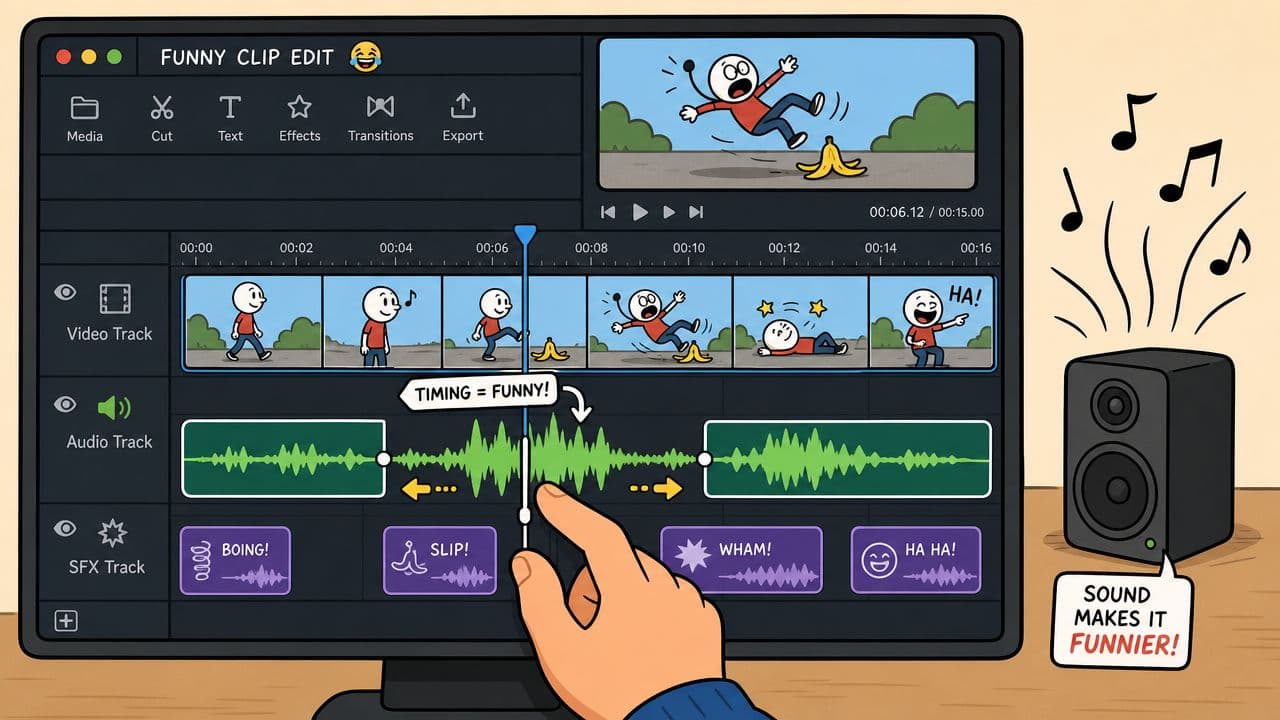
A silent animation can be cute. A well-timed sound makes it funny.
For birthday clips, audio often does half the comedic work because it tells the viewer how to read the expression. The same eyebrow raise can feel sarcastic, celebratory, awkward, or absurd depending on what hits underneath it.
Match the sound to the joke type
You don't need fancy software for this. Instagram's editor, CapCut, and similar mobile editors are enough for short birthday clips. What matters is choosing audio that supports the expression rather than drowning it.
Try these pairings:
- Record scratch for a sudden eye widen or mock scandalized look
- Slide whistle for a rising grin or slow head tilt
- Tiny drum sting for a smug reveal
- Quirky ukulele or toy piano for playful, harmless chaos
- Comedic gasp or crowd cheer if the photo already feels theatrical
Timing matters more than the sound itself
A common approach is to place audio at the start of the clip and call it done. That's rarely the funniest version. Comedy usually lands at the exact moment the expression changes.
If the grin peaks at the end, put the sting there. If the blink is the punchline, let the sound arrive on the blink, not before it. Even simple edits feel sharper when the sound and facial beat hit together.
A weak sound choice can still work with great timing. A perfect sound choice will fall flat if it lands a second too early.
Keep the edit short
Funny birthday clips benefit from restraint. Let the expression set up, let the sound hit, then get out. If you linger after the payoff, the clip starts explaining the joke instead of delivering it.
A clean workflow looks like this:
- Export the animated MP4.
- Drop it into CapCut or Instagram.
- Watch for the exact frame where the expression changes most.
- Snap the sound effect to that beat.
- Trim any dead space at the front or end.
If you want a practical walkthrough for that alignment step, this article on syncing audio with video is useful.
The goal isn't bigger production. It's tighter timing. That's what makes a simple happy birthday funny animation feel finished.
Exporting and Sharing Your Animation
Once the clip feels right, export it in a format that stays easy to send. An MP4 is usually the safest option because it works well in messages, social apps, and video editors. If you want something more casual and loop-friendly, a GIF can be great for chat threads, though video usually preserves motion more cleanly.
A quick final checklist
Before you send it, watch it once with fresh eyes.
- Check the first second. The opening frame should already be funny or intriguing.
- Check the ending. Cut quickly after the punchline.
- Check the sound balance. The effect or music should support the expression, not overpower it.
- Check the crop. Keep the face large enough that the joke reads on a phone screen.
Smart ways to use one short clip
A good happy birthday funny animation has more than one life. You can use it in places that feel more personal than a standard post.
- Send it as the birthday text itself instead of typing a generic message
- Open a longer tribute video with it so the montage starts with a laugh
- Drop it into a family group chat where short loops get replayed
- Post it as a story or reel if the joke is broad enough for everyone to get
- Turn it into a reaction GIF for ongoing use after the birthday
The best birthday animation doesn't just say happy birthday. It says, “I picked the exact expression that feels like you.”
That's why these clips work. They're fast to make, but they don't feel generic when the photo, motion, and timing all point to the same joke.
Quick Answers to Common Animation Questions
What if the animation looks weird
Lower the motion intensity and simplify the prompt. Most odd-looking results come from asking for too much movement or stacking too many actions into one clip.
Can I use old printed photos
Yes, if the face is clear enough. Old scans can work well, especially when the expression is readable and the framing keeps attention on one person.
Should I animate group photos
Usually not for comedy. One clear subject almost always produces a cleaner, funnier result than splitting attention across multiple faces.
What kind of expression works best
Expressions with built-in tension tend to win. Think suspicious, smug, mock-serious, surprised, or “trying not to laugh.”
Do I need music every time
No. A single sound effect can be better than music if the joke is small and visual. Music helps when you want a warmer, more playful mood.
How do I experiment without ruining the joke
Change one variable at a time. Keep the same photo, then test a new prompt. Or keep the prompt and swap the sound. That makes it much easier to see what improved the clip.
If you want a fast way to turn one still image into a short birthday clip, Photo for Video makes that process simple. Upload a favorite photo, describe the motion you want, and generate a polished MP4 that's ready for birthday messages, tribute edits, reels, or family keepsakes.