Montage Video Maker: A Guide to Creating Videos with Feeling
Learn how to choose and use a montage video maker to turn photos and clips into meaningful stories. This 2026 guide covers key features, workflows, and tips.
You're probably here because this isn't just another video project.
Maybe you've got a folder full of family photos on your phone. Maybe someone asked you to make a birthday tribute, an anniversary montage, or a memorial video, and now you're staring at old scanned prints, short clips, and voice notes, wondering how to turn them into something that feels real. That's the moment when a montage video maker stops being “editing software” and becomes a storytelling tool.
A common mistake is treating a montage like a slideshow with music. That usually produces something watchable, but not memorable. A strong montage feels like a small film. It carries emotion from one image to the next, gives moments room to breathe, and lets the viewer feel a life, not just see a sequence of files.
Table of Contents
- What Is a Montage Video Maker and Why Use One
- The Anatomy of a Powerful Montage
- Key Features to Look for in a Montage Maker
- Bringing Still Photos to Life in Your Montage
- Choosing the Right Montage Maker for Your Project
- Frequently Asked Questions About Montage Makers
What Is a Montage Video Maker and Why Use One
A Montage video maker is a tool that helps you combine photos, video clips, transitions, text, and music into one continuous piece. But that definition is too flat for what people use it for.
If you're making a tribute for a parent, a partner, or a loved one who's passed, you're not just assembling media. You're shaping memory. One photo introduces a person. The next shows how they changed. A short clip adds voice, movement, or personality. Then music ties those pieces together so the whole thing lands emotionally instead of feeling random.
That storytelling side matters because montage didn't start with mobile apps. The idea goes back decades in film editing, where editors used montage to compress time and communicate a larger idea through a sequence of short shots, as described in Videomaker's overview of montage editing. Today's tools just make that classic method accessible to anyone working from a laptop or phone.
Practical rule: A slideshow presents items. A montage creates a point of view.
That difference changes how you edit. In a slideshow, every image often gets equal treatment. In a montage, some moments should last longer. Some should arrive quickly. Some should appear only long enough to trigger recognition before the next memory takes over.
Modern tools also make the format approachable for ordinary users. The category isn't built only for professionals. The Apple App Store listing for “Montage Video Maker & Editor” shows 1K ratings, a 4.1/5 average rating, and an Age Rating of 4+ on its App Store page. That tells you something important. People making family edits, school videos, and keepsakes are already using these tools at consumer scale.
Use one when you want to do more than display pictures. Use one when you want the viewer to feel a life moving.
The Anatomy of a Powerful Montage
A powerful montage doesn't depend on expensive software. It depends on judgment. The software helps, but the emotional result comes from how you arrange moments, how long you let them play, and what you ask the audience to feel.
A montage is built on sequence, not just selection
Montage has always been about compression. In classic film editing, it was used to condense time, space, or information into a sequence that told a larger story. Modern tools are just the software version of that craft for everyday creators, as outlined in this practical guide to montage editing history and technique.
When people struggle with a family montage, the problem usually isn't the footage. It's the order.
Try thinking in emotional beats instead of folders:
- Opening beat: Start with a photo or clip that establishes the person immediately.
- Connection beat: Move into moments that show relationships, not just appearances.
- Contrast beat: Mix ages, places, or phases of life so the montage has shape.
- Lift beat: Let the middle widen into joy, activity, or shared memory.
- Closing beat: End on the image that says what you want people to carry out of the room.
If you need a broader reference for assembling grouped moments into one coherent piece, this guide on how to make a compilation video is useful because compilation structure and montage structure overlap more than most beginners realize.
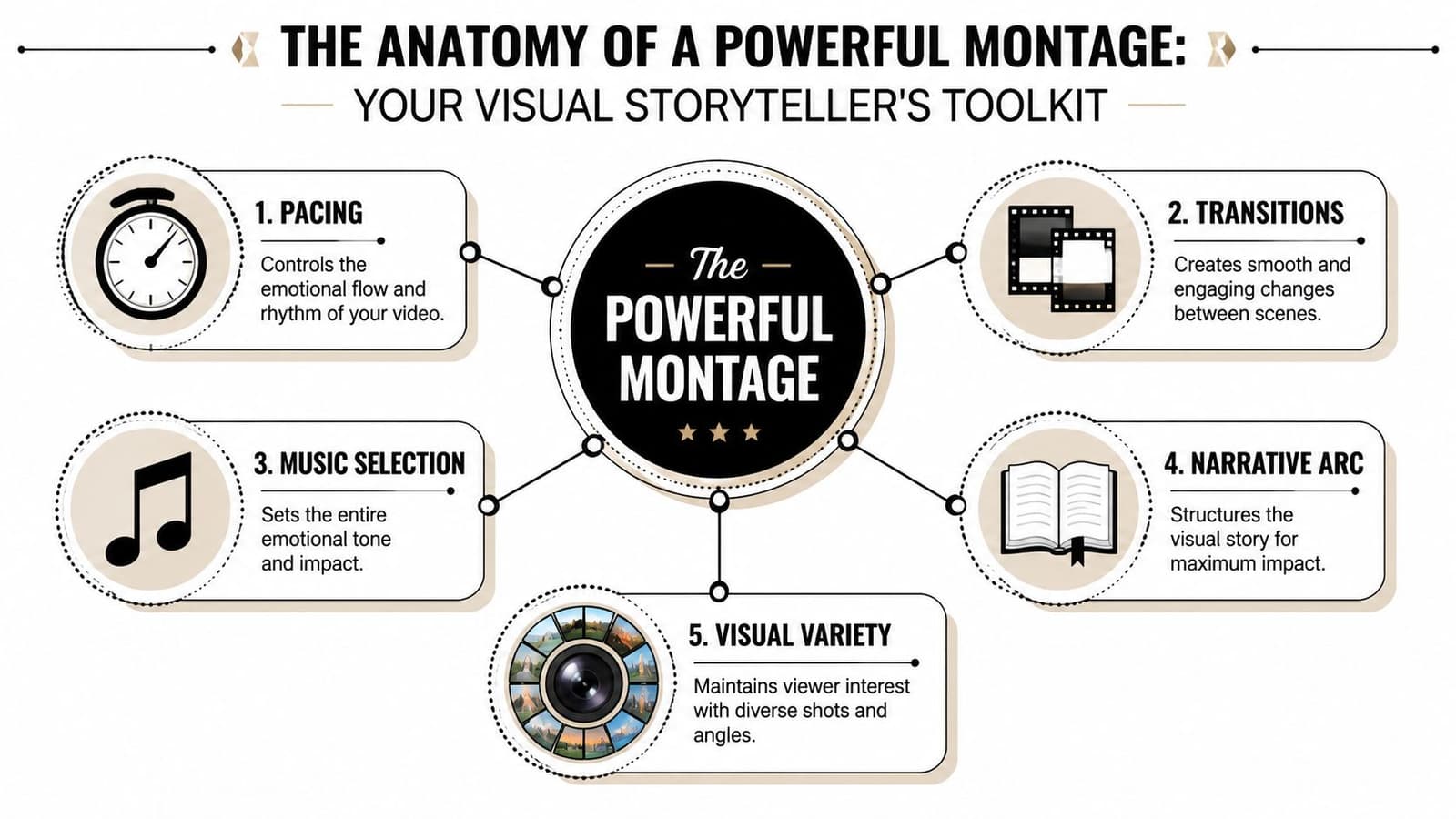
Pacing is where emotion actually happens
Editors often obsess over transitions first. That's backwards. Pacing is the engine.
A tribute video fails when every shot lasts the same amount of time. Human memory doesn't work like that. You pause on the wedding portrait. You move quickly through a batch of holiday snapshots. You slow down again when a face on screen needs room to register.
Use this toolkit when building rhythm:
| Element | What it does in practice |
|---|---|
| Shot duration | Controls whether a moment feels reflective or passing |
| Transitions | Connects scenes without calling attention to the edit |
| Music | Gives the montage its emotional pulse |
| Visual variety | Prevents a long run of similar images from going flat |
| Narrative arc | Turns a collection into a story |
A clean cut placed at the right emotional moment will beat a dramatic transition almost every time.
Music matters too, but not because it makes things “cinematic.” It gives your cuts a heartbeat. If the music swells and the images don't respond, the montage feels disconnected. If the cuts breathe with the track, even a simple edit starts to feel intentional.
What doesn't work? Too many zooms. Too many title cards. Overdesigned transitions. A montage about family should feel observed, not manufactured.
Key Features to Look for in a Montage Maker
Marketing pages love to list effects. I care more about whether the tool lets you make calm, precise decisions. If you're editing something personal, that matters far more than having a giant sticker library.
The timeline matters more than the template library
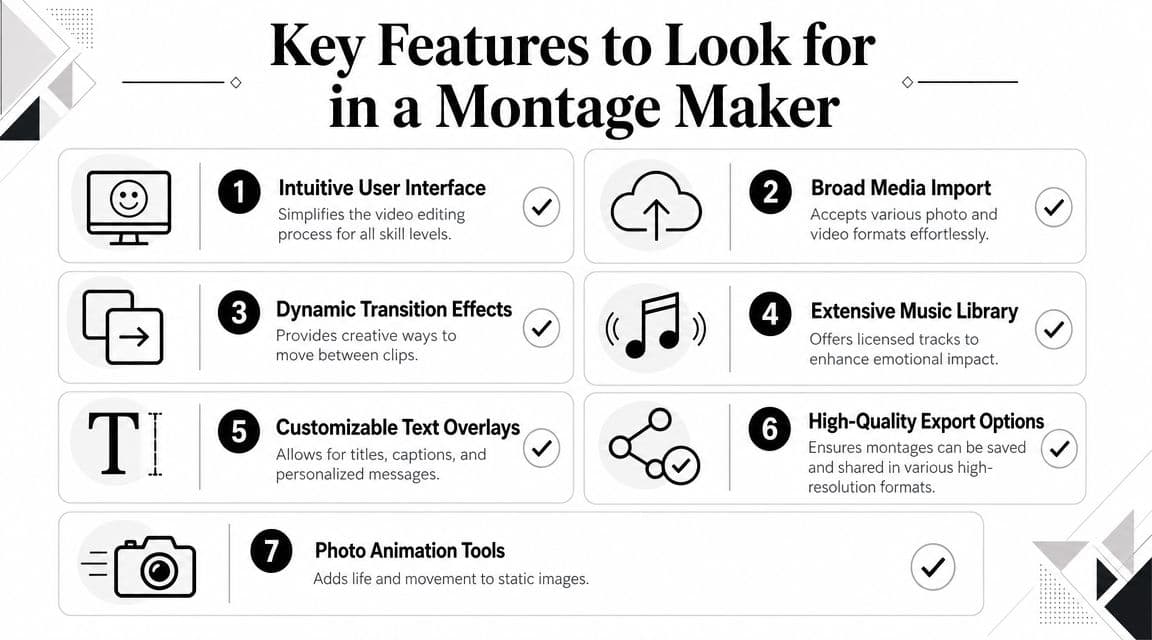
A quality montage video maker should let you trim precisely, reorder scenes easily, and export a clean file that won't fall apart when shared. That baseline isn't glamorous, but it's what separates a usable tool from a frustrating one.
MWM's Montage Video Maker advertises Full HD (1080p) export, frame-accurate trimming, and scene reordering on a fluid timeline on its product page. For montage work, those details matter because rhythm lives in tiny decisions. If your cuts land a fraction late, the whole piece feels mushy.
Here's the product demo to study with a critical eye, not just as a sales video:
When you compare tools, check for these basics first:
- Precise editing control: You want frame-accurate trimming or the closest equivalent. Tight cuts help images and music feel connected.
- Clean export: 1080p is the safe baseline for tribute videos you might share privately or post on social platforms.
- Simple reordering: Family stories often improve when you reshuffle the sequence after a first draft.
- Audio handling: You need to lower music under spoken audio, fade tracks gently, and avoid abrupt starts.
- Privacy settings: Personal family photos deserve more care than ordinary social content.
Look for restraint, not just effects
A tasteful montage maker should also help you do less.
Good signs include:
- Transition control: A short dissolve, fade, or straight cut is usually enough.
- Text tools that stay out of the way: Names, dates, or a brief dedication often work better than long captions.
- Photo motion options: Subtle movement can keep still-image edits from freezing in place.
- Fast assembly features: Helpful when you need a starting draft, but not a replacement for judgment.
Some browser-based tools now advertise fast creation and free 1080p exports without watermarks, and some can assemble a montage in minutes from uploaded assets. That convenience is real. But convenience isn't quality by itself.
Editing checkpoint: If a feature makes the software more visible than the person in the montage, skip it.
For family work, the best feature is often the one that gives you enough control to stay gentle.
Bringing Still Photos to Life in Your Montage
The most emotional moment in a tribute video is often not a video clip. It's one still image that suddenly feels present.
I saw this in a project made for a mother. There was an old photo of her mother, a grandmother in the family, and once that image was animated with soft movement, the reaction changed immediately. It stopped feeling like an archive item and started feeling like a moment returning. That kind of response is why still-photo motion matters so much in tribute work.
Why motion from one photo can hit harder than a flashy edit
Most montage advice is built around clips, not photographs. But that misses how many family projects depend on scanned prints, album pages, and phone captures of old images. A useful point raised in this discussion of animating still photos into moving shots is that a single image can become a 5 to 6 second moving shot, which helps prevent a montage from feeling like a static slideshow.
That's the sweet spot for tribute work. Long enough for emotion. Short enough to keep momentum.
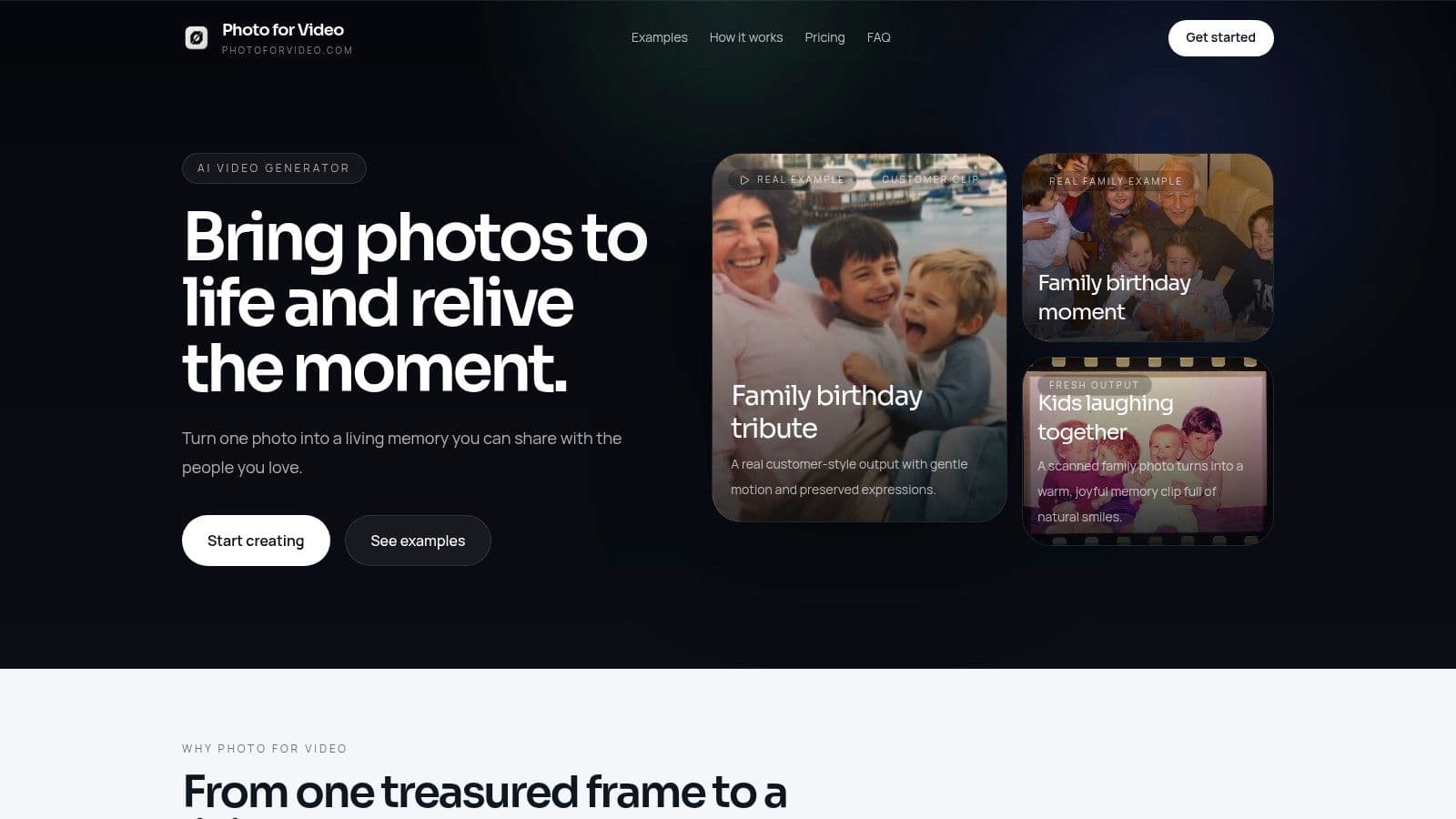
A still photo comes alive when the motion feels motivated. Not decorative. Not gimmicky.
Good motion choices include:
- A slow push in on a face when you want intimacy
- A gentle side drift across a group photo when relationships matter
- A slight parallax feel when there's visual depth in the frame
- A soft reveal from hands to face, or from background to subject
What doesn't work is aggressive camera movement added to a delicate image. If the original photo is fragile, grainy, or emotionally loaded, the motion should preserve that texture, not overpower it.
A practical workflow for old family photos
Start with the best scan or capture you have. Don't wait for perfection. A slightly imperfect old print often carries more feeling than a technically pristine image with no history in it.
Then work through the image like an editor, not a software operator:
-
Choose the emotional anchor
Pick the photo that means something before you pick the photo that looks best. Tribute montages run on meaning. -
Clean lightly
Crop distractions. Correct orientation. Fix only what helps readability. Don't polish old photos so hard that they lose their age. -
Decide what the shot should feel like
Ask one question: should the movement feel like remembering, discovering, or arriving? That gives you a motion direction. -
Create a short moving clip
If you want a dedicated workflow for turning photos into motion before adding them to a larger edit, this page on how to create video from photos is a practical reference. -
Place the animated still beside true video carefully
Don't alternate every shot mechanically. Let the animated still act as a pause, a bridge, or a reveal.
Here's a simple decision guide:
| Photo type | Best motion approach | Common mistake |
|---|---|---|
| Single portrait | Slow push in | Over-zooming until it feels artificial |
| Group family photo | Gentle lateral movement | Moving so fast viewers can't recognize faces |
| Wedding or formal image | Controlled, elegant drift | Adding flashy transitions |
| Old candid snapshot | Subtle natural motion | Cleaning away the photo's original texture |
One more thing matters here. Still-photo animation works best when you treat it as one ingredient, not the whole meal. A montage made entirely of animated images can still feel repetitive if every shot moves the same way. Vary the motion language. Follow an animated still with a short home video clip, then a simple still with no movement, then a title card or ambient audio moment.
When a single old photo moves gently, viewers often stop watching as editors and start watching as family.
That's the standard worth aiming for.
Choosing the Right Montage Maker for Your Project
The right montage video maker depends less on brand loyalty and more on the kind of video you're trying to finish. A memorial piece has different needs from a short-form social montage. A family birthday video has different stakes than a content creator's highlight reel.
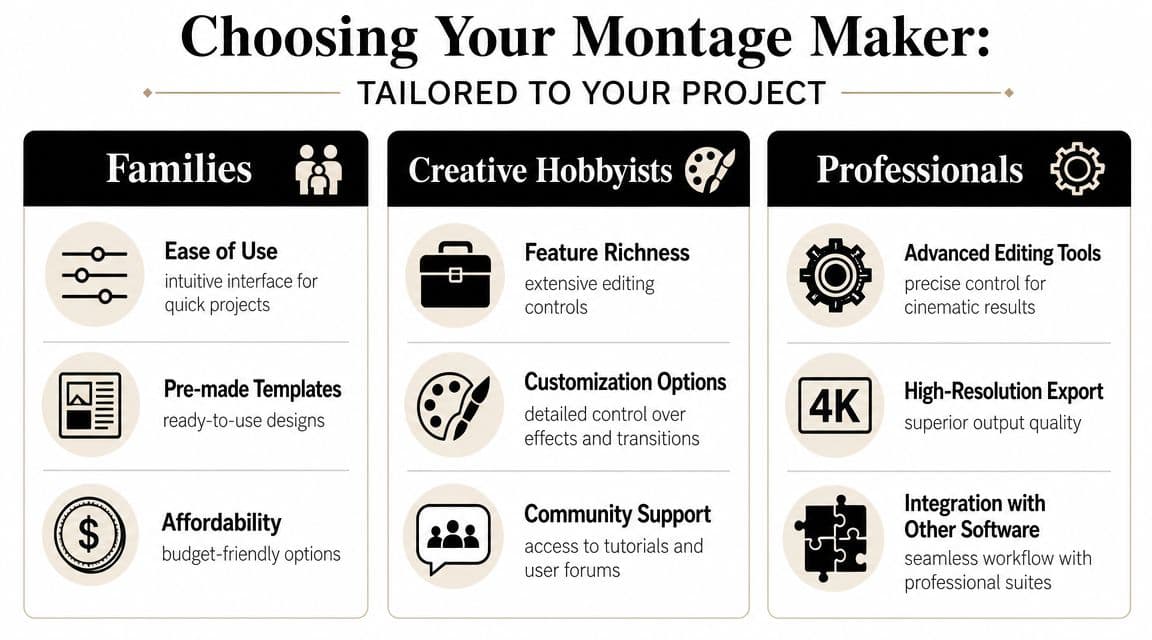
Different projects need different strengths
This is the frame I use when helping people choose:
| Project type | What matters most | What to avoid |
|---|---|---|
| Families | Ease of use, privacy, simple text and music control | Overcomplicated interfaces |
| Creative hobbyists | More control over pacing, motion, and sequencing | Locked templates that all look the same |
| Small businesses | Speed, repeatable workflow, branding consistency | Consumer apps that can't organize assets well |
Families usually need the gentlest learning curve. If someone is making a memorial or anniversary montage, they shouldn't have to fight the interface just to fade music under a voice note. Privacy also matters more here because the material is personal.
Creative hobbyists can tolerate a steeper tool if it gives them better timeline control. They'll often want more say over pacing and visual tone. Small businesses care about efficiency and consistency. They may also want AI help for first drafts or repurposing.
If you're thinking specifically about photo-based motion and AI assistance, this overview of photo to video AI workflows is useful background before you commit to a tool.
When AI helps and when it gets in the way
AI is strong at the front end of montage work. It can help sort footage, detect highlights, assemble rough sequences, and speed up repetitive steps. For example, OpusClip says its montage maker analyzes footage frame by frame, identifies impactful moments, arranges clips, and applies transitions and captions on its montage maker page. That can be very useful if you're cutting down long recordings.
But emotionally sensitive edits are different. A memorial montage shouldn't feel like it was assembled by a machine that optimized for activity alone.
That's why the hybrid approach tends to work best. As noted in Visla's discussion of AI montage workflows and review needs, speed isn't the only metric. Human review still matters for authenticity, tone, and emotional fit.
Use AI when you need help with:
- Sorting raw material
- Building a rough first sequence
- Generating captions or basic structure
Take manual control when you're choosing:
- The opening and final image
- Which family moments deserve extra time
- How the music should breathe
- What should be left out
The best tool for your project is the one that saves effort without flattening the feeling.
Frequently Asked Questions About Montage Makers
Do I need editing experience to use a montage maker
No. Most modern tools are built for ordinary users, not only editors. The category clearly targets a broad audience. “Montage Video Maker & Editor” shows over 1K ratings and an Age Rating of 4+ on the Apple App Store listing, which signals accessibility rather than pro-only complexity.
How can I avoid watermarks on my final video
Check export terms before you begin. Some tools offer clean exports, while others reserve watermark-free output for certain plans or workflows. Don't finish the whole edit and discover the limitation at the last step.
What's a good length for a family tribute montage
Long enough to hold attention. Short enough to preserve impact. For most family tributes, the stronger choice is usually a tightly edited piece with only the moments that matter. If viewers start admiring your endurance, the montage is too long.
If your montage depends on old family photos, Photo for Video is worth a look. It turns a single still image into a gentle moving clip designed for birthdays, memorials, anniversaries, and keepsakes, which makes it especially useful when you don't have much video footage but still want the final piece to feel alive.