AI Style Transfer: A Creator's Guide to Artistic AI
Learn what AI style transfer is, how it works, and how you can use it to create stunning artistic visuals for family tributes and creative projects.
You're probably looking at a photo right now that matters to you. Maybe it's a faded print of your grandparents at a kitchen table, a phone snapshot from a birthday, or a portrait you'd love to turn into something more expressive than a standard filter. You want it to feel artistic, but you don't want to lose the person, the moment, or the memory.
That's where ai style transfer becomes interesting. It doesn't just decorate an image. It lets you keep the subject of one picture while borrowing the visual language of another. In plain terms, you can take the structure of your family photo and blend it with the color, texture, or mood of a painting, sketch, comic panel, or stained-glass design.
For families and creators, that makes style transfer more than a novelty. It becomes a way to unify old scans and new photos, shape a tribute that feels cohesive, or give ordinary pictures a mood that matches the story you want to tell.
Table of Contents
- What Is AI Style Transfer
- How AI Learns to See Art
- A Guide to Different Style Transfer Methods
- Practical Magic for Families and Creators
- Style Transfer vs Motion AI What Is the Difference
- Guiding Principles for Beautiful and Ethical Results
What Is AI Style Transfer
AI style transfer is the process of taking the content of one image and the style of another image, then combining them into a new result. The content is the actual scene: the face, the pose, the house, the dog, the birthday cake. The style is the visual treatment: brushstrokes, color palette, line quality, texture, and overall mood.
If that sounds abstract, consider it a way of dressing a photo in a different artistic wardrobe. The person in the image stays recognizable, but the look changes. Your child's portrait might take on the softness of watercolor. A wedding photo might gain the jewel-like geometry of stained glass. An old black-and-white family picture might keep its honesty while picking up a gentle painted texture.
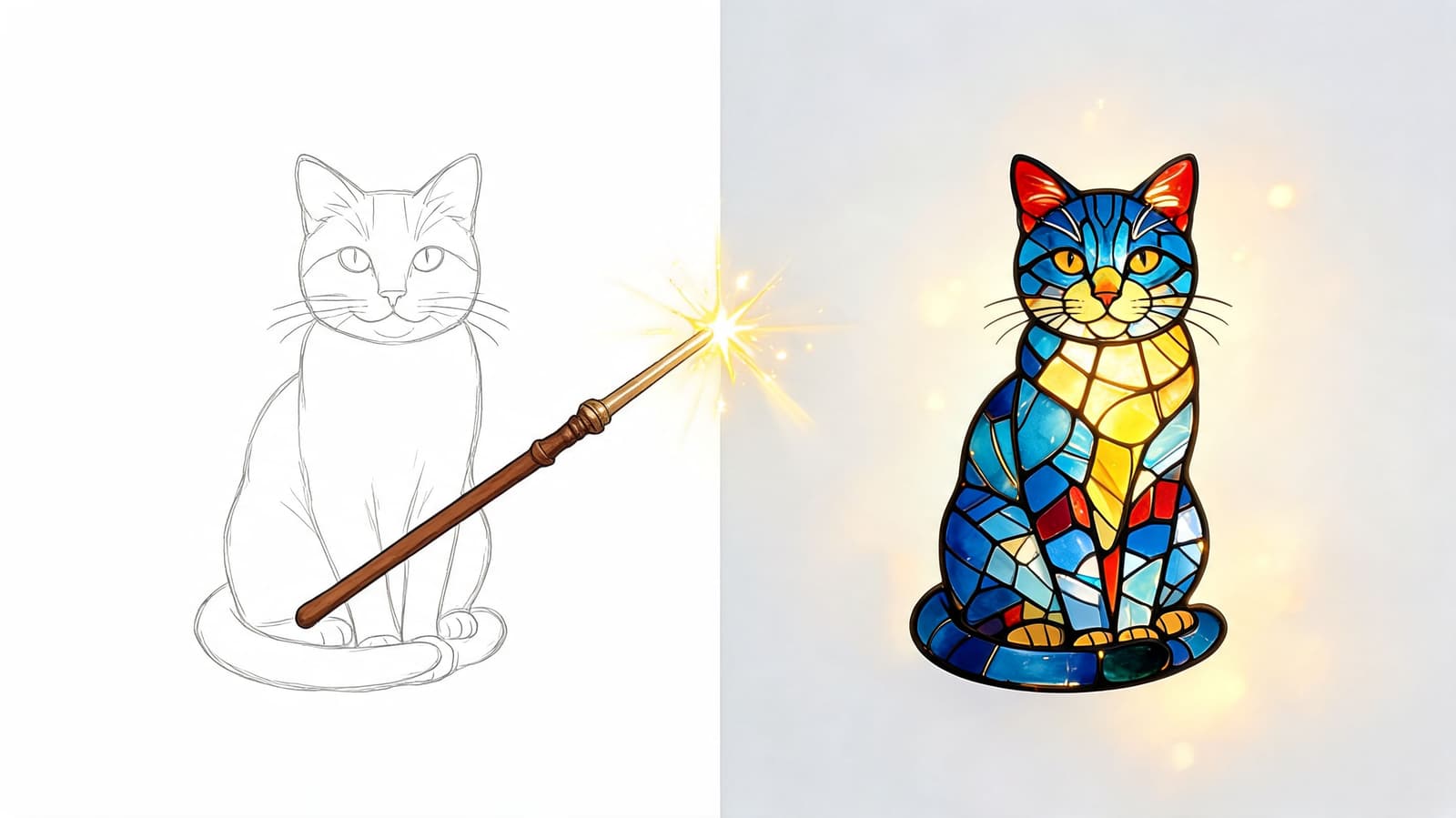
That's why people often confuse style transfer with filters, but they aren't the same thing. A filter usually applies one broad effect to every image in roughly the same way. Style transfer tries to understand what should remain stable and what can be artistically transformed.
Why people use it
Some people use it for play. Others use it to solve a real creative problem.
- Family projects: A tribute video often pulls from many sources, old prints, scanned albums, and recent phone photos. Style transfer can help those images feel like they belong together.
- Keepsakes: A memorial portrait may feel more tender as a sketch or painting than as a harsh digital snapshot.
- Creative work: Designers, teachers, and small businesses use it to explore visual directions without starting from scratch.
Consumer interest is already mainstream. Survey data collected in 2024 shows that over 44% of surveyed adults have asked AI to copy an artist's style, which tells you this is no longer a niche experiment.
Practical rule: Style transfer works best when you want to preserve a memory's subject while changing its visual mood.
How AI Learns to See Art
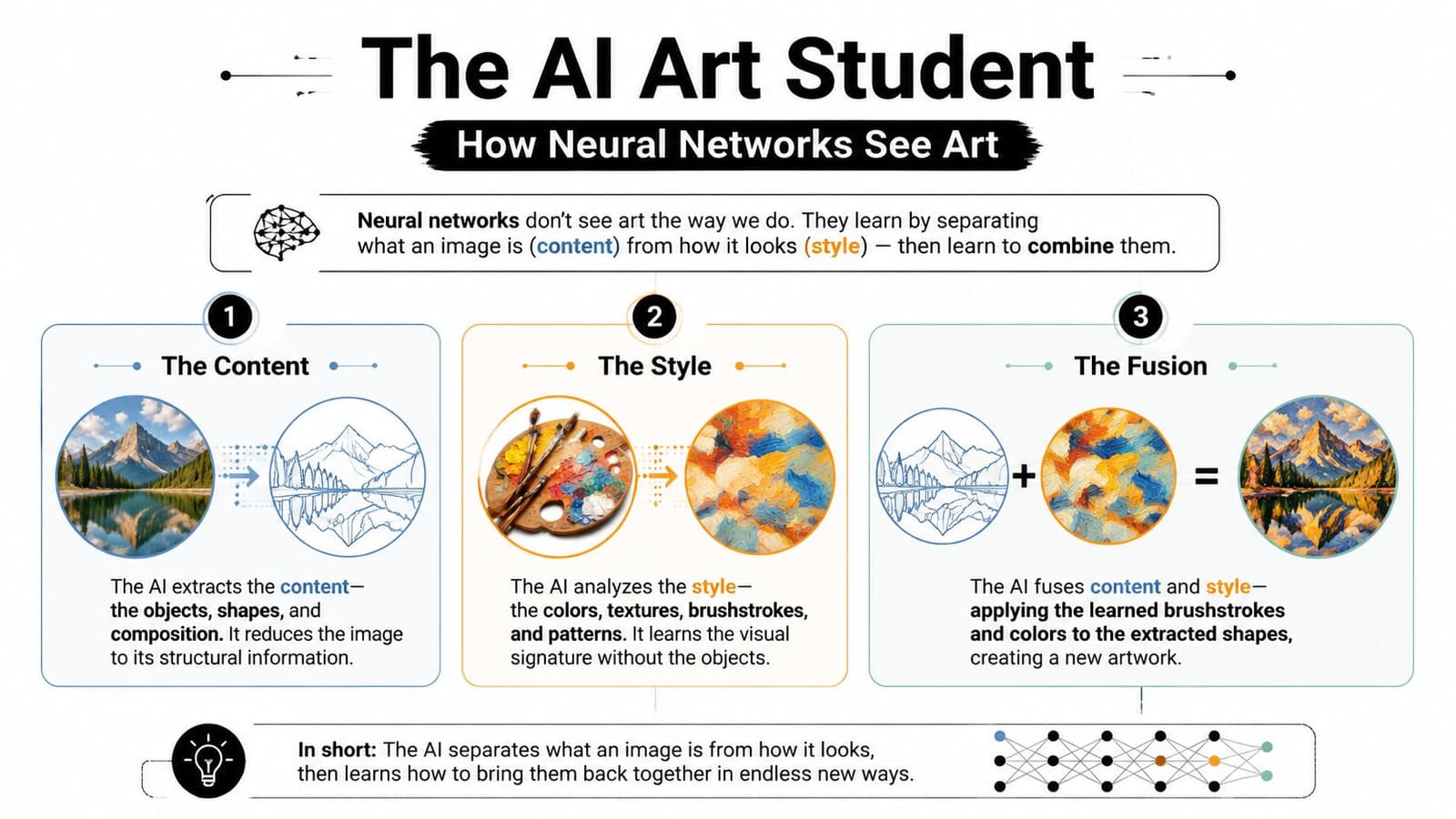
The easiest way to understand the technology is to imagine an art student studying two things at once. First, the student looks at what the picture is about. Second, the student looks at how it has been painted. Those are different skills.
A person can do this naturally. You can look at two portraits and say, “Both show a woman sitting in profile, but one feels like oil paint and the other feels like a comic illustration.” Style transfer systems are built to make a similar separation.
Content and style are different jobs
Many style transfer systems use convolutional neural networks, often shortened to CNNs. You don't need the math to grasp the idea. A CNN examines an image through layers that notice different kinds of information.
The early layers pay attention to small visual clues such as edges and textures. Deeper layers track larger arrangements such as faces, objects, and the overall layout of a scene. As this explanation of style transfer mechanics notes, shallow CNN layers capture local textures while deeper layers encode broader semantic structure, and Gram matrices are used to represent stylistic correlations across feature maps.
That split matters for memory-rich images. If you're styling a photo of your grandmother, you want the algorithm to keep her face recognizable. You may welcome a new color treatment or painted surface, but you don't want the underlying identity to vanish.
How the model checks its own work
Style transfer systems often balance two goals at the same time.
-
Content preservation
The system asks, “Does this still look like the original photo in structure and subject?” -
Style matching
It also asks, “Does this new image carry the textures, patterns, and visual rhythm of the reference artwork?”
The technical term Gram matrix can sound intimidating, but the idea is simpler than the name. It's one of the tools the model uses to measure how visual features relate to one another, which helps it capture a style's texture and overall feel rather than copying one brushstroke at a time.
If content is the story of the image, style is the handwriting.
That's why a good result feels balanced. The child is still the child. The family kitchen is still the family kitchen. Yet the image may now feel like pastel, charcoal, mosaic, or painterly illustration.
Where readers usually get confused
A common misunderstanding is that the AI “understands art” in the human sense. It doesn't admire a painting the way a museum visitor does. It analyzes patterns, relationships, and structures that can be translated into a new image.
Another point of confusion is whether style transfer merely pastes a texture on top. It doesn't work like laying a transparent sheet over a photo. Better systems blend style into the image's internal visual organization, which is why some results look integrated rather than coated.
For family use, that difference is important. A respectful tribute image should feel interpreted, not smothered.
A Guide to Different Style Transfer Methods
The phrase ai style transfer covers several technical families, and they don't all behave the same way. Some are slow and painterly. Some are fast enough for app-based editing. Others borrow ideas from broader image generation systems and offer more control.
The main families of tools
Neural Style Transfer, or NST, is the classic starting point. It's the breakthrough that made the field recognizable in the first place. A recent overview describes NST as a foundational advance that helped launch modern style transfer, while later diffusion-based and autoregressive systems expanded the scale and controllability of AI image creation, contributing to the more than 34 million AI images generated daily across platforms.
NST is useful to know because it established the core idea: preserve one image's structure while transferring another image's visual style. Its downside is that early versions could be slower and less convenient for everyday workflows.
Then came GAN-based approaches. GAN stands for Generative Adversarial Network. In plain language, these systems became known for producing striking, often polished visuals. Some tools in this family pushed realism and visual refinement much further, which made them attractive for portraits, characters, and stylized editorial work.
A newer wave includes diffusion-based methods and hybrid editing tools. These are often better at giving users more control. Instead of one heavy-handed style pass, they can preserve content more carefully or respond better to local texture cues.
Finally, there are real-time and lightweight methods, including techniques used in consumer apps and design platforms. These often trade some depth for speed, but they make style transfer practical for people who want quick experiments on everyday hardware.
Comparing AI Style Transfer Methods
| Method | Core Idea | Best For | Speed |
|---|---|---|---|
| Neural Style Transfer | Optimizes an image to match one picture's content and another picture's style | Fine-art experiments, learning the fundamentals, painterly results | Slower |
| GAN-based methods | Generate stylized outputs through adversarial training | Polished portraits, character work, bold stylization | Faster once trained |
| Diffusion-based methods | Use denoising-based generation and editing for more controlled transformation | Higher control, content preservation, modern creative workflows | Moderate |
| Real-time adaptive methods | Apply style through efficient feature-matching approaches | Mobile apps, batch edits, quick previews | Fast |
Different methods also create different kinds of mistakes. One may preserve the pose beautifully but overdo textures. Another may create lush surfaces while softening the face too much. That's why it helps to judge a tool by the job you need done, not by the marketing language around it.
For example, if you want a pencil-look family portrait for a memorial card, you'll likely prefer a restrained tool. If you want bold social media artwork from a product photo, a more expressive model may be the better fit. And if your goal is a sketch effect specifically, this guide on turning a picture into a sketch for free can help narrow the creative direction before you pick a model.
What to choose in practice
If you're new to this, don't start by hunting for the “most advanced” method. Start by asking four simple questions:
- What must stay recognizable: Faces, product shape, room layout, or a pet's markings.
- How strong should the style feel: Gentle color wash, visible brushwork, or complete illustration.
- How fast do you need results: One heirloom image can tolerate a slower workflow. Fifty social posts probably can't.
- Do you need consistency across a set: A single poster and a family slideshow are very different assignments.
The best tool is usually the one that gives you enough style without breaking trust with the original image.
Practical Magic for Families and Creators
Style transfer becomes more meaningful when it solves a visual problem that people have. Families often gather images from different decades, different cameras, and different levels of damage. Creators often have the opposite issue. Their images are clean, but they feel repetitive or disconnected.
When family photos need one visual language
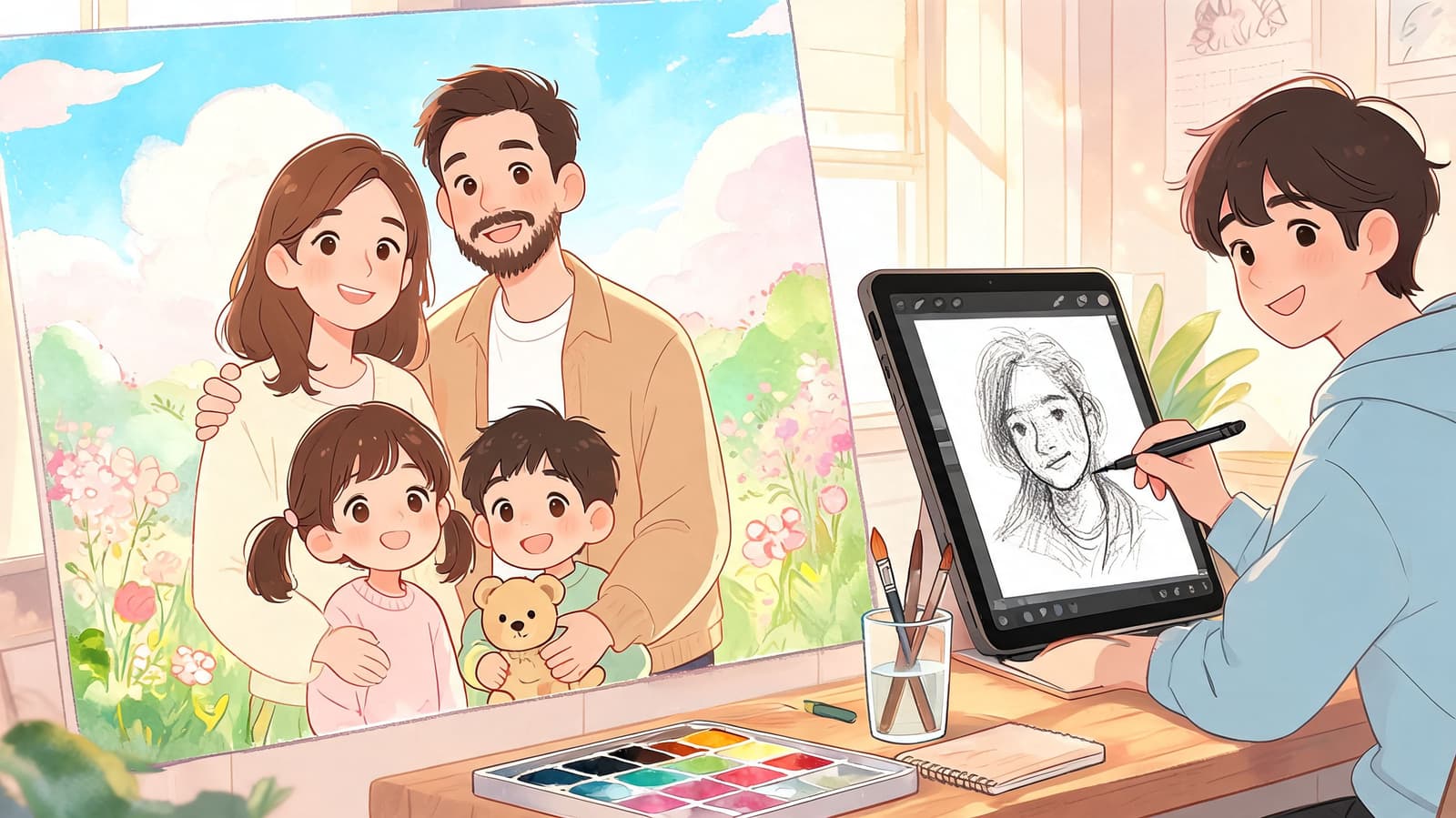
A memorial slideshow can include a studio portrait from decades ago, a restaurant snapshot from a phone, and a scanned holiday print with creases and faded color. Left alone, those images can feel visually uneven. One is cool-toned, one is yellowed, one is oversharpened.
Style transfer can help unify them without erasing their character. That matters because advanced multi-level style systems allow flexible style intensity and can preserve the “analog texture” of scanned photos, which is especially important in memorial contexts where truthfulness to the original supports emotional resonance.
A gentle approach often works best for family archives:
- Soft painterly treatment: Gives mismatched photos a shared atmosphere.
- Subtle color grading: Helps old and new images sit together in one tribute.
- Texture-aware styling: Keeps paper grain, film noise, or age marks that make the photo feel real.
Some memories need polish. Others need tenderness. Good style transfer can offer both.
One powerful use is the anniversary montage. A couple's early snapshots may be grainy and washed out, while recent phone photos are crisp and bright. Applying a restrained artistic style can make the sequence feel intentional, almost like a curated exhibition of the relationship rather than a folder of random files.
When creators need faster variation
Creators use style transfer for different reasons. A small shop may have a clean product photo but want several visual directions for social posts. A teacher might want classroom materials that look hand-illustrated. An event planner may need signage and digital invites that share one aesthetic.
These are not museum-grade restoration tasks. They're workflow tasks. Style transfer helps by letting one image become several versions with different emotional tones.
A candle photo can become:
- A soft watercolor visual for a Mother's Day post
- A bold comic-style image for a promotional graphic
- A textured vintage poster look for a market stall sign
For themed family events, the same idea applies. A birthday board can use a retro postcard look. A graduation tribute can use a clean sketch style. A holiday montage can borrow the palette and texture of winter illustration without turning loved ones into strangers.
The emotional point
People often talk about style transfer as if it exists only for art experiments. That misses its most human use. Sometimes you don't want to invent a new image. You want to care for an existing one.
For families, that can mean making a beloved photo feel cohesive in a tribute. For creators, it can mean making visuals feel more intentional and less disposable. In both cases, style transfer is at its best when it supports the story already inside the image.
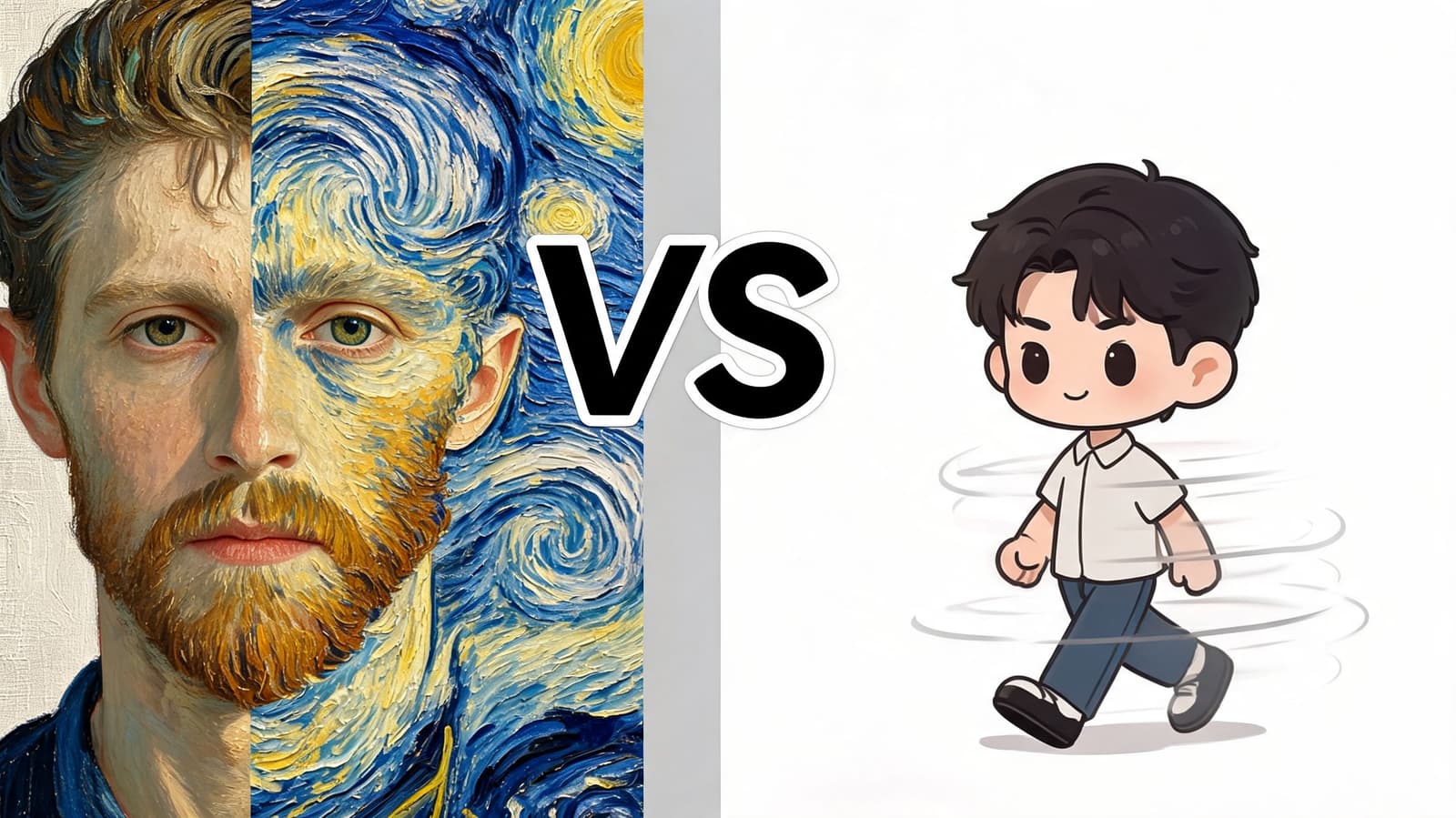
Style Transfer vs Motion AI What Is the Difference
These two technologies often get bundled together, but they do different jobs. If you mix them up, you may pick the wrong tool and feel disappointed by the result.
One changes appearance, the other changes time
Style transfer changes how an image looks. It alters aesthetic qualities such as texture, palette, brushwork, line treatment, and visual mood. The image stays still, but its artistic identity shifts.
Motion AI changes what an image does. It adds movement, timing, and a sense of life across moments. A face may blink. Hair may move slightly. The camera may drift inward. The goal is animation, not restyling.
That distinction is especially helpful when you're working with old family photos. If the problem is visual mismatch, style transfer helps. If the problem is that the image feels static in a video timeline, motion tools help.
Here's a simple side-by-side view:
| Tool type | Main job | Best question to ask |
|---|---|---|
| Style transfer | Changes visual aesthetic | “How should this memory look?” |
| Motion AI | Adds movement and timing | “How should this memory feel in motion?” |
A lot of people searching for animated keepsakes really want both. They want the image to look cohesive first, then feel alive second. If you're exploring the motion side of that process, this guide to talking photos AI helps clarify what animation tools are designed to do.
A simple workflow that uses both
Start with the image set. Clean and restyle the photos only if needed. If the album contains mixed color casts, harsh digital contrast, and very different source qualities, a gentle style pass can make the set feel unified.
Then consider movement. Once the still images share a visual language, motion becomes more convincing because the final sequence feels intentional rather than patchwork.
This video example shows the motion side of that difference in action:
The key is not to ask one tool to do the other tool's job. Style transfer won't create time-based expression. Motion AI won't automatically solve aesthetic inconsistency. Used together, though, they can turn a folder of unrelated stills into something that feels crafted and emotionally coherent.
Guiding Principles for Beautiful and Ethical Results
The most successful style transfer work usually looks restrained. Not timid, just deliberate. When a result feels beautiful, it's often because the creator knew what to protect.
Quality choices that protect the original image
Start with the strongest image you have. A clear scan or a well-lit photo gives the model more to work with. If the source is muddy, the stylized output may become muddy in a prettier way.
Use style intensity carefully. Many tools let you push the effect hard, but that doesn't mean you should. For portraits, family archives, and keepsakes, lighter treatment usually preserves expression better than extreme stylization.
A good working checklist looks like this:
- Choose compatible pairings: A delicate family portrait usually works better with watercolor, pastel, or pencil references than with hyper-aggressive graphic styles.
- Protect the subject first: If the eyes, hands, or background details become distorted, reduce the effect and try again.
- Test one image before a batch: A tribute set should feel coherent. Try the style on one old scan and one recent phone image before committing to all of them.
Use style transfer like museum lighting. It should reveal what matters, not overpower it.
If your source photo is small or damaged, improve the file before styling it. A cleaner base image makes every later choice easier. This guide on how to fix resolution is a useful starting point when an image feels too soft for editing.
Ethical habits that respect artists and families
Ethics matter here, especially when people try to imitate living artists too closely. It's one thing to learn from a visual tradition such as watercolor, woodcut, or vintage poster design. It's another to treat a working artist's style like a button you can press without reflection.
A practical standard is simple:
- Study, don't clone: Borrow broad inspiration rather than trying to impersonate a specific living artist.
- Credit where appropriate: If a project clearly draws from a known tradition or artist, transparency is respectful.
- Be extra careful with memorial images: The goal is enhancement, not replacement. Family members usually respond best when the person still feels unmistakably like themselves.
For keepsake work, trust is the essential benchmark. If the image becomes so stylized that loved ones no longer feel the original memory inside it, the technology has gone too far.
If you want to turn a treasured still photo into a gentle moving keepsake after you've refined its look, Photo for Video helps you transform one image into a short living memory for birthdays, memorials, anniversaries, and family tributes. It's built for the moment after the edit, when you want the picture to do more than sit on a screen.