Effortless Image Cleaning: Best Watermark Remover
Find the best watermark remover for clean images. Explore legal & ethical methods to remove watermarks for all your projects, from personal to professional.

You've got a family photo you want to use in a birthday reel, memorial tribute, or anniversary keepsake. It might be a scanned print from an old album. It might have a date stamp from a point-and-shoot camera, a scanner label, or some old digital mark that distracts from the people in the image.
That's where the phrase best watermark remover gets tricky. Sometimes you need a cleanup tool for a photo you own. Sometimes the safest move isn't removal at all. If you're working with family images, especially older scans, the right answer is usually a careful, ethical workflow that protects both image quality and your peace of mind.
This guide is for that real-world situation. It explains what watermarks are, where the legal lines are, when removal is appropriate, and how to prepare older photos so they still look natural in a tribute project.
Table of Contents
- Understanding Watermarks and Why They Exist
- The Critical Rules of Watermark Removal
- When Is It Okay to Remove a Watermark?
- Your Best Options for Watermark-Free Images
- A Practical Guide to Preparing Your Photos
- FAQ Your Watermark Questions Answered
Understanding Watermarks and Why They Exist
A watermark is a lot like a signature on a painting. It tells you who made the work, who owns it, or whether you're looking at a preview rather than a final licensed copy.
That's why watermarks exist in the first place. They aren't just visual clutter. They often serve a real purpose for photographers, artists, scanning services, archives, and businesses.

What a watermark actually is
Some watermarks are obvious. Think of a large diagonal “PROOF” across a portrait or a logo in the corner of a product image. Others are more subtle, like a faint semi-transparent mark, a date stamp from an old camera, or a scanning service label tucked near the edge.
Most of them fall into three practical categories:
- Copyright marks that signal ownership and discourage copying.
- Proofing overlays that mark an image as a preview before purchase or delivery.
- Branding marks that identify a studio, platform, or business.
If you're making a family montage, these can feel frustrating. But it helps to understand why they're there before deciding what to do.
The main types you'll run into
Not every mark behaves the same way when you try to clean it up.
- Transparent logos often sit over faces, clothing, or backgrounds. These are harder because the tool has to rebuild detail underneath.
- Text labels and date stamps are usually easier, especially if they sit in a plain sky, wall, or border area.
- Repeating proof patterns are the toughest because they cover many parts of the image at once.
Practical rule: The more texture behind the watermark, the harder it is to remove naturally.
That matters even more with family photos. Hair, lace, wrinkles in clothing, film grain, and faded paper texture all give restoration tools more to reconstruct. A mark over a blank backdrop is one thing. A mark across your grandparents' wedding attire is another.
The best watermark remover for one image may be the wrong choice for another. A one-click tool can work well on a clean digital product photo, but a vintage print often needs a slower, more careful approach. That's especially true when the goal isn't just a clean still image, but a photo that will hold up in motion later.
The Critical Rules of Watermark Removal
You are building a tribute video for a parent's anniversary. You scan an old family print, open the file, and spot a faint lab mark across the corner. Then you find a beautiful portrait on a photographer's site with a proof overlay and wonder whether the same cleanup tool should handle both.
It should not.
The first rule is ownership. If the photo is not yours, and you do not have permission to edit it, removing the watermark is not allowed.
That applies to stock previews, unlicensed studio portraits, social media images with creator branding, and archive images you have not been cleared to use. A watermark is not just visual clutter. It often signals that the image is still protected, still unpaid for, or still tied to the creator's terms.
Treat the watermark like a locked door
A watermark works like a locked door on a house. The fact that you can see through the window does not mean you have the right to enter.
That is the part many families find confusing during a memorial or reunion project. The goal feels personal and respectful. The law still turns on permission, not emotion. Personal use does not automatically create a free pass to strip branding from someone else's work.
Start with rights. Then decide whether cleanup makes sense.
A safer way to judge the situation
Use a simple test before you edit anything:
- You own the original family photo. Cleaning up scanner artifacts, date stamps, or accidental export marks is usually a restoration task.
- A photographer, studio, or archive owns the image. Ask for a licensed clean copy or written permission to alter it.
- You are not sure who owns it. Pause and verify before you retouch.
That pause can save a lot of frustration later. Families often spend hours restoring one picture, matching color across a slideshow, and syncing it to music, only to realize the image should not have been edited in the first place.
Why this rule matters for tribute projects
Watermark removal tools can feel like erasers. In real family projects, they are closer to scalpels. Used on your own scanned keepsake, they can help repair a distracting flaw. Used on a protected image, they can create legal and ethical problems that follow the project all the way to sharing, printing, or posting online.
There is also a quality issue. If the right answer is “contact the owner,” software is often the wrong first step. A clean original file will almost always look better than a reconstructed one, especially if you plan to animate the photo later in a tribute sequence. If that is part of your project, this guide to animating family photos for tribute videos can help you plan around image quality from the start.
Respecting the mark does not mean giving up on the project. It means choosing the right path. Sometimes that path is careful restoration of your own family scan. Sometimes it is a permission email, a licensing request, or a better source file.
When Is It Okay to Remove a Watermark?
There are legitimate cases where cleanup is completely reasonable. Many people find themselves confused by these situations, especially families dealing with old prints and scanned keepsakes.
If the image is yours, or you have the right to alter it, removing a distracting mark can be part of normal restoration.

Legitimate family photo scenarios
A few common examples come up all the time.
You scan a print from your parents' photo box and discover an old scanner service label embedded on the file. Or you digitize a photo taken with an older camera that stamped the date directly onto the corner. Or you have a family portrait you own, but the only surviving copy has a distracting mark added during a previous export or scanning step.
Those are very different from stripping branding off someone else's commercial image.
Use cases like these are usually about restoring your own material, not avoiding payment or hiding authorship. For family work, that distinction matters.
- Owned family prints: You have the physical photo and the right to preserve it.
- Obsolete date stamps: The stamp isn't a rights notice. It's just a distracting artifact from older gear.
- Scanner or lab marks on your copy: These can interfere with display, printing, or animation later.
Most online guides miss this entirely. As noted in Wondershare's discussion of watermark removal gaps, guidance tends to focus on modern digital photos, while old, scanned, or low-quality family photos are rarely addressed, even though they're common in tribute and memorial workflows.
That gap matters if you plan to animate a cherished still later using tools like talking photo AI workflows, where surface flaws can become more obvious once the image starts moving.
What makes old scans different
Old scans are harder than clean phone photos. They often include faded contrast, paper texture, dust, film grain, creases, uneven lighting, or compression from being scanned years ago.
That means “remove watermark” can really be a bundle of problems:
- The visible mark itself
- The damaged texture around it
- The need to preserve a natural, analog feel
A too-aggressive cleanup can make a face look waxy or wipe out the character of the original print. That's why patient editing matters more than speed.
This short walkthrough can help you think through the difference between simple deletion and careful restoration:
When you're working on family history, the goal isn't perfection. It's credibility. You want the photo to look like itself, just cleaner.
Your Best Options for Watermark-Free Images
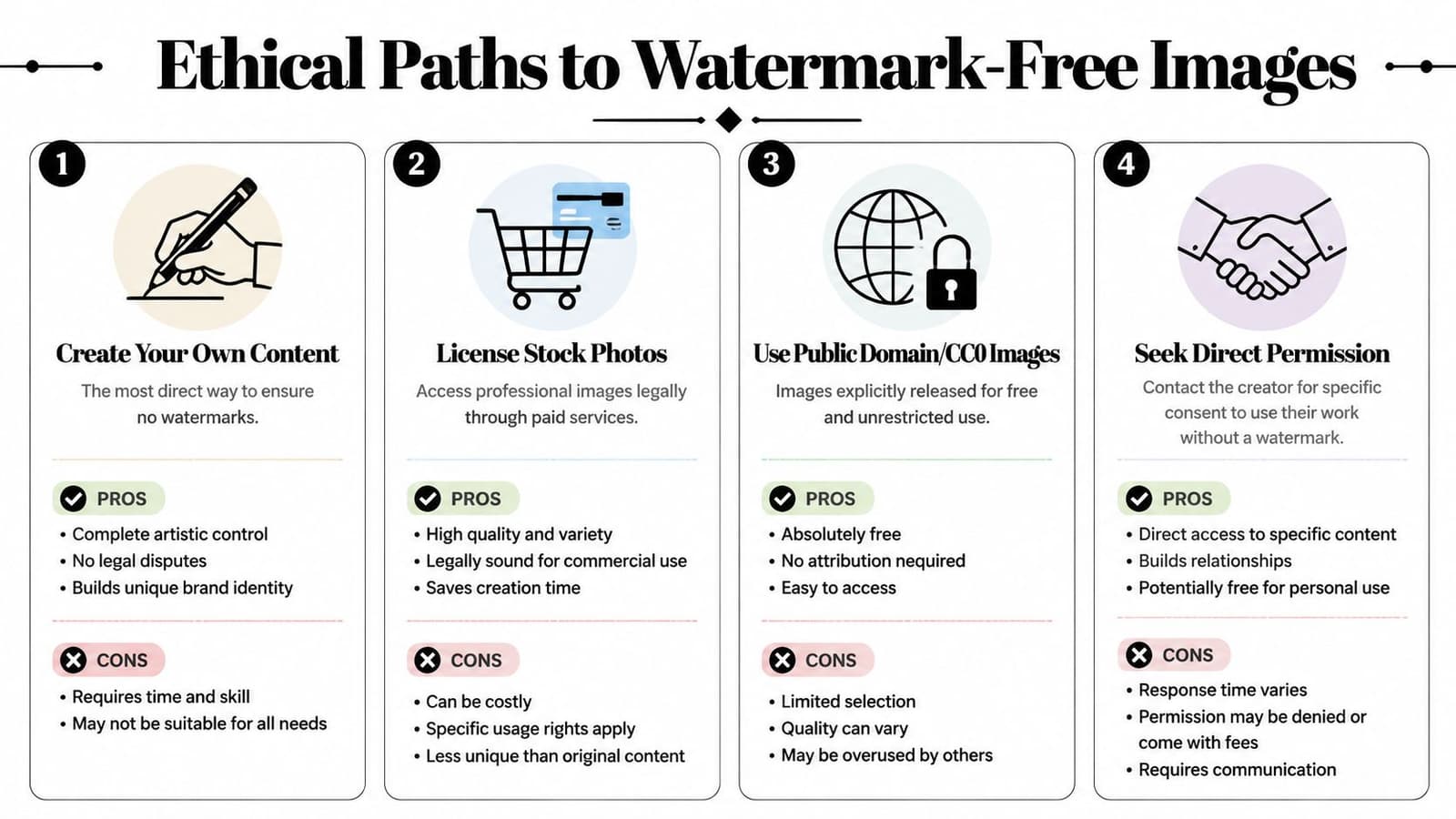
You are building a tribute video for a parent or grandparent. You find a scanned photo in the family folder, but a lab stamp, proof mark, or old download overlay is sitting right where everyone's eyes go. In that moment, the best “watermark remover” is often not a remover at all. It is the option that gets you back to a clean, legitimate source with the least damage to the photo.
The best option is often the clean source
For family projects, start by asking a simple question: can you get an unmarked version instead of repairing a marked one?
That approach works like restoring an old recipe from the original card instead of guessing from a blurry photocopy. Every edit made to a damaged file asks the software to invent missing detail. A clean original gives you real detail to work with.
| Method | Typical Cost | Time Investment | Expected Quality | Legal Risk |
|---|---|---|---|---|
| Create your own content | Varies | Higher | High if you control capture and scanning | Low |
| License stock photos | Paid in many cases | Low to medium | High | Low |
| Use public domain or CC0 images | Free | Low to medium | Varies | Low if terms are clear |
| Seek direct permission | Varies | Medium | High if you receive the original file | Low |
| Use a cleanup tool on a photo you own | Varies by tool | Medium | Varies by image condition | Low if you own the image |
Here is what that looks like in practice:
- Old family print in your house: Rescan it from the physical photo instead of editing an old watermarked JPEG.
- Portrait from a hired photographer: Ask whether they can provide the licensed final file without proof overlays.
- Downloaded image from years ago: Check old email threads, cloud backups, discs, or phones for the original export.
- Photo found online with no clear rights: Contact the owner or skip it.
For nearby creative tasks, the same rule applies. Starting with a cleaner file makes later editing easier, whether you are restoring a portrait or making a transparent GIF from a clean source image.
Good first move: get the cleanest legitimate version you can before opening any removal tool.
When a cleanup tool is the right choice
Cleanup tools make sense for photos you own or have permission to restore, especially when the mark is part of the damage history of the file rather than a rights notice you are trying to bypass.
That distinction matters for families. An old scan may include a date stamp from a lab, a stray scanner label near the edge, or a duplicate file saved with a visible export mark years ago. Those are restoration problems. A current proof overlay from a photographer is a permissions problem.
Tool choice should match the photo, not a marketing claim. Some tools are faster on plain backgrounds. Others give you a brush, erase mask, or clone-style control for harder areas like hair, lace, wrinkles, or film grain. A family portrait usually needs the second kind of control because faces show mistakes quickly.
One published roundup of AI watermark tools at GPT Watermark Remover describes common differences between products, such as batch processing versus manual brushing. That is a useful way to sort your options, especially if you have many scanned photos and only a few need careful hand correction.
Look for these traits:
- Texture preservation, so skin, paper grain, and fabric do not turn blurry
- Manual touch-up tools, especially for marks near faces or hair
- File support for the formats you have, such as JPG, PNG, HEIC, or WEBP
- Privacy settings you are comfortable with before uploading family photos
- Batch options if you are organizing a large memorial slideshow archive
A corner date stamp on a plain background is usually a simple job. A semi-transparent logo across a cheek or a wedding veil is closer to photo restoration. In those cases, patience beats speed. The best result is the one that still looks like the original photograph your family remembers.
A Practical Guide to Preparing Your Photos
For family projects, cleanup starts before you click any removal button. The quality of the scan, the type of mark, and the texture of the original photo all affect how natural the final result will look.
That's why preparation matters so much.
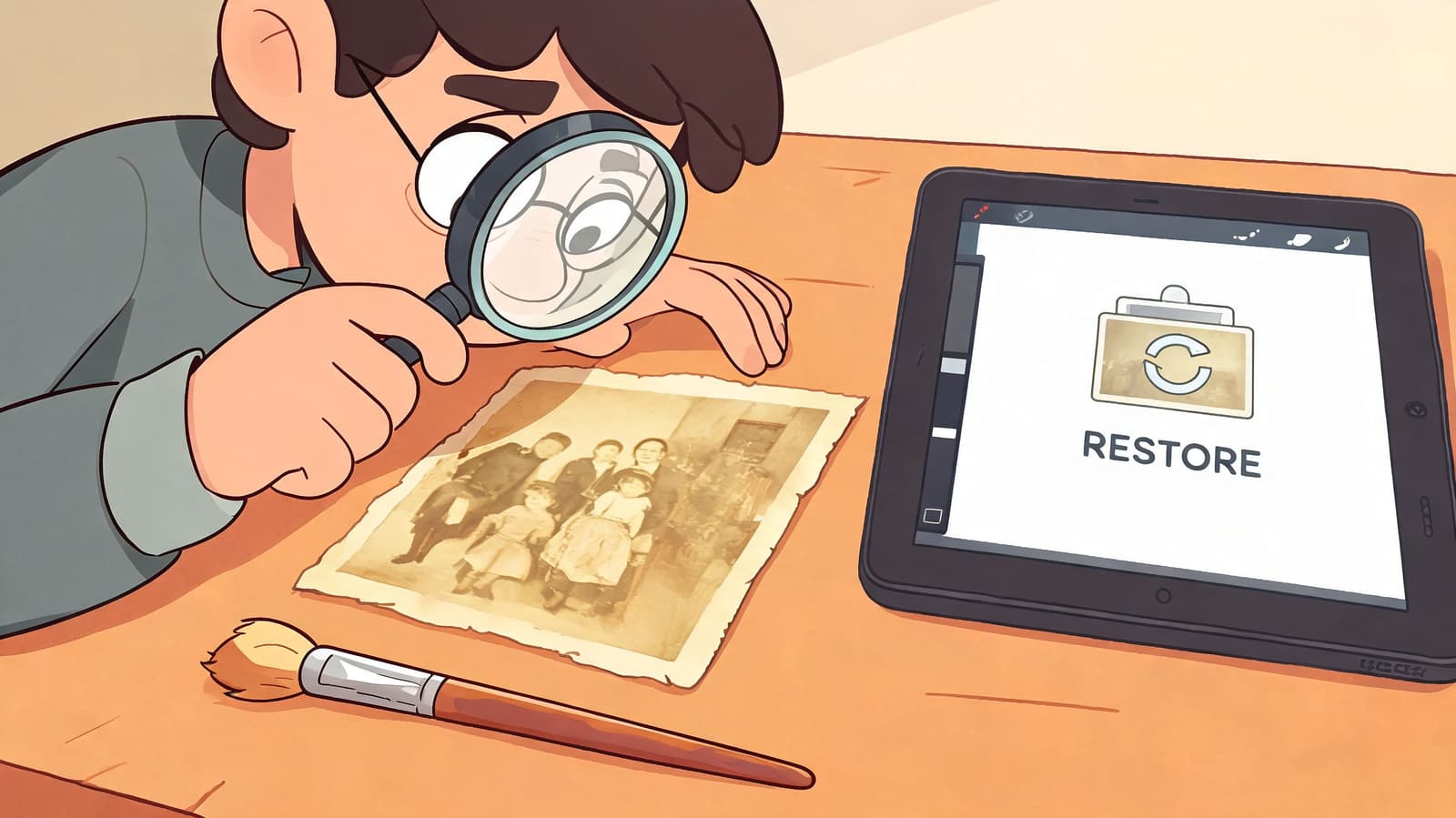
Start with an ownership and quality check
Before you edit, ask two questions.
First, do you own this photo or have permission to alter it? If the answer is unclear, stop there.
Second, what kind of mark is it? A scanner label near the border is a straightforward restoration task. A semi-transparent logo over skin, lace, or hair is much more delicate.
Here's a simple triage list:
- Check the source: Physical family print, inherited digital file, purchased portrait, or internet download.
- Check the mark type: Date stamp, lab mark, logo, proof overlay, or export label.
- Check the background: Plain area, face, clothing texture, foliage, wallpaper, or film grain.
- Check the end use: Printing, slideshow, or motion-based tribute edit.
If the image is noisy or blurry to begin with, repair the basics before expecting perfect watermark cleanup. Many people blame the tool when the actual problem is the scan.
How modern AI cleanup works in plain English
Good AI removers don't just blur the marked area. They try to understand edges and rebuild what should be there.
According to ScreenSnap's overview of watermark removers, some modern systems use U-Net architecture for edge detection followed by diffusion-based inpainting, and this can reach an SSIM score of 0.98, meaning the repaired image is very close to the original in structure and detail. In plain language, the software first identifies the shape of the mark, then fills the area by sampling surrounding pixels in a way that looks realistic.
That's especially useful in tribute workflows because detail loss becomes more noticeable when an image is enlarged, sharpened, or placed in motion.
A good result doesn't look “edited.” It looks like the mark was never there.
If you're also fixing blur or softness in older scans before cleanup, it helps to understand how to fix resolution, because restoration usually works best when the image has enough detail to begin with.
A simple prep checklist for family projects
Work slowly and keep a copy of the original file.
-
Scan or export the cleanest version you have
If you still have the print, rescan it rather than reusing an old compressed file when possible. -
Crop only after testing cleanup
Sometimes the best repair comes from leaving extra surrounding pixels for the software to sample. -
Use the lightest-touch tool first
Start with automatic detection on easy marks like corner stamps. Move to manual brushing only when needed. -
Zoom in on faces and fabrics
Hairlines, eyes, collars, and patterned clothing reveal bad edits quickly. -
Compare against the original
If the cleaned image looks plasticky, smeared, or oddly smooth, back up and try a gentler pass. -
Save a master version before making creative edits
Keep one restored file separate from any later color grading, animation, or montage formatting.
For older family photos, restraint wins. The best watermark remover is the one that lets the memory stay believable.
FAQ Your Watermark Questions Answered
Common questions
Is it illegal to remove a watermark for personal use?
If you don't own the image or don't have permission, personal use doesn't automatically make it lawful. If it's your own family photo and the mark is part of an old scan, date stamp, or similar artifact, that's a very different situation.
What if I can't find the original photographer?
If the photographer or rights holder is unknown, be careful. Don't assume that lack of contact means permission. Try to identify the source before altering the image.
What's the best watermark remover for old family photos?
There isn't one universal answer. For old scans, the best choice is usually a tool that combines careful AI cleanup with manual refinement and preserves texture rather than over-smoothing it.
Why do old scanned photos look worse after watermark removal?
Because the software isn't only removing a mark. It's also trying to reconstruct faded texture, grain, and damaged detail. That's much harder than editing a clean digital image.
Should I crop out the watermark instead?
Sometimes, yes. If the mark sits near an edge and cropping won't harm the composition, cropping can be cleaner than reconstruction.
Are no-signup tools always safer?
Not always. Convenience and privacy are different questions. Read how the tool handles uploads, storage, and processing before using family images.
Can I remove a date stamp from my parents' old vacation photo?
Usually, if the image is your family's and you're restoring it for personal use, that's a normal cleanup task.
What matters most for tribute projects?
Natural faces, preserved texture, and a clean source file. A small imperfection is often better than an overprocessed repair that makes the photo feel artificial.
If you're turning a restored family photo into something more moving, Photo for Video helps you animate a single still into a gentle, polished memory clip for birthdays, memorials, anniversaries, and keepsakes. It's a thoughtful next step when your image is ready and you want to bring it to life without losing the feeling of the original.