8 Memorial Service Photo Display Ideas 2026
Discover 8 memorial service photo display ideas, from animated portraits to QR memory walls, with setup tips for a heartfelt tribute.
One favorite photo is open on your phone, a service date is marked on the calendar, and a box of prints sits half-sorted on the table. That's a normal place to start. You don't need to show everything. You need a few clear spots where guests can recognize the person they knew, pause, and trade a memory with whoever is standing next to them.
The eight ideas below run from a single animated living portrait, a still photo given subtle motion through a tool like Photo for Video, to printed walls, tribute tables, QR-linked clips, and shareable online galleries. Pick one centerpiece and one supporting display instead of trying to build everything. Families increasingly shape services around identity, relationships, and hobbies rather than formal portraits alone, and celebration-of-life approaches have become a central part of how modern memorials are planned.
Start with the clearest photo you have, keep captions short enough to read at a glance, and test every screen, link, and print before guests arrive.
Table of Contents
- 1. Animated Living Portrait Display
- 2. Memorial Slideshow with Background Music
- 3. Animated Multi Photo Tribute Montage
- 4. Digital Photo Frame or Smart Display Loop
- 5. Printed Photo Wall with QR Linked Animations
- 6. Restored Old Photo Animation Keepsake
- 7. Photo Tribute Table or Easel Display
- 8. Shareable Online Memorial Gallery
- 8 Memorial Photo Display Ideas Compared
- Choose One Photo and Start There
1. Animated Living Portrait Display
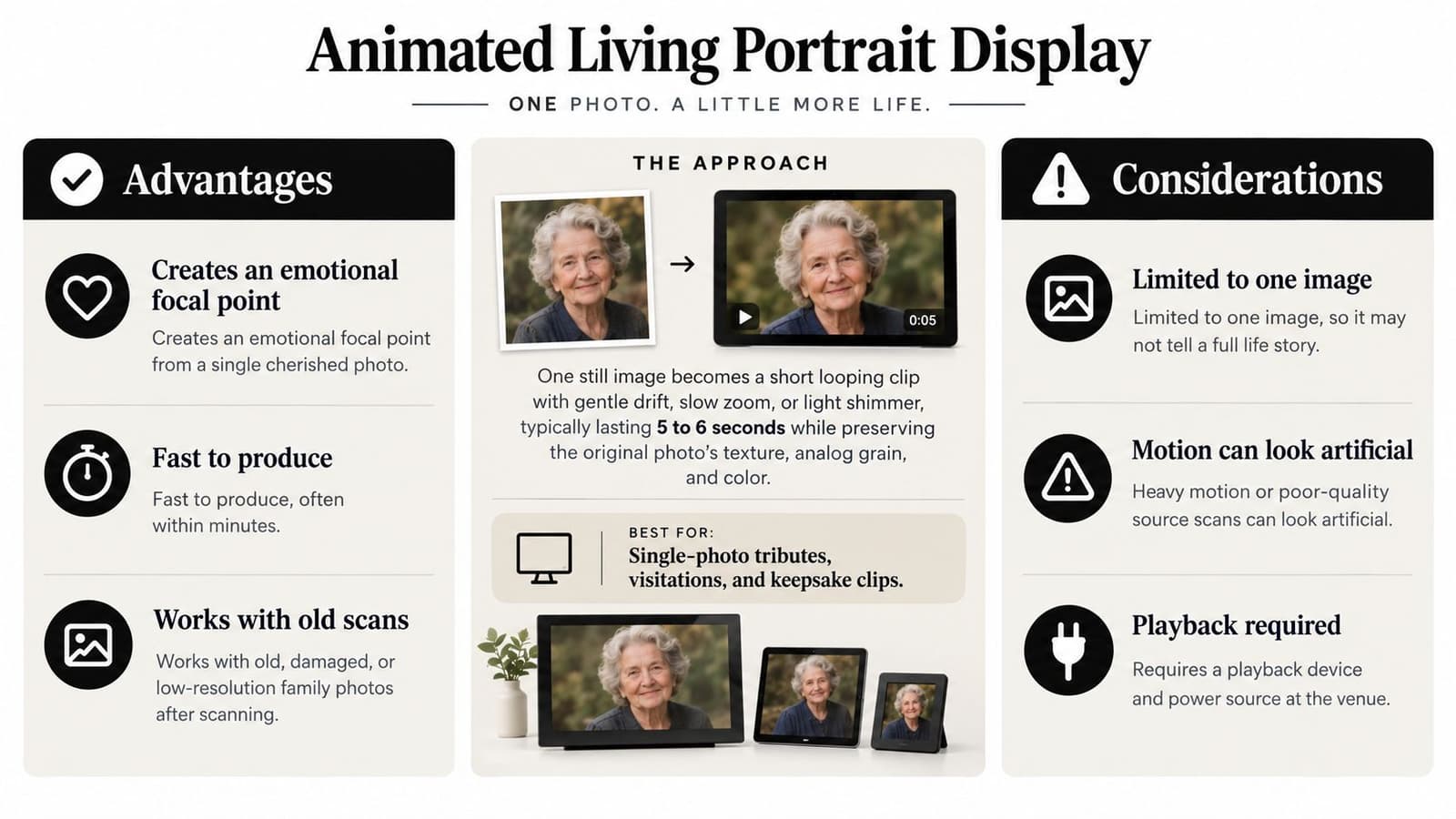
One strong portrait, given subtle natural motion, can do more than a crowded board. A gentle drift, slow zoom, or soft light shimmer keeps the original photo's grain and expression intact while making the person feel present in the room. Families often place this as a looping clip on a lobby screen at the funeral home, or on a monitor beside the guest book at a reception where people naturally stop.
The comparison below sums up where this format helps and where you should keep expectations restrained.
Getting a Calm, Natural Result
Choose a sharp, well lit photo with clear space around the head and shoulders, because tight crops leave nowhere for movement to go and can distort the face. Describe the motion in one short line, such as slow gentle zoom and soft light drift, and avoid asking for gestures the photo doesn't contain. If you're learning the workflow, how to animate a photo with gentle natural motion covers the basic steps. Scan old prints at high resolution before you start, keep an untouched copy, and don't smooth away the texture that makes the image feel like itself.
This short example shows the level of movement to aim for before you test your own clip on the actual screen you'll use on the day.
Play the loop muted unless the venue has agreed to audio, lower the screen brightness in a dim chapel, and set it to repeat automatically. If the motion draws attention to itself, it's too much. Guests should notice the person first.
2. Memorial Slideshow with Background Music
Most guests already understand a slideshow, which is why it works before a eulogy or during a reception. Arrange photos chronologically or by theme, family, travel, work, and hobbies, so people who knew different chapters of a life each find a point of recognition. Funeral homes frequently run these on a chapel screen, and families building their own can adapt the pacing in slideshow with music pacing and setup guidance.
For a room viewed from around 10 feet, build on a 16:9 canvas at 1920 × 1080, keep one short message per slide, and use 48 to 72 pt text with a 4.5:1 contrast ratio for normal text, following digital signage design guidance for viewing distance and readability. Hold still images long enough to read any caption, use slow dissolves, and avoid flashing transitions.
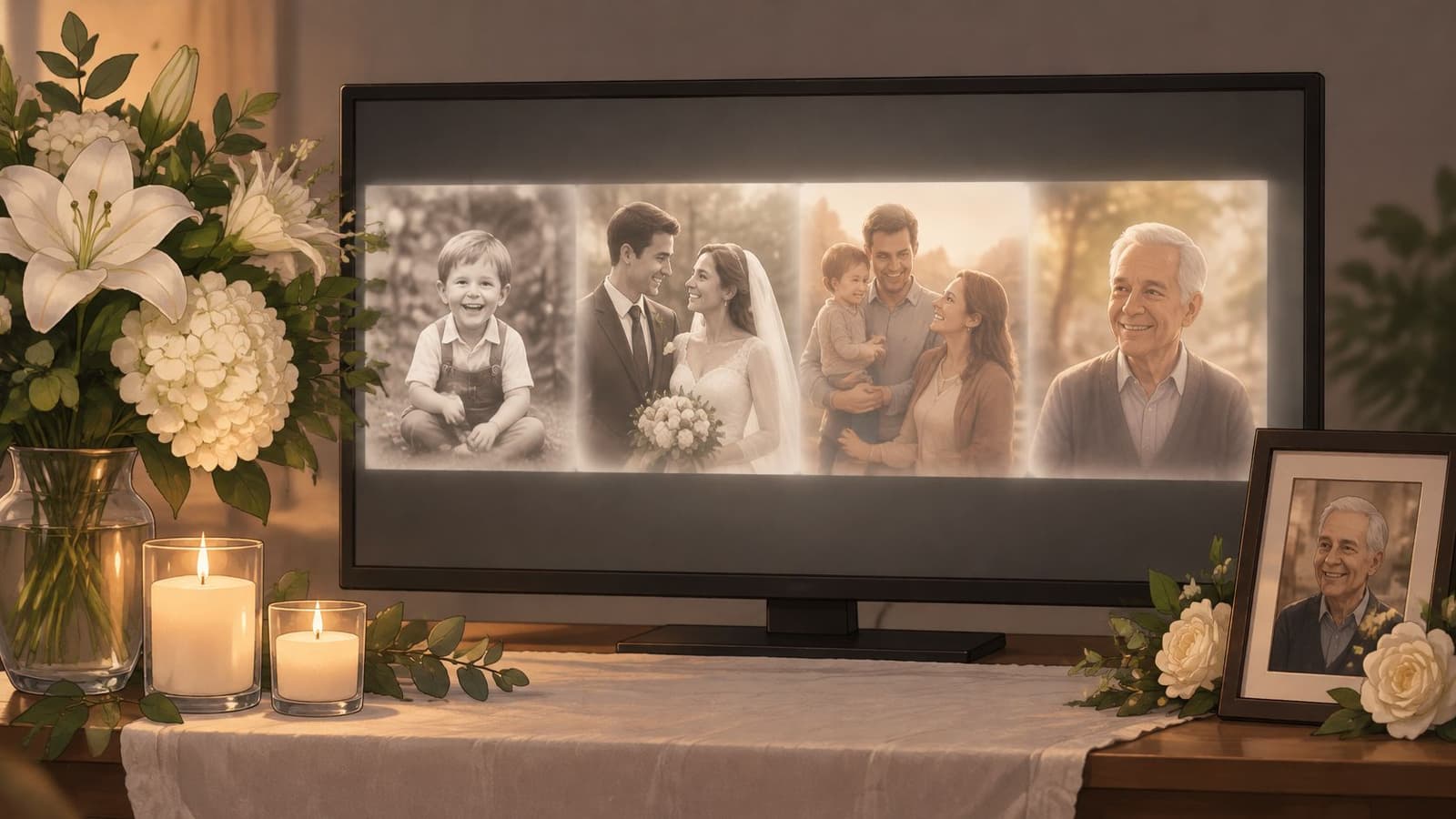
The setup below shows how a screen can sit alongside candles and flowers without dominating the table.
Pacing and Backup Planning
- Keep it contained: Aim for a sequence guests can watch in one sitting, and mix decades and settings rather than clustering all formal portraits together.
- Clear the music: Use licensed, public domain, or family requested music tracks, and confirm the venue speakers before the day.
- Bring redundancy: Export the finished file to a USB drive and a cloud link, and if the venue runs its own system, explore live presentation software options in advance so formats match.
Run the full file once in the room. If text disappears under glare or music overwhelms conversation, fix that before doors open.
3. Animated Multi Photo Tribute Montage
A montage stitches several short animated clips, each built from a single photo, into one tribute you can show during the service and share afterward. One family might assemble clips from childhood through later years for a brief online tribute, while an editor for a community group builds a reel honoring members people knew in different settings. Each photo gets its own gentle move, but the sequence tells the larger story.
Don't vary the camera move on every clip. A consistent slow push or drift across all images feels cohesive and calm, while constant changes in direction make guests work to reorient themselves. Group clips by life stage or theme instead of strict date order if your photos cluster unevenly around certain years.
Practical rule: If a photo is soft or busy, give it less motion, not more. Animation magnifies flaws that a still print can hide.
Building the Sequence
Open with a simple title card giving the name and years, then close on the strongest portrait so the last image lingers. Add narration only if the speaker can record clearly and the venue audio is reliable. Otherwise, let music and short captions with dates and places carry context. Captions matter because a cousin may not know the lake house or the workplace in a photo.
Check the final length against the limits of wherever you'll post it, and export a separate version without music if a platform may mute licensed tracks. Keep every source clip as its own file too. That makes it easy to reuse one portrait on a frame or table display without recutting the whole montage.
4. Digital Photo Frame or Smart Display Loop
After the service, a digital frame on a mantel or a TV in art mode keeps memories present without anyone pressing play. During a visitation, the same device works on a side table where two or three guests can watch together. It's quieter than a large projection and better suited to a home gathering or small reception room.
Mount or place screens so the center sits roughly 48 to 60 inches above the floor, preserve clear approach space, minimize glare, and provide captions for video, following university guidance on accessible digital signage placement. That guidance also supports keeping a static or printed alternative, because animation shouldn't be the only way to read names and dates.
Setting the Loop So It Runs Itself
- Match timing to clip length: Let each animated still finish its movement before advancing, and preload everything before the frame reaches its final spot.
- Manage brightness: Turn on auto brightness, avoid stark white backgrounds left on for hours, and check the screen from a chair, not just standing.
- Assign one owner: One family member managing uploads prevents duplicates and out of order photos, a point covered in photo frame that plays video setup options.
Test what happens after a power interruption. Some frames restart on the first file or show a menu, and you don't want a relative troubleshooting settings during the gathering.
5. Printed Photo Wall with QR Linked Animations
A printed wall gives guests something tactile to stand in front of, point at, and talk about. Adding a QR code beside selected photos lets them watch the animated version on a phone, blending that physical presence with motion. One reception might show a set of printed photos with codes beside the few images that were animated, rather than coding every picture and turning the wall into a set of instructions.
Be honest about the trade off. QR based albums work poorly as the only option for older attendees or anyone without a phone handy, a limitation acknowledged in creating a meaningful memorial photo display with hybrid formats. Pair the wall with a seated screen or printed captions so nobody has to use a phone to participate.
A guest scanning a code at the table shows why placement and print size matter more than the technology itself.
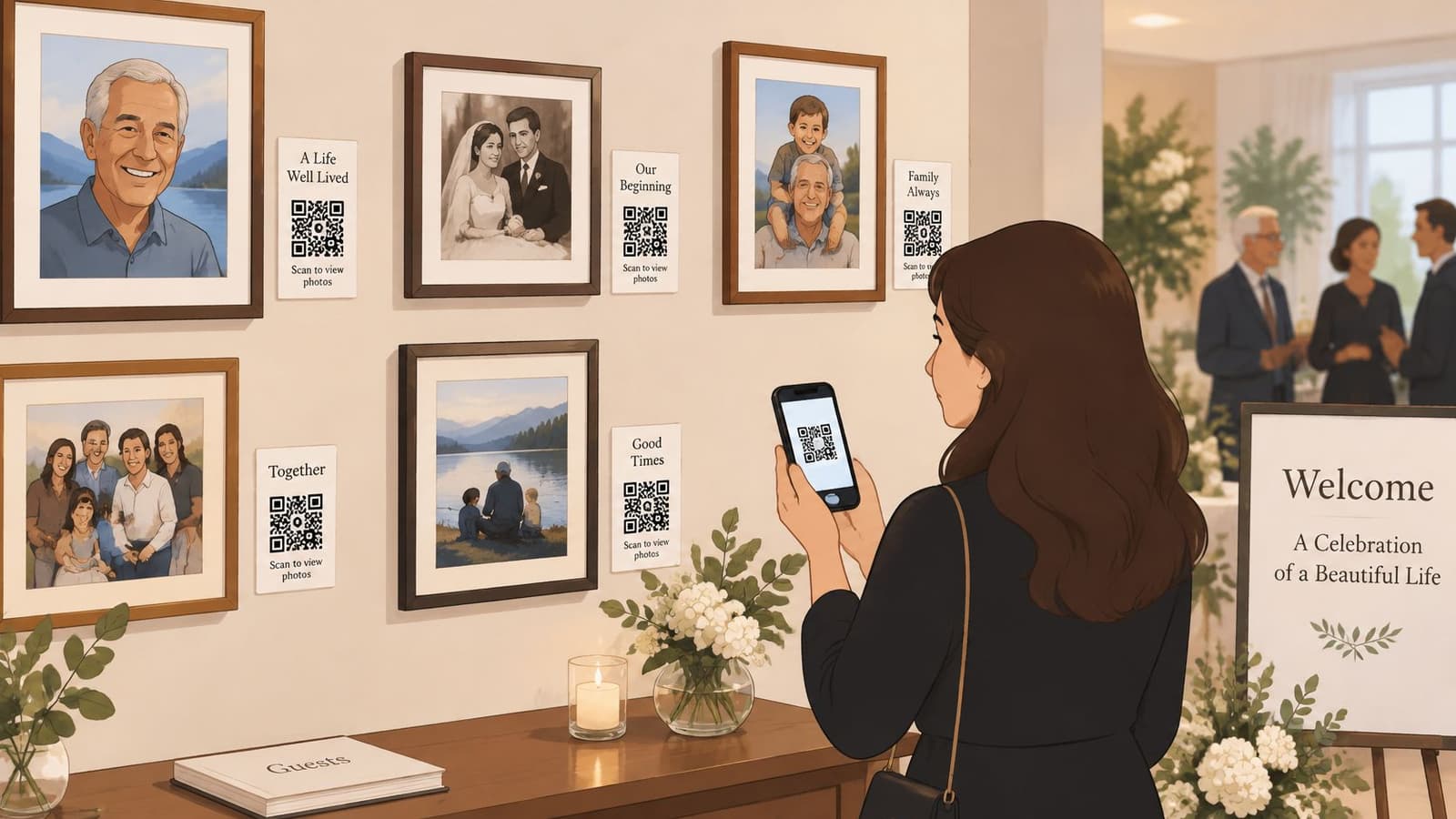
Test each code with at least two phone models, print codes large enough to scan comfortably at close range, and place them near eye level with a short label in plain language. Confirm the hosting link will stay active well beyond the service, because relatives often scan again weeks later.
For the printed pieces themselves, order early and proof one at full size. If you're producing larger boards, digital printing for promotional posters is one route to compare for finish and turnaround. Matte stock reads better under venue lighting than gloss.
6. Restored Old Photo Animation Keepsake
Some families don't have a crisp recent portrait. They have a faded wedding print, a creased snapshot, or an ancestor portrait from an album. Scanning and lightly restoring that image, then adding subtle motion, can make a long gone relative feel present without pretending the photo is something it isn't. A genealogy presentation might animate several ancestor portraits, while another family pairs one restored clip with the original print in the same frame.
Restoration deserves restraint. Remove dust and correct severe fading, but don't beautify a face into a different person or recolor clothing you're guessing at. Keep the untouched scan archived separately, in TIFF or high quality JPG, so future relatives can see exactly what you started with.
Preserve the original first, animate second. Once you alter the only copy, you can't recover the evidence of how that photo actually looked.
Deciding What Should Be Shown
Old collections raise a privacy question most display advice skips. Research discussed in bereaved families and inherited digital photographs after death found families often discover unshared images the deceased may have kept private deliberately. Sort candidates into clearly public, family only, and do not display folders before anyone animates anything. Appoint one curator to make final calls.
Choose motion that suggests warmth, a slow drift across a garden background or a gentle zoom, rather than exaggerated movement that an aged, low detail image can't support. If the result looks uncanny, use the restored still instead. That's not a failure. It's good judgment.
7. Photo Tribute Table or Easel Display
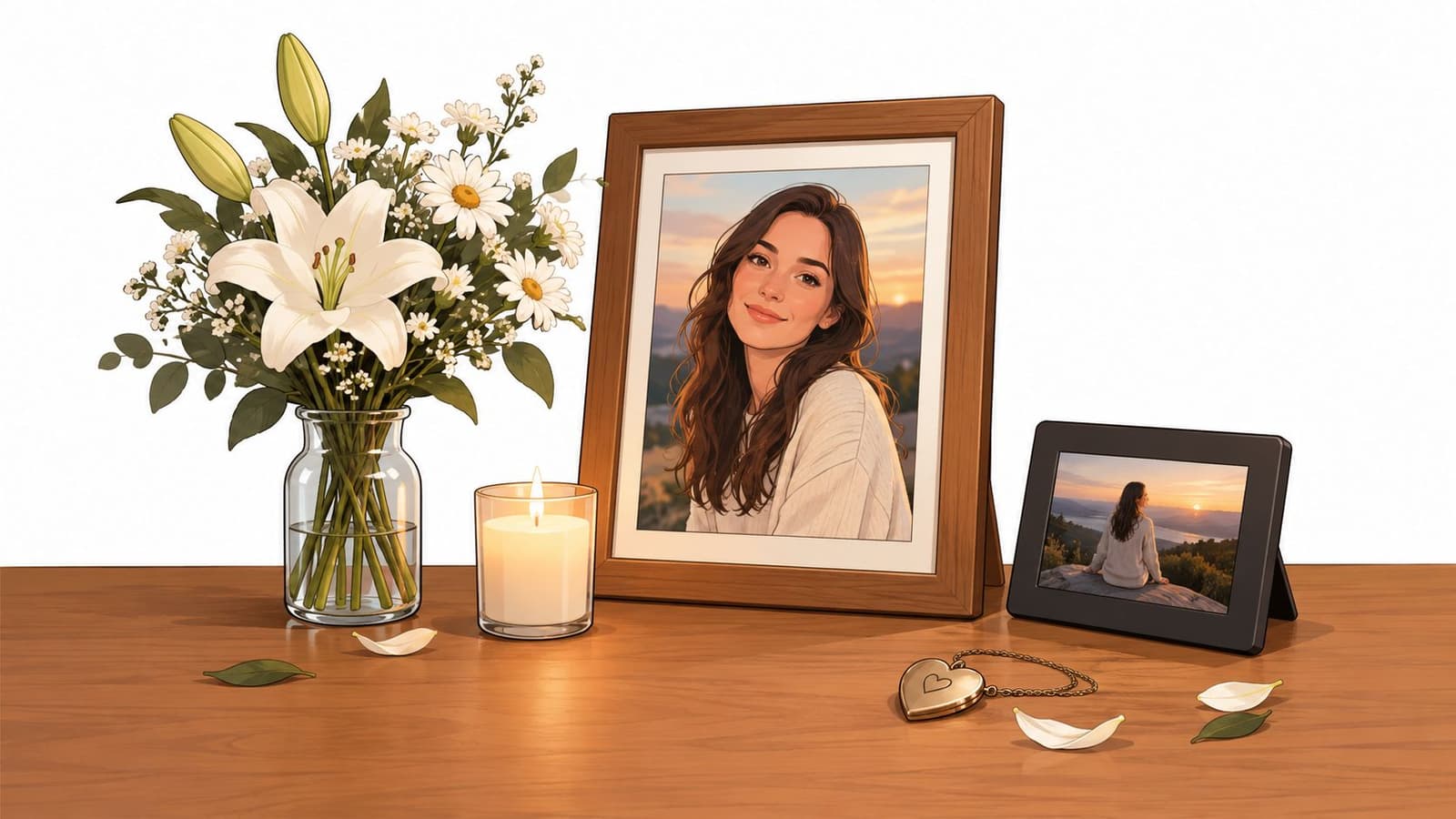
A tribute table is often where guests linger longest because they can approach at their own pace. Framed photos on small easels, a primary portrait as the anchor, and a few personal objects, a fishing lure, a recipe card, sheet music, tell people who this person was faster than captions alone. A compact screen looping one animated clip can sit at the back of the table, as long as it doesn't crowd the objects.
Industry material cited earlier reports families seeking personalized elements and attendees valuing memory tables, though those figures come from industry websites rather than clearly identified peer reviewed studies. Treat that as directional support for what you'll observe yourself. Guests gather where there's something specific to recognize.
The arrangement below shows the balance to aim for, one clear portrait, restrained flowers, and room for the eye to rest.
Placement That Invites People In
Keep the display within one clear focal area near the entrance or beside the guest book, not in a corridor where people must squeeze past. Use matte frames and soft lighting to cut glare, run any screen silent or at low volume, and leave space in front for a wheelchair user or someone who needs to sit nearby.
Assign one person to check the table during a long event, straighten frames, replace a candle, and confirm the loop is still playing. Small drift over several hours makes a cared for display start to look forgotten.
8. Shareable Online Memorial Gallery
Not everyone can be in the room. Relatives abroad, friends with mobility limits, and coworkers in another state may only encounter the tribute online, so a private gallery of photos and animated clips extends the memorial beyond the day itself. Collected contributions should be gathered before the service where possible, not requested from grieving guests during it.
Digital participation is now established rather than novel. Reporting summarized in rise of digital memorials and online tributes after the pandemic notes that more than half of U.S. funeral homes began offering livestreaming during the pandemic, and a 2025 Choice Mutual survey of 6,000 Americans found 45% were comfortable with livestreamed funerals. Those figures are U.S. focused and reported secondhand, but the direction is clear enough to plan for remote viewers.
Privacy and Long Term Access
- Use private links: Password protect the gallery and set a clear policy for who can add photos or comments.
- Check consent: Ask living people in identifiable photos before posting publicly, and keep private messages and screenshots out by default.
- Back up locally: Download MP4 files and original stills to family storage in case the hosting service changes terms or closes.
Include captions, transcripts for any spoken audio, and a low bandwidth version for relatives on weak connections. A gallery that only works on fast Wi Fi and a new phone excludes the very people it was meant to include.
8 Memorial Photo Display Ideas Compared
| Memorial Display Option | 🔄 Setup & Resource Requirements | ⚡ Effort & Speed | 📊 Expected Outcome | ⭐ Ideal Use | 💡 Key Advantage |
|---|---|---|---|---|---|
| Animated Living Portrait Display | One photo, animation software, and a screen or tablet with power | Low; often produced within minutes | A gentle 5–6-second looping portrait | Single-photo tributes and visitations | Creates an emotional focal point from one cherished image |
| Memorial Slideshow with Background Music | A selection of photos, editing or presentation software, music, and playback equipment | Moderate; requires photo selection and sequencing | A 3–10-minute visual timeline with music | Services, celebrations of life, and family gatherings | Tells a broader life story in a familiar format |
| Animated Multi-Photo Tribute Montage | Multiple photos, animation tools, editing software, and optional audio | Moderate to high; each photo may need its own animated clip | A flexible-length video combining animated images and audio | Longer tributes and social media memorials | Adds motion while allowing clips to be reordered or replaced |
| Digital Photo Frame or Smart Display Loop | A digital frame, smart TV, or tablet; internet may be needed for some models | Low after initial setup | Continuous display of photos or animated clips | Home memorials and ongoing remembrance | Keeps memories visible and easy to update |
| Printed Photo Wall with QR-Linked Animations | Printed photos, QR codes, hosted clips, and guests' smartphones | Moderate; codes and links need testing | A physical photo display linked to digital animations | Receptions, open houses, and guest engagement | Combines a tactile display with clips guests can revisit |
| Restored Old-Photo Animation Keepsake | An old photo, high-resolution scanning, restoration, and animation tools | Moderate; scan quality and restoration affect the process | A subtly animated keepsake that retains the original photo's character | Heirloom gifts, genealogy, and anniversary tributes | Brings aged or non-digital photographs into a shareable format |
| Photo Tribute Table or Easel Display | Framed photos, display space, optional screen, and decorative items | Moderate; requires arranging and maintaining the display | A quiet, personalized space for reflection | Visitations, wakes, and receptions | Combines physical keepsakes with optional digital media |
| Shareable Online Memorial Gallery | A hosting platform, uploaded photos or clips, and privacy settings | Low to moderate; setup and access controls are needed | An updateable gallery accessible remotely | Remote relatives and long-term remembrance | Extends access beyond the event and reaches distant guests |
Choose One Photo and Start There
Don't try to build all eight displays. Pick the clearest portrait you have, the one where the face is well lit and unmistakably them, and make that your centerpiece. Animate it gently for a screen, frame, or table, then build exactly one supporting display around it, a printed wall if guests will mingle, a slideshow if they'll be seated, or a private gallery if family is spread across distances.
Work backward from the room. Where will people enter, where will they wait, and where can someone sit while looking? A beautiful display placed against glare from a window or at a height that only standing guests can see will underperform. Check your display from a chair, from the back row, and on a phone with the brightness turned down. If names and dates aren't readable in those conditions, enlarge the text, shorten the caption, or move the screen.
Keep your curation honest. Separate clearly public photos from family only and do not display images before anything is printed or uploaded, and let one person make final decisions when relatives disagree. That small structure prevents the most painful mistakes, which usually aren't technical. They're the private photo shared too widely or the favorite image nobody thought to ask about. If your venue or organizer is collecting guest contributions, set up photo uploads for event organizers in advance and close submissions before the service starts.
Finish with unglamorous testing. Play every file on the device, scan every QR code, carry a USB backup and a charging cable, and print one proof at full size. Save the untouched originals separately from restored and animated versions. Photo for Video is one option for turning that single chosen portrait into a short, gently moving clip for a centerpiece, but the principle matters more than the tool. One true photo, handled carefully and shown where people can see it, will carry the room.
Turn the one portrait you've chosen into a short, gently moving clip that keeps its original texture, ready for a service screen, tribute table, digital frame, or private family gallery. You add a single photo and one short line describing the motion you want, then use the finished MP4 wherever your display needs it. Visit Photo for Video to create your centerpiece clip before the service date arrives.