
AI background changer
Change your photo background with AI.
Describe the background you have in mind. Give a portrait a new setting with Nano Banana 2, one photo and a few words.
Change my photo backgroundFrom 160 credits per edit · Account required
See how it works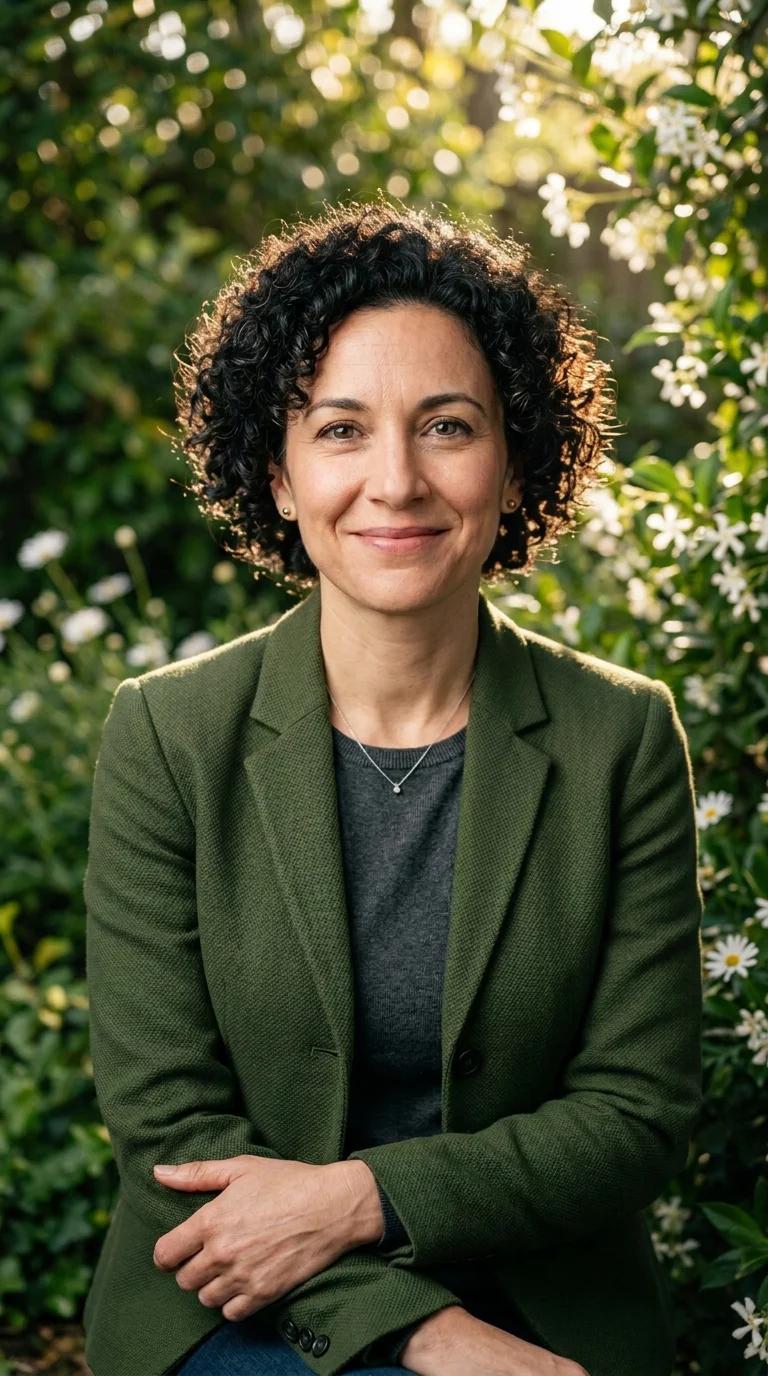
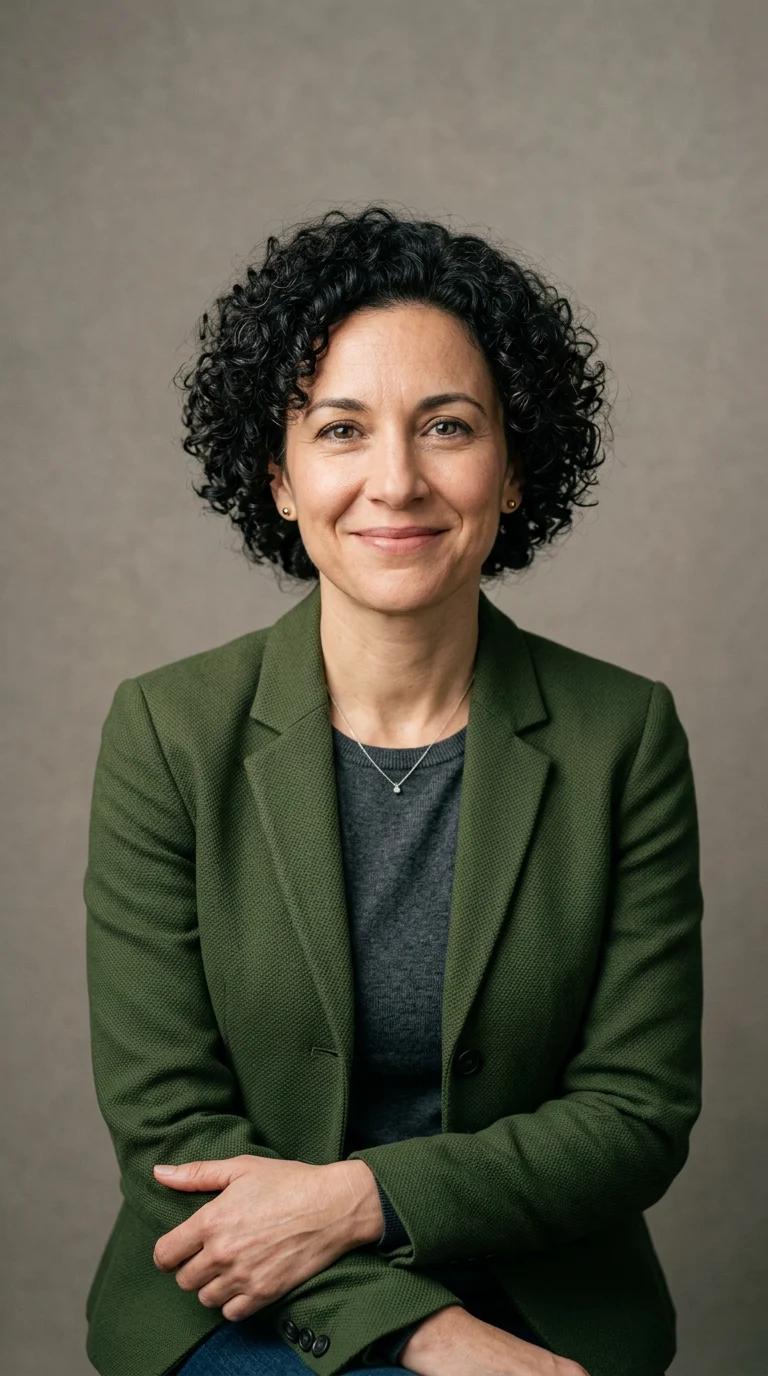
The instruction behind the example
A few words. A new atmosphere.
“Replace the plain gray background with a softly blurred sunlit garden, green foliage and small white flowers. Keep the same fictional adult woman, curly hair, green jacket, pose and framing. Match natural warm daylight. Do not add text or other people.”
Generated with Nano Banana 2 Edit at 1K in portrait format. This example uses a synthetic person; compare faces and fine details in your own result.
From your files to a new creation
Make it yours in three steps.
- 01
Start with your photo
Upload a clear JPG, PNG or WebP. Use a photo you have permission to edit, up to 5 MB and 40 megapixels.
- 02
Describe the new setting
Name the scene, light and colors. Explain what you want to keep, such as the pose, clothing and framing.
- 03
Review credits, then create
Choose a size and format, check the cost and generate. Compare the result with your original before downloading the PNG.
Know what to expect
A new backdrop starts with a clear instruction.
Ask for a sunlit garden, a quiet studio or a simpler color behind your subject. This is a generative edit: the AI makes a new image and can change details beyond the background.
Use files and likenesses you have permission to edit. Keep your original files and review AI results before sharing.
- Model
- Nano Banana 2 Edit
- Input
- One JPG, PNG or WebP · Up to 5 MB / 40 MP
- Output
- One PNG · Square, landscape or portrait
- 1K
- 160 credits
- 2K
- 240 credits
- 4K
- 320 credits
A little more detail
Questions before you create?
How do I change a photo background with AI?
Open the photo editor, sign in and upload one photo. Describe the new background and anything you want to preserve, choose your options, then review the credit cost before generating.
Will the person stay exactly the same?
Not always. Nano Banana 2 creates a new version of the whole image. You can ask it to preserve the face, pose and clothing, but details may still change. Compare the result with your original.
Can I upload a separate background image?
This tool accepts one photo and written instructions. Describe your new background in the prompt; a second reference image, manual masks and precise cutout controls are not offered.
Can I make the background white or transparent?
You can ask for a plain white background. This is a generative edit rather than an exact cutout tool, and transparent-background output is not an offered setting.
Is the AI background changer free?
You need an account and paid credits. A 1K edit costs 160 credits, 2K costs 240 credits and 4K costs 320 credits. Your existing balance works across the studio; no subscription is required.
How long can I download my edited photo?
Download your result within seven days of creating the task. Studio files are private and download links are temporary. A confirmed generation failure returns the reserved credits; a connection problem alone does not mean the generation failed.
Your next creation
Give your photo a new place to be.
Change my photo backgroundShared studio credits. No subscription required. Download within seven days.